
Is your Roomba blinking a red light and leaving you puzzled? When your trusty robot vacuum flashes red, it’s trying to tell you something important.
Ignoring it won’t help, but fixing it might be easier than you think. You’ll discover exactly what that blinking red light means and how you can quickly troubleshoot the issue. Whether it’s a full bin, a stuck wheel, or a battery alert, you’ll learn clear, simple steps to get your Roomba back to work.
Keep reading, and you’ll never have to worry about that red light slowing down your cleaning again!
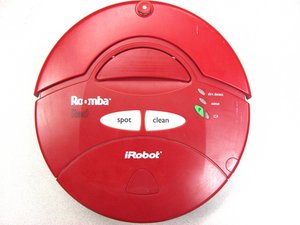
Red Light Meanings
The red light on your Roomba signals important information about its status. Understanding what the blinking red light means helps you fix issues fast. It can warn about a full bin, battery problems, or specific errors. Each pattern or blink count tells a different story.
Full Bin Indicator
A blinking red light often means the dustbin is full. Roomba stops cleaning to avoid damage. Empty the bin and clean the sensors near it. This resets the indicator and lets Roomba continue its work.
Battery Warning
A solid or blinking red light may warn about low battery. Roomba needs to recharge before cleaning again. Place it on the charging dock and wait for the green light. This ensures your Roomba has enough power to operate.
Error Codes
Roomba uses red blinking lights to show error codes. Different blink patterns mean different problems. Count the blinks and check your manual or app for exact meanings. Common errors include stuck wheels, sensor issues, or motor problems.
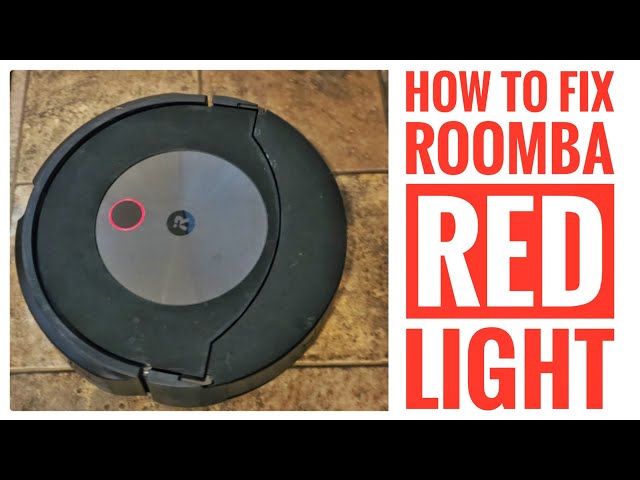
Basic Fixes
The Roomba blinking red light often signals a simple issue. Basic fixes can help you get your robot vacuum working again quickly. These steps are easy and do not require tools or technical skills. Follow them to solve common problems and avoid frustration.
Empty And Clean The Bin
Start by removing the bin from your Roomba. Empty all the dirt and debris into a trash can. Use a dry cloth to wipe the bin clean. A full or dirty bin can trigger the red light. Cleaning it helps your Roomba sense when it is ready to work again.
Check And Clean Sensors
The sensors on your Roomba can get dusty or blocked. Look for sensors near the bin and underneath the robot. Use a soft brush or cloth to clean these areas gently. Clear sensors improve your Roomba’s performance and stop the red light from blinking.
Restart Your Roomba
Power off your Roomba by pressing the clean button until it shuts down. Wait for about 30 seconds. Turn it back on by pressing the clean button again. Restarting can reset minor errors and clear the red blinking light. This simple step often restores your Roomba’s normal function.
Advanced Troubleshooting
Advanced troubleshooting helps fix persistent Roomba issues. It goes beyond basic checks to restore proper function. Use these steps if the red light continues blinking despite simple fixes.
Resetting Your Roomba
Resetting your Roomba can clear minor glitches. Hold down the Clean button for about 10 seconds. Release the button when the light turns off. The Roomba will reboot and might stop blinking red.
Factory Reset Steps
Perform a factory reset to erase all settings. First, remove the dustbin from the Roomba. Press and hold the Clean button for 20 seconds. Release the button when you hear a beep. The Roomba will restore factory defaults and restart.
Using The Irobot Home App
The iRobot Home app makes troubleshooting simple. Open the app on your smartphone. Select your Roomba in the device list. Go to Settings and find the option to Remove or Factory Reset your robot. Confirm to reset your Roomba remotely.
Battery Issues
Battery issues often cause a Roomba to blink a red light. The robot needs a healthy battery to work properly. Problems like old or damaged batteries can stop it from charging or running. Understanding battery problems helps fix your Roomba fast and keep it cleaning.
Checking Battery Health
Start by checking the battery health. Remove the battery from your Roomba carefully. Look for signs of damage, swelling, or leaks. A swollen battery is unsafe and must be replaced. Use a multimeter to check voltage if you have one. Low voltage means the battery cannot hold a charge well. This can cause the red light to blink.
Replacing The Battery
Replace the battery if it shows damage or poor health. Buy a battery made for your Roomba model. Turn off your Roomba before you replace the battery. Follow the user manual for safe removal and installation. After replacement, charge the Roomba fully. A new battery often stops the red blinking light.
Charging Problems
Charging issues can also cause the red light. Make sure the charging dock is plugged in and working. Clean the charging contacts on both the Roomba and dock. Dirt or dust blocks power transfer and causes problems. Try another power outlet if charging fails. Check the charger cable for damage. Proper charging helps keep your Roomba ready to clean.
Maintenance Tips
Proper maintenance keeps your Roomba working well and stops blinking red lights. Simple care helps avoid common errors and extends your robot’s life. Follow these easy steps to maintain your Roomba and keep it cleaning efficiently.
Regular Cleaning Routine
Empty the dustbin after each use to prevent clogs. Wipe sensors gently with a soft cloth to keep them clear. Clean the wheels and brushes to remove hair and debris. Regular cleaning stops error lights and keeps Roomba running smoothly.
Replacing Brushes And Filters
Check brushes for wear every month. Replace them if they look damaged or worn out. Change filters every two months or as needed to keep air flowing well. Fresh brushes and filters improve cleaning and reduce blinking red warnings.
Updating Firmware
Keep your Roomba’s software up to date for best performance. Use the iRobot Home app to check for updates easily. Updated firmware fixes bugs and improves robot functions. This step helps prevent errors and blinking red lights.

When To Contact Support
Knowing when to contact support for a Roomba blinking red light saves time and frustration. Some issues can be fixed at home. Others need expert help. Understanding the signs helps you decide quickly.
Persistent Red Light
A red light that keeps blinking after trying basic fixes means a deeper problem. Restart the Roomba and clean the sensors first. If the red light stays, it signals a serious error. Contact support to avoid further damage.
Hardware Failures
Hardware issues like battery problems or motor failure cause the red light. These problems need trained technicians. Trying to fix hardware yourself can void the warranty. Support teams can diagnose and repair safely.
Warranty And Repair Options
Check if your Roomba is still under warranty before seeking repairs. Warranty may cover parts and labor. Support can guide you on repair centers and replacement options. Use authorized service to keep your warranty valid.
Frequently Asked Questions
What Does It Mean If My Roomba Is Blinking Red?
A blinking red Roomba light means the bin is full or sensors detect an issue. Empty the bin and clean sensors.
How To Force Reset A Roomba?
Press and hold the Clean, Home, and Spot buttons together. Release to reboot Roomba. For J Series, remove the bin, tap Clean once. Use the iRobot app for factory reset on Wi-Fi models.
What Is The Lifespan Of A Roomba?
A Roomba typically lasts 3 to 5 years with regular use and proper maintenance. Replace batteries and parts to extend lifespan. Frequent cleaning and using it on hard floors also help improve durability. High-end models usually offer longer life.
How Do I Tell If My Roomba Battery Is Bad?
Check if your Roomba’s battery drains quickly, won’t hold charge, or causes frequent shutdowns. Swollen or damaged battery also indicates failure.
What Does A Blinking Red Light On Roomba Mean?
A blinking red light means the Roomba has an error. It could be a full bin, stuck wheels, or sensor problems. Check the bin and clean sensors to fix it.
Conclusion
A blinking red light on your Roomba signals a problem needing attention. Check for a full bin or blocked sensors first. Clean the dust bin and sensor areas carefully. If the issue persists, try restarting or resetting the device. Regular maintenance helps keep your Roomba running smoothly.
Understanding these simple steps saves time and frustration. Your Roomba will clean better and last longer with proper care. Stay patient and follow these easy fixes to solve red light alerts.









