
Is the filter light on your Midea dehumidifier blinking and you’re not sure why? That little blinking light is actually trying to tell you something important about your device’s health.
Ignoring it could affect your dehumidifier’s performance and the air quality in your space. But don’t worry—understanding what this blinking filter light means and how to fix it is easier than you think. You’ll discover simple steps to clean your filter, reset the light, and keep your Midea dehumidifier running smoothly.
Keep reading, and you’ll be back to fresh, dry air in no time!
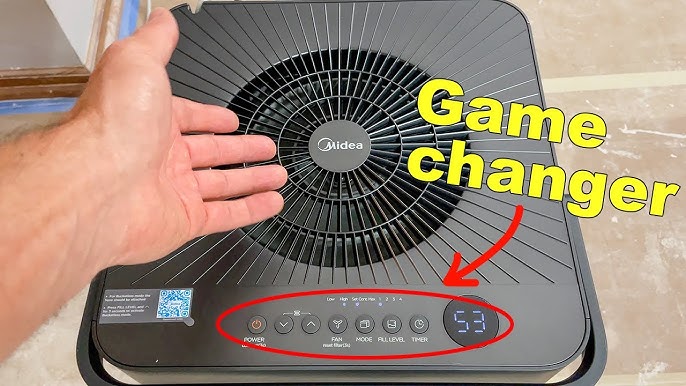
Filter Light Meaning
The persistent blinking of the Midea dehumidifier filter light often signals a need for attention. This blinking usually means the filter requires cleaning. Sometimes, the light keeps blinking even after cleaning. Troubleshooting helps identify if the issue lies with the sensor or the device itself.
Start by cleaning the filter thoroughly with warm water and mild soap. Let it dry completely before reinstalling. This step often resolves the problem. If the blinking continues, explore sensor-related issues or consider professional help.
Sensor Glitches
Sensor glitches can cause the filter light to blink nonstop. Dust or moisture may interfere with sensor signals. Turning off the unit and unplugging it for a few minutes can reset the sensor. Gently clean the sensor area with a soft cloth. Check if the blinking stops after these steps.
Sometimes the sensor might be faulty or misaligned. This causes false alerts. If cleaning and resetting do not help, the sensor may need inspection or replacement.
When To Seek Technical Help
Seek technical help if the filter light blinks after cleaning and sensor checks. Persistent blinking might point to internal malfunctions. A professional can diagnose sensor or circuit board issues. Attempting repairs without expertise can cause more damage.
Contact authorized service centers for reliable support. They have tools and knowledge to fix complex problems. Timely service ensures your dehumidifier works efficiently and lasts longer.

Cleaning The Filter
Preventive maintenance is key to keeping your Midea dehumidifier working well. It stops problems like the filter light blinking. Regular care helps your device last longer and work better. Simple steps can keep the filter clean and the air fresh. This section explains easy ways to maintain your dehumidifier.
Regular Cleaning Schedule
Set a cleaning routine for your dehumidifier filter. Check the filter at least once every two weeks. Cleaning often stops dust buildup. Dust can block air flow and cause the filter light to blink. Use a soft brush or vacuum to clear dirt gently. Stick to the schedule to avoid surprises.
Keeping The Filter Clear
Remove the filter carefully before cleaning. Wash it with warm water and mild soap. Avoid harsh chemicals that can damage the filter. Rinse well to remove all soap. Let the filter dry completely before putting it back. A dry filter keeps your dehumidifier working well. Clear filters improve air quality and reduce blinking lights.

Frequently Asked Questions
Why Is My Midea Dehumidifier Filter Light Blinking?
The blinking filter light on your Midea dehumidifier signals the filter needs cleaning. Remove, wash, dry, then reinstall the filter.
Why Is The Filter Light Blinking On My Dehumidifier?
The filter light blinks to signal a dirty filter that needs cleaning. Remove, wash, dry, and reinstall the filter to reset the light.
How Do I Reset My Midea Filter Light?
To reset your Midea filter light, clean the filter with warm water and soap. Dry it fully, then reinstall. Press the reset button on the control panel to clear the light.
How To Clean A Midea Dehumidifier Filter?
Remove the Midea dehumidifier filter carefully. Rinse it with warm water and mild soap. Let it dry completely before reinstalling. Clean regularly to maintain efficiency.
Why Is My Midea Dehumidifier Filter Light Blinking?
The blinking filter light means the filter is dirty and needs cleaning. It alerts you to maintain air quality and device efficiency.
Conclusion
A blinking filter light means your Midea dehumidifier needs filter cleaning. Clean the filter gently with warm water and soap. Let it dry fully before reinstalling. If the light still blinks, try resetting the unit or check for sensor issues.
Regular cleaning keeps your dehumidifier working well. This simple step helps maintain air quality and device efficiency. Stay attentive to the filter light to avoid bigger problems. Taking care of your dehumidifier extends its life and improves performance.









