
Is your Samsung subwoofer blinking blue and leaving you wondering what it means? You’re not alone.
That blinking blue light is your subwoofer’s way of telling you something—usually related to its connection with your soundbar. But don’t worry; understanding this signal is simpler than you think. Whether you’re trying to set up your system for the first time or troubleshooting a connection issue, this guide will help you fix the blinking blue light quickly.
Keep reading, and you’ll have your Samsung subwoofer working perfectly, delivering deep, rich bass to your favorite movies and music in no time.
Reasons For Blue Light Blinking
The blue light blinking on your Samsung subwoofer signals that something needs attention. This blinking often points to specific issues affecting performance. Understanding these reasons helps in troubleshooting quickly and effectively.
Connection Issues
Wireless connection problems are a common cause. The subwoofer might not link properly with the soundbar. Interference or distance can weaken the signal. Ensure both devices are within range and free from obstacles. Re-pairing the subwoofer can restore the connection. A steady blue light means the connection is stable.
Power Supply Problems
Power-related faults can cause the blue light to blink. Loose power cords or faulty outlets disrupt power flow. Check if the subwoofer is plugged in securely. Try using a different power outlet to rule out socket issues. Power interruptions can prevent the subwoofer from working correctly.
Software Glitches
Firmware errors may trigger blinking lights. Outdated software can cause communication errors between devices. Updating the soundbar and subwoofer firmware can fix bugs. Restarting both devices often clears minor glitches. Keeping software current ensures smooth operation.
Quick Fixes
Quick fixes can solve the blinking blue light on your Samsung subwoofer fast. These simple steps help restore the connection. No need to wait or call for help.
Try these easy methods before moving on to complex solutions. They often fix the problem in minutes. Follow the instructions below carefully.
Check Power Connections
Make sure the subwoofer’s power cord is fully plugged in. Check the outlet for power by testing another device. Loose or faulty connections cause blinking lights. Secure the plug firmly into the socket and subwoofer.
Restart Devices
Turn off both the soundbar and subwoofer. Unplug them from the power source. Wait about 30 seconds to 1 minute. Plug them back in and power on the devices. This reset often clears connection issues causing the blinking light.
Move Subwoofer Closer
Place the subwoofer nearer to the soundbar. Distance or obstacles can block wireless signals. Keep both devices in the same room without walls or large objects in between. A stronger signal helps the blue light stop blinking and stay solid.
Pairing The Subwoofer
Pairing the Samsung subwoofer with your soundbar is essential for clear, powerful bass. The process is usually simple and fast. Most subwoofers pair automatically once powered on. Sometimes, manual pairing is necessary to establish a stable connection. Below are steps to help you pair your subwoofer correctly.
Automatic Pairing Steps
First, connect the power cords of both the soundbar and subwoofer. Plug them into wall outlets and turn them on. The subwoofer’s blue light will blink during the pairing process. Wait a few moments. The blinking will stop, and the light will glow solid blue. This confirms the devices have paired successfully.
If the light stays blinking, try restarting both devices. Unplug and plug them back in. The automatic pairing will start again. Most users find this method easy and quick.
Manual Pairing Process
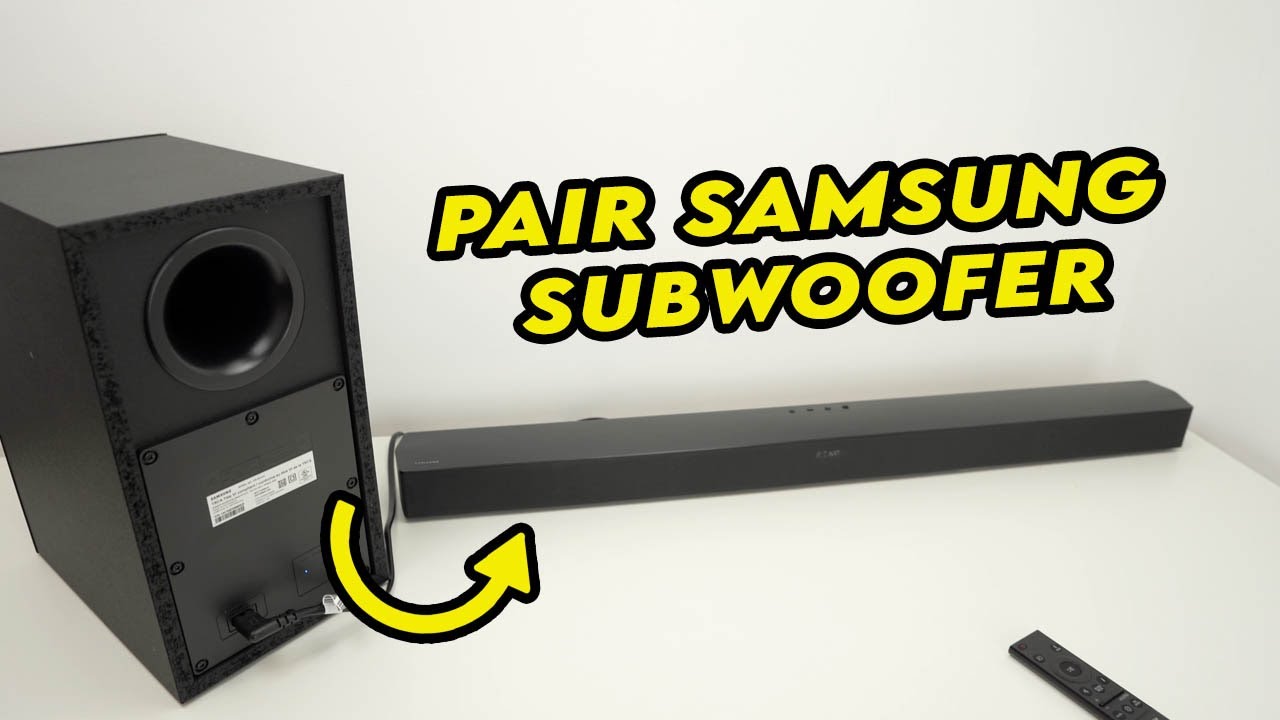
If automatic pairing fails, use manual pairing. Find the “ID SET” button on the back of your subwoofer. Press and hold it until the blue light starts blinking rapidly. This puts the subwoofer in pairing mode.
Next, take your soundbar remote. Press and hold the “Up” button on the remote. Keep holding until the soundbar display shows “ID SET.” This tells the soundbar to search for the subwoofer.
Wait for a few seconds. The subwoofer’s blue light will turn solid, confirming a successful connection. If it does not connect, repeat the steps or restart both devices.

Troubleshooting Tips
Troubleshooting a Samsung subwoofer blinking blue light can be simple. This issue usually means the subwoofer struggles to connect properly. Several easy steps help fix this problem quickly. Follow these tips to restore your sound and enjoy a better audio experience.
Factory Reset Soundbar
Resetting the soundbar can clear connection issues. First, turn off the soundbar and unplug it from the power source. Wait for about one minute. Plug it back in and turn it on. Press and hold the “ID SET” button on the subwoofer. Then, press and hold the “Up” button on the soundbar remote until “ID SET” appears. This resets the connection and often stops the blinking blue light.
Avoid Wireless Interference
Wireless signals can interfere with the subwoofer connection. Place the subwoofer and soundbar away from other wireless devices. Avoid placing near routers, microwaves, or cordless phones. Keep the subwoofer and soundbar within 30 feet of each other. Removing obstacles like walls or metal objects helps maintain a strong connection.
Update Firmware
Updating the firmware fixes bugs and improves performance. Check for the latest updates on Samsung’s official website. Use the soundbar’s settings menu to search for updates. Connect the soundbar to Wi-Fi for easy download. Installing updates keeps the system stable and reduces blinking light issues.
When To Contact Support
Knowing when to contact support for your Samsung subwoofer blinking blue light saves time and effort. Some issues require professional help beyond basic troubleshooting. If problems persist despite trying common fixes, contacting support is the right step.
Support teams have tools and knowledge to diagnose complex problems. They can guide you through advanced steps or arrange repairs if needed. Here are key situations to reach out to Samsung support.
Persistent Connection Failures
Constant blinking blue light means the subwoofer cannot connect. Restarting devices often helps, but repeated failures signal deeper issues. Support can check for network problems or compatibility conflicts. They may provide firmware updates or alternative pairing methods.
Hardware Issues
Physical damage or faulty components cause irregular blinking. If the subwoofer suffered drops or spills, internal parts might be damaged. Support can verify hardware status and offer repair or replacement options. Attempting self-repair may void warranty or cause more damage.
Software Bugs
Software glitches sometimes trigger the blinking blue light. Updates fix bugs and improve performance. Support can confirm if your device runs the latest software version. They can also guide you through safe update processes or factory resets to restore normal function.

Credit: eu.community.samsung.com
Frequently Asked Questions
Why Is The Blue Light Blinking On My Samsung Subwoofer?
The blue light blinks on your Samsung subwoofer during pairing mode. It indicates the subwoofer is searching for connection to the soundbar. Once paired, the light turns solid blue, confirming a successful wireless connection.
Why Is My Subwoofer Light Blinking?
A blinking subwoofer light usually means it’s not connected to the soundbar. Re-pair the devices to fix this.
How Do You Reset A Samsung Subwoofer?
To reset a Samsung subwoofer, unplug it for 30 seconds. Then, press and hold the ID SET button until the blue light blinks. Power on the soundbar, press and hold the Up button until “ID SET” appears, and wait for the solid blue light.
How Do I Connect My Subwoofer To My Samsung Soundbar?
Plug in both devices; the subwoofer pairs automatically with a solid blue light. If not, press the subwoofer’s ID SET button until blue blinks. Then, hold the Up button on the soundbar remote until “ID SET” shows. The blue light confirms connection.
Why Is My Samsung Subwoofer Blinking Blue Light?
A blinking blue light means the subwoofer is trying to pair with the soundbar. It has not connected yet. Check power and pairing settings to fix this.
Conclusion
A blinking blue light on your Samsung subwoofer signals a connection issue. Try unplugging and plugging it back in to reset. Press the ID SET button on the subwoofer to start pairing again. Use the soundbar remote to complete the connection.
A solid blue light means the subwoofer is connected and ready. Regularly check for software updates to keep devices synced. Simple steps often fix the blinking blue light quickly. Enjoy clear, deep sound once the connection is stable. Keep these tips handy for smooth Samsung subwoofer use.









