
Is your Orbi satellite blinking white, and you’re not sure what it means? This little light can tell you a lot about your device’s status.
But if you don’t know the signals, it can be confusing and frustrating. You want your Wi-Fi to work smoothly, without interruptions or guesswork. Keep reading, because you’ll discover exactly why that white light is blinking and how you can fix it quickly.
Don’t let a simple blinking light slow down your connection—take control now.
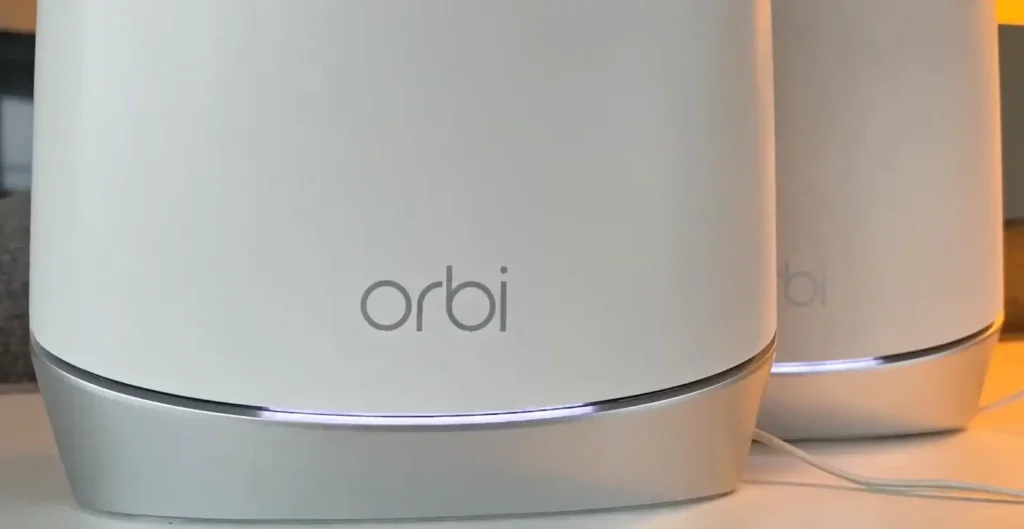
Why Orbi Satellite Blinks White
The Orbi Satellite blinking white light often raises questions. It signals specific states or actions. Understanding these states helps in managing your network device better.
Each blinking white pattern has a unique meaning. It can indicate setup mode, firmware updates, or connection issues. Recognizing these helps troubleshoot effectively.
Normal Setup Mode
A blinking white light often means the satellite is in setup mode. It tries to connect with the main router. This is normal during initial installation or reset. The satellite waits to establish a strong link.
It usually stops blinking once connection is successful. At this stage, you can proceed with network configuration. Patience is key as it may take a few minutes.
Firmware Update Process
The satellite blinks white during firmware updates. This blinking shows the device is installing new software. It helps improve performance and fix bugs. Avoid turning off the device during this process.
Once the update finishes, the light stops blinking. The device restarts to apply changes. This process ensures your Orbi works smoothly with the latest features.
Connection Issues
Persistent blinking white light can signal connection problems. The satellite might fail to link with the router. Interference or distance can cause this issue. Check if the satellite is too far from the main router.
Try moving the satellite closer for a better signal. Restarting both router and satellite can also help. If blinking continues, resetting the satellite may be necessary.
Basic Troubleshooting Steps
When your Orbi satellite blinks white, basic troubleshooting can help fix the issue. These simple steps often restore connection and improve performance. Follow each step carefully to ensure your network runs smoothly.
Power Cycle Your Devices
Turn off your Orbi router and satellite. Unplug them from the power source. Wait for 30 seconds to 1 minute. Plug them back in and turn them on. This resets the devices and clears temporary glitches.
Check Satellite Placement
Place the satellite within range of the main router. Avoid walls, metal objects, and large furniture. Keep the satellite in an open space for better signal. Correct placement reduces blinking white light issues.
Verify Network Status
Use the Orbi app or web interface to check network status. Confirm the satellite connects to the router. Look for any alerts or error messages. A stable network shows a solid or blinking blue light.
Resetting The Orbi Satellite
Resetting the Orbi Satellite helps fix many common issues. It clears temporary glitches and restores normal function. The blinking white light often signals a problem with connection or settings. Resetting can bring the device back to a stable state. Choose the reset method based on the problem’s severity.
Soft Reset Method
The soft reset is quick and safe. It restarts the Orbi Satellite without erasing your settings. To do this, press the reset button for about 5 seconds. Use a paperclip or a small pin to reach the button. Release the button when the LED light blinks. The satellite will reboot and try to reconnect to the network.
Factory Reset Procedure
The factory reset erases all custom settings. It returns the satellite to its original setup. Press and hold the reset button for 10 seconds. Keep holding until the LED light blinks amber. This means the reset process started. After the reset, you must set up the satellite again. This method is useful for persistent problems or network changes.
Firmware Updates And Compatibility
Firmware updates keep your Orbi satellite running smoothly. They fix bugs, improve speed, and add new features. Checking your firmware and updating it can stop the white blinking light issue. Compatibility between your Orbi devices is also key. Mismatched firmware can cause connection problems and blinking lights.
Checking Firmware Version
Start by opening the Orbi app or web interface. Look for the firmware section in settings. The app shows the current version your satellite runs. Note this version for future reference. Checking often helps catch updates early. It prevents issues from outdated firmware.
Manual Firmware Update
Download the latest firmware from the official Orbi website. Save the file on your computer. Access the Orbi web interface and go to the update page. Upload the downloaded file and start the update. The satellite will restart after updating. Manual updates help when automatic ones fail.
Ensuring Device Compatibility
Make sure your Orbi router and satellite use compatible firmware versions. Different versions can cause syncing errors. Always update all devices together for best results. Check model numbers and firmware notes before updating. Compatibility keeps your network stable and stops blinking white lights.
Improving Signal Strength
Improving the signal strength of your Orbi Satellite helps maintain a steady connection. A strong signal reduces blinking white lights and boosts internet speed. Small changes can make a big difference in your Wi-Fi performance.
Optimal Satellite Positioning
Place your Orbi Satellite within good range of the main router. Avoid walls and large objects between the devices. Higher spots often offer better signal coverage. Keep the satellite away from metal surfaces and mirrors. This simple step helps the satellite connect clearly and steadily.
Reducing Interference
Electronic devices like microwaves and cordless phones can disrupt signals. Keep your Orbi Satellite away from these gadgets. Avoid thick walls or floors that block signals. Using less crowded Wi-Fi channels also helps. Reducing interference leads to a stronger, more stable connection.
Using Ethernet Backhaul
Connect your Orbi Satellite to the router using an Ethernet cable. This direct link avoids wireless signal problems. Ethernet backhaul improves speed and reliability. It is especially useful in large homes with weak Wi-Fi spots. Wired connections keep your network steady and reduce blinking white signals.

When To Contact Support
Knowing when to contact support for your Orbi Satellite blinking white issue saves time and stress. Some problems fix easily at home, but others need expert help. Recognizing these moments helps keep your network stable and your devices connected.
Persistent Blinking Issues
The white light blinking for a long time signals a deeper problem. Try restarting the satellite first. If the blinking does not stop after a few minutes, it may need professional attention. Continuous blinking can mean the satellite cannot connect properly.
Repeated attempts to fix the problem without success suggest contacting support. Support can guide you through advanced steps or replace faulty parts.
Hardware Malfunction Signs
Hardware issues often cause the white light to blink without pause. Other signs include no power, overheating, or strange noises from the device. These symptoms mean the satellite might have broken components.
Support teams can test the hardware remotely or advise on repairs. Ignoring hardware problems can lead to complete failure of your network system.
Frequently Asked Questions
What Does Orbi Satellite Blinking White Mean?
A blinking white light on Orbi satellite shows it is starting up. It tries to connect to the main router. Wait a few minutes for it to finish.
How Long Should Orbi Satellite Blink White?
The white blinking usually lasts about 2 to 3 minutes. If it blinks longer, there might be connection issues. Restart the satellite to fix this.
Can Orbi Satellite Blinking White Cause Internet Problems?
Yes, blinking white means the satellite is not fully connected. This can slow down or stop your internet. Fix connection to restore service.
How To Stop Orbi Satellite From Blinking White?
Restart the satellite by unplugging it for 10 seconds. Place it closer to the router. Check cables and power supply to stop blinking.
Is Blinking White Light Normal On Orbi Satellite?
Blinking white is normal during startup or firmware updates. It should turn solid white or blue soon. Persistent blinking means a problem needs fixing.
Conclusion
A blinking white light on your Orbi satellite means it is trying to connect. Check the power and make sure it is close to the router. Restart both devices to help them sync. Keep the firmware updated for better performance.
Small steps can fix common connection issues. Stay patient and follow these tips to get your Orbi working smoothly again. This simple guide helps you solve the blinking white light problem fast.