
If you own a Lookah Dragon Egg and notice a blinking yellow light, you’re probably wondering what it means and how to fix it. That blinking yellow can be frustrating, especially when you just want to enjoy your device without interruptions.
But don’t worry—this light is actually trying to tell you something important about your vape’s status. You’ll discover exactly what the blinking yellow light signals, simple steps you can take to troubleshoot the issue, and tips to keep your Lookah Dragon Egg running smoothly.
Keep reading to get your device back to perfect working order quickly and easily.
Lookah Dragon Egg Yellow Light Meaning
The Lookah Dragon Egg blinking yellow light signals important messages. Understanding these signals helps keep your device safe and working well. The yellow light can indicate battery status or electrical issues. This guide explains what each yellow light pattern means. You will learn how to respond to these signals quickly and easily.
Battery Level Indicator
A blinking yellow light often means the battery is low. It warns you to recharge soon. The light appears when the battery drops below 20%. Charging your device fully will stop the yellow blinking. This alert prevents sudden power loss during use. Watching the battery level saves time and frustration.
Short Circuit Warning
If the yellow light blinks with “SC,” it shows a short circuit. This happens when the coil or wiring touches incorrectly. The device stops working to avoid damage. Cleaning the coil and threads can fix this issue. Use a Q-tip with isopropyl alcohol to clean carefully. Make sure everything is dry before reassembling. If the problem continues, check the coil connection.
Open Circuit Alert
A blinking yellow light with “OC” means an open circuit. This means the coil is loose or not connected. Re-seat the coil by screwing it in firmly but not too tight. Sometimes, the firing pin inside needs adjustment. Gently lift the center pin to improve contact. This alert helps prevent poor heating and error messages. Fixing the open circuit restores normal use quickly.
Common Causes Of Blinking Yellow Light
The Lookah Dragon Egg blinking yellow light often signals a problem. It warns users about issues needing attention. Understanding common causes helps fix the problem quickly. This section explains the main reasons behind the blinking yellow light.
Battery Issues
The battery is a frequent cause of blinking yellow lights. Low charge or poor battery connection can trigger this warning. Check if the battery is fully charged. Replace it if it no longer holds a charge. Sometimes, battery contacts get dirty or loose. Clean the contacts gently and ensure they fit well.
Coil Connection Problems
The coil connects the heating element to the battery. A loose or damaged coil causes blinking yellow lights. Remove and re-seat the coil carefully. Avoid over-tightening, which can damage threads. Inspect the coil for wear or breakage. Replace the coil if damage appears. A bad connection stops the device from firing properly.
Dirty Or Misaligned Components
Dirt and wax buildup can block connections inside the device. This causes blinking yellow lights and poor performance. Use a Q-tip dipped in isopropyl alcohol to clean the coil threads. Clean the device’s internal contacts as well. Make sure all parts are dry before reassembling. Misaligned parts can also cause problems. Check the coil and battery fit correctly without gaps.
Step-by-step Troubleshooting
The Lookah Dragon Egg blinking yellow light often signals a connection or coil issue. Troubleshooting this problem step-by-step helps pinpoint the cause and fix it quickly. Follow these clear steps to restore your device’s proper function and avoid frustration.
Cleaning Threads And Contacts
Start by cleaning the threads and contacts. Use a Q-tip dipped in isopropyl alcohol to wipe the coil threads and the device’s connection points. Dirt or wax buildup can block signals and cause blinking.
After cleaning, let all parts dry completely. Moisture can lead to poor contact and trigger the yellow light. Drying ensures a solid connection when you reassemble the device.
Re-seating The Coil
Remove the coil carefully and screw it back in. Make sure it is snug but not too tight. A loose coil may cause the device to blink yellow because it does not detect a proper connection.
Check that the coil is aligned correctly. Misalignment can interrupt the electric flow and cause the blinking light. Proper placement solves many common issues.
Adjusting The Firing Pin
If cleaning and re-seating do not stop the blinking, the firing pin may need adjustment. Remove the coil and gently push the center pin inside the device upward. This action helps the pin make better contact with the coil.
Be gentle to avoid damage. A good connection between the firing pin and coil ensures the device fires correctly and stops the yellow blinking.
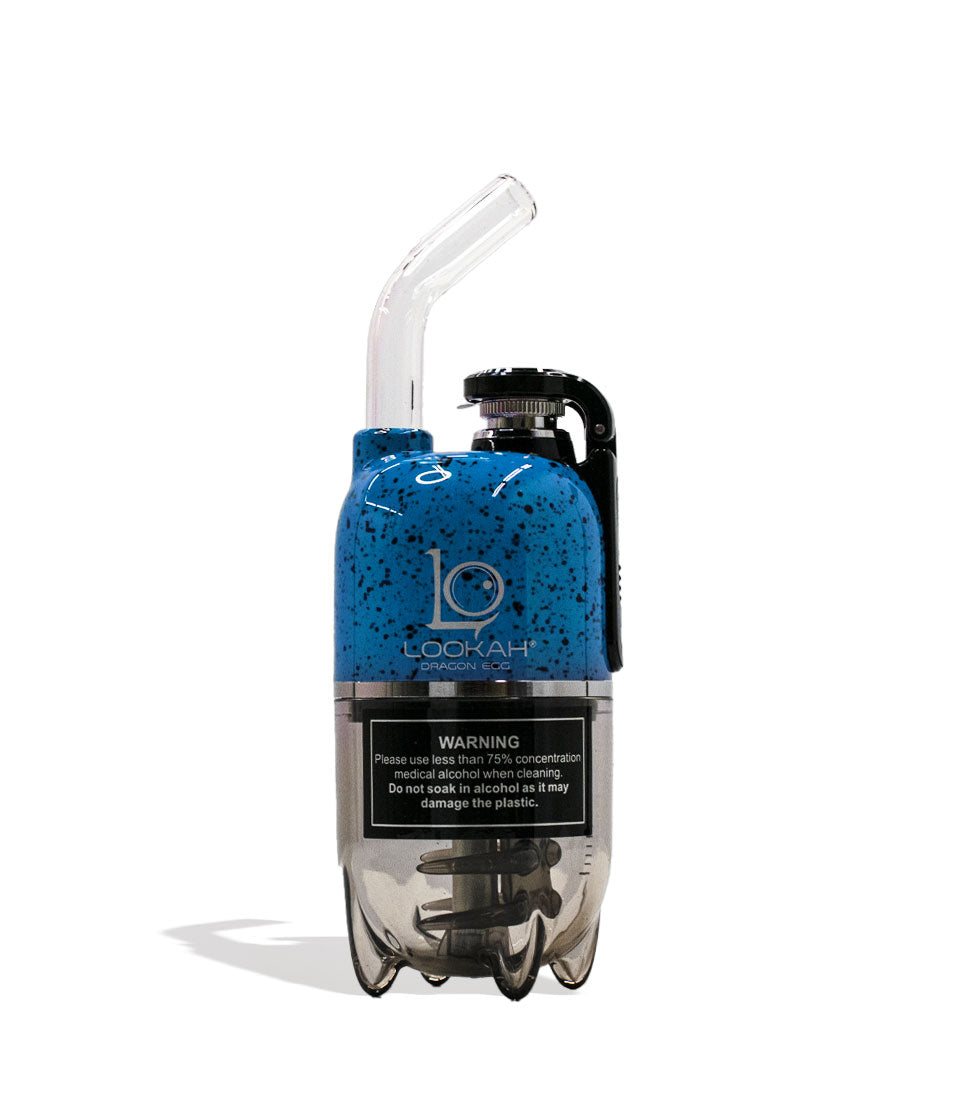
Coil Maintenance Tips
Proper coil maintenance keeps your Lookah Dragon Egg working well. It helps avoid the blinking yellow light problem. Clean and replace the coil to improve taste and performance. Follow simple steps to care for your coil and enjoy smooth vaping.
Cleaning With Isopropyl Alcohol
Use 90% or higher isopropyl alcohol for cleaning. Remove the coil from the device carefully. Dip a cotton swab in alcohol and wipe the coil gently. Focus on the coil’s surface and inside parts. This removes residue and keeps the coil fresh. Avoid soaking the coil fully in alcohol. Let it dry before use to prevent damage.
Drying The Coil Properly
After cleaning, drying is very important. Place the coil on a clean paper towel. Let it air dry for at least one hour. Do not use heat or direct sunlight to dry the coil. Moisture inside the coil can cause errors and blinking lights. Make sure the coil is fully dry before reassembling the device.
Replacing Worn Coils
Coils wear out after repeated use. Signs include poor flavor and blinking yellow light. Replace the coil every 1 to 2 weeks, depending on usage. Unscrew the old coil carefully and discard it. Screw in a new coil tightly but do not over-tighten. New coils improve vapor quality and device function.
When To Contact Support
Proper care helps your Lookah Dragon Egg last longer and work better. Taking simple steps prevents common problems like blinking yellow lights. These signals often mean the device needs attention. Following a routine keeps your vape pen clean and charged. Safe storage also protects the battery and coil from damage. Here are three key ways to care for your Lookah Dragon Egg.
Regular Cleaning Routine
Clean your Lookah Dragon Egg after every few uses. Use a Q-tip dipped in isopropyl alcohol to wipe the coil and threads. Remove any leftover wax or residue inside the device. Let the parts dry completely before putting them back. This prevents short circuits and keeps the device working well.
Proper Battery Charging
Charge the battery fully but avoid overcharging. Use the original charger or one recommended by Lookah. A blinking yellow light often means the battery is low or charging. Stop charging once the light turns solid or green. This protects the battery’s life and performance.
Safe Storage Practices
Store your Lookah Dragon Egg in a cool, dry place. Avoid leaving it in direct sunlight or extreme temperatures. Keep the device away from heavy objects that might damage it. Remove the coil if you won’t use it for a long time. Safe storage helps maintain battery health and device parts.
Preventive Care For Lookah Dragon Egg
The Lookah Dragon Egg vape device uses various light signals to communicate its status. Understanding these light colors helps users operate the device safely and efficiently. This FAQ section explains common light indicators and offers solutions for typical issues.
Red Light Indicators
A red light usually signals an error or problem. It may mean the battery is low or the coil has a short circuit. Check if the coil is screwed in properly. Replace the coil if the red light stays on. Charging the battery fully can also clear the red light.
Other Light Colors Explained
The yellow blinking light means the battery is low but not empty yet. It warns you to charge soon. A green light means the device is fully charged and ready to use. Blue or white lights often show the device is firing or heating up. Each color helps you track the device’s condition quickly.
Device Not Turning On
If the Lookah Dragon Egg does not turn on, first charge the battery fully. Check if the power button is pressed correctly, usually five quick presses turn it on or off. Clean the connection points with a Q-tip and isopropyl alcohol to remove dirt. Make sure all parts are dry before reassembling. If the device still won’t turn on, the internal battery or circuit might be damaged and need professional help.

Frequently Asked Questions
What Does It Mean When My Lookah Battery Flashes Yellow?
A yellow flashing light on your Lookah battery signals a short or open circuit. Clean or replace the coil to fix it.
How To Clean The Coil On A Lookah Dragon Egg?
Remove the coil and use a Q-tip dipped in isopropyl alcohol to wipe off wax. Let it dry completely before reassembling. Avoid over-tightening the coil when reinstalling.
What Does A Yellow Light On A Vape Mean?
A yellow light on a vape usually signals a medium battery level or a connection issue. Charge or check the coil.
What Does Yellow Mean On A Dab Pen?
A yellow light on a dab pen usually signals a medium battery level. It warns you to recharge soon.
What Does Lookah Dragon Egg Blinking Yellow Mean?
A blinking yellow light usually signals a battery or connection issue. It means the device needs attention before use.
Conclusion
The Lookah Dragon Egg blinking yellow light signals a battery or connection issue. Clean the coil and threads gently with isopropyl alcohol. Make sure all parts are dry before reassembling. Check that the coil is seated properly, not too loose or tight.
If the light still blinks, try adjusting the firing pin inside the device. Persistent blinking may mean a short circuit or open circuit. Contact Lookah support if problems continue. Keep your device maintained for the best experience.









