Is your LG dryer’s Flow Sense light blinking and leaving you puzzled? You’re not alone.
When that warning starts flashing, it’s your dryer’s way of telling you there’s a problem with airflow—usually caused by lint buildup or vent blockages. Ignoring it can lead to longer drying times, higher energy bills, or even safety risks. But don’t worry—you’re just a few simple steps away from fixing it.
You’ll discover easy, practical tips to clear the Flow Sense error, get your dryer running smoothly again, and avoid future headaches. Ready to take control and bring your dryer back to top performance? Let’s dive in.
Flow Sense Alert Basics
The Flow Sense alert on LG dryers helps keep your dryer safe and efficient. It signals when airflow inside the dryer is blocked or restricted. This alert prevents overheating and reduces fire risks. Understanding how Flow Sense works can help you fix problems quickly. It also improves drying performance and saves energy.
What Flow Sense Detects
Flow Sense detects airflow problems in your dryer vent system. It measures how well air moves through the lint filter, vent hose, and outside vent. When airflow is low, the sensor triggers the alert. This means lint or debris may block the path. The alert stops the dryer from running until you clear the blockage.
Common Trigger Causes
Clogged lint filters are the most common cause of the Flow Sense alert. Lint buildup limits airflow and causes the sensor to blink. Blocked vent hoses or outside vents also trigger the alert. Animals or debris may block the vent outside your home. Sometimes, the moisture sensors inside the drum get dirty, causing false alerts.
Initial Safety Steps
Taking safety steps first helps avoid damage and injury. The LG dryer’s Flow Sense blinking often means airflow problems. Stopping power and checking ventilation prevent hazards. Follow these simple safety actions to start.
Unplugging The Dryer
Always unplug the dryer before any inspection or cleaning. This cuts off electricity and stops accidental starts. Unplugging protects you from electric shock. Use the wall outlet to disconnect power safely. Never pull the cord; always pull the plug.
Ensuring Proper Ventilation
Check if the dryer vent is clear and open. Blocked vents cause poor airflow and overheating. Remove lint and debris from the vent hose and wall outlet. Use a vacuum or brush to clean deep inside vents. Proper ventilation improves drying and stops the Flow Sense light.
Cleaning The Dryer Components
Cleaning the dryer components is essential to keep your LG dryer running smoothly. Dirt and lint buildup can trigger the Flow Sense blinking error. Regular cleaning improves dryer efficiency and prevents potential damage. Follow these simple steps to clean key parts of your dryer.
Lint Filter Maintenance
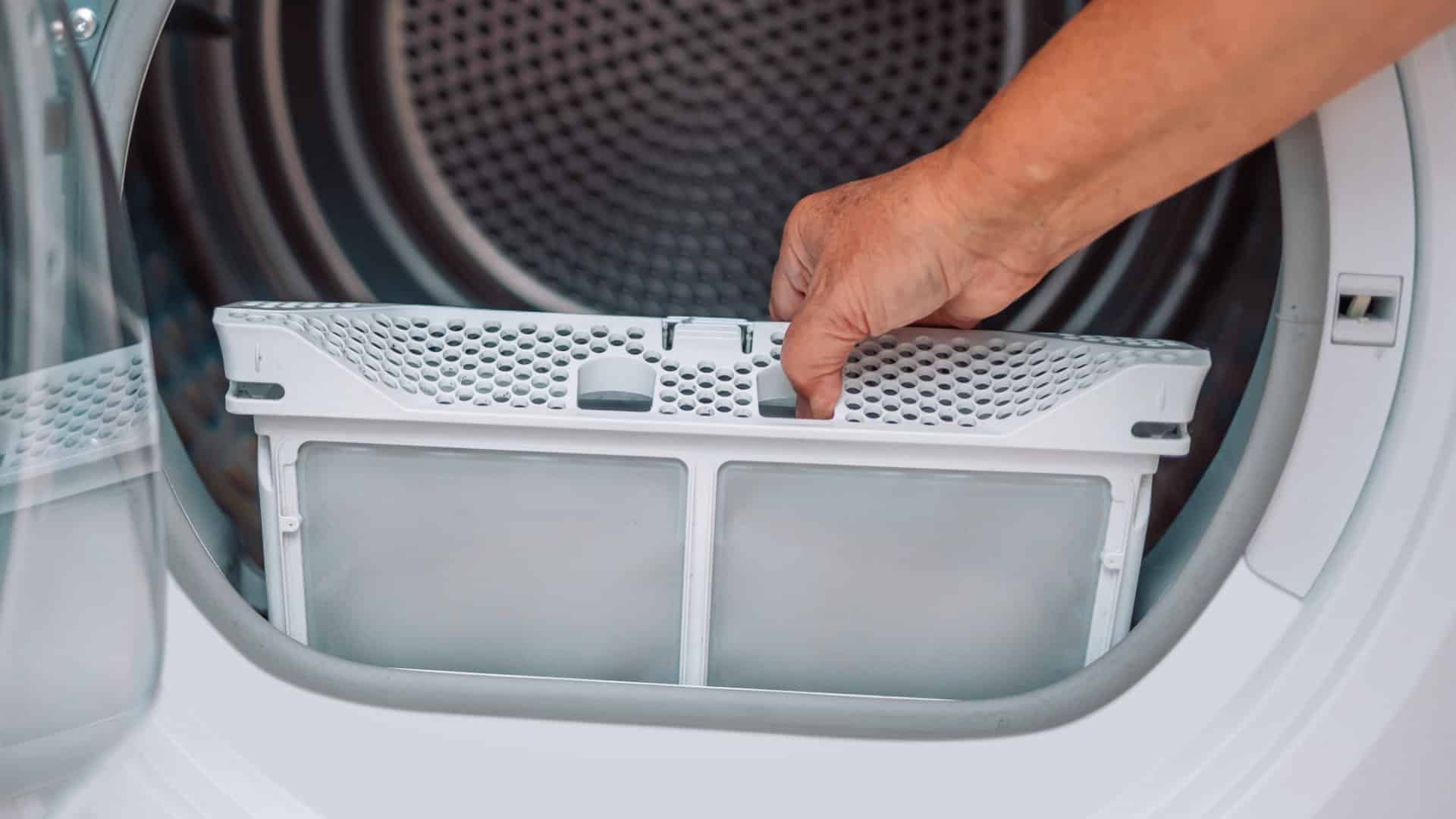
Remove the lint filter after each drying cycle. Use your hand or a soft brush to clear away lint. Rinse the filter under running water for a deeper clean. Make sure it is completely dry before placing it back. A clean lint filter helps airflow and reduces error signals.
Moisture Sensor Care
Locate the moisture sensors inside the drum. They look like two small metal bars. Wipe them gently with a soft cloth and mild detergent. Dry the sensors thoroughly with a clean cloth. Clean sensors detect moisture accurately and avoid false Flow Sense alerts.
Exhaust Vent Cleaning
Disconnect the vent hose from the dryer and wall. Remove any lint or debris inside the hose. Use a vacuum with a crevice tool for deep cleaning. Check the wall vent for blockages and clear them. Clean vents improve airflow and prevent overheating or error codes.
Checking The Blower Wheel
Turn off and unplug the dryer for safety. Remove the lint filter assembly to access the blower wheel. Inspect the wheel for lint buildup or damage. Clean away lint using a brush or vacuum. A clear blower wheel ensures proper airflow and dryer function.

Resetting The Flow Sense Alert
The Flow Sense alert on your LG dryer signals a vent or airflow issue. Resetting this alert can help your dryer work properly again. Follow these simple methods to clear the blinking Flow Sense light. These steps are easy and do not require special tools.
Press and hold the Time Dry and Signal buttons at the same time. Keep them pressed for about 3 to 5 seconds. This clears the Flow Sense alert on many LG dryer models. Make sure the dryer is in standby mode before you try this. The light should stop blinking after the reset.
Performing A Power Reset
Unplug the dryer from the power outlet. Leave it unplugged for at least 5 minutes. This helps clear any electronic errors. After the wait, plug the dryer back in. Turn it on and check if the Flow Sense alert is gone. Power resetting can fix small glitches that cause false alerts.
Running Diagnostic Tests
Most LG dryers have built-in diagnostic tests. Hold down specific buttons as stated in your user manual to start the test. The dryer will run a short cycle checking all systems. If the vent and sensors are clear, the Flow Sense alert will reset automatically. Running these tests helps find hidden problems too.
Advanced Troubleshooting
Advanced troubleshooting for the LG dryer Flow Sense blinking issue goes beyond basic cleaning and resetting. It requires a careful check of the dryer’s venting system and airflow pathways. This step helps identify hidden lint blockages or mechanical problems that simple cleaning might miss. Follow these detailed steps to improve your dryer’s performance and stop the Flow Sense light from blinking.
Inspecting Vent Hose Length And Condition
Start by examining the vent hose connected to the dryer. A vent hose that is too long or bent sharply restricts airflow. Check for kinks or crushed sections that block lint removal. Replace any damaged hose with a smooth, short vent tube. This ensures proper air moves freely through the system.
Vacuuming Hard-to-reach Lint
Lint can build up deep inside the vent hose and ductwork. Use a vacuum cleaner with a crevice tool to reach these hidden areas. Vacuum thoroughly to remove stubborn lint and dust. Clearing these blockages helps maintain good airflow and prevents the Flow Sense sensor from triggering error codes.
Evaluating External Vent Flap
Inspect the vent flap on the outside wall of your home. The flap must open easily when the dryer runs. Look for stuck or broken flaps caused by dirt, debris, or wind damage. Clean or repair the flap to ensure it opens fully. This allows air and lint to exit properly, reducing sensor warnings.
When To Call A Professional
Knowing when to call a professional for your LG dryer’s Flow Sense blinking alert saves time and prevents damage. Some issues are simple to fix. Others need expert tools and knowledge. Recognizing the difference helps keep your dryer safe and working well.
Persistent Alert Issues
If the Flow Sense alert stays on after cleaning the lint filter and vent, it signals a deeper problem. Repeated blinking means the sensor or control board might be faulty. A professional can test these parts accurately. They also have the right tools to reset the system safely. Avoid ignoring this alert, as it may cause the dryer to stop working.
Complex Venting Problems
Blocked or damaged dryer vents cause airflow issues that the Flow Sense detects. Sometimes, vents are hard to reach or have hidden clogs. Professionals use special vacuum tools and cameras to inspect vents fully. They can repair or replace vent parts that are broken or crushed. Proper vent cleaning by an expert improves dryer efficiency and reduces fire risk.
Tips For Preventing Future Alerts
Preventing the LG dryer Flow Sense blinking alert saves time and keeps the dryer efficient. Following simple steps helps avoid frequent warnings. Proper care ensures the dryer runs smoothly and lasts longer.
Routine Maintenance Schedule
Set a regular cleaning routine for the lint filter. Clean it after every load to avoid buildup. Check the exhaust vent every few months. Remove lint and debris to keep air flowing freely. Inspect moisture sensors regularly. Wipe them gently with a soft cloth and mild soap. Dry completely before using the dryer again. Clean the blower wheel at least once a year. This stops lint from blocking airflow and causing errors.
Proper Dryer Usage Habits
Do not overload the dryer. Clothes need space to tumble for even drying. Use the correct drying cycle for different fabrics. Avoid drying items with heavy lint release together. Separate lint-heavy clothes from others. Always check and clean the lint filter before starting. Ensure the dryer door seals properly to maintain airflow. Keep the area around the dryer clean and free of dust.

Frequently Asked Questions
How Do I Reset My Lg Dryer Flow Sense?
Unplug the dryer for safety. Clean the lint filter, moisture sensors, and exhaust vent thoroughly. Press and hold Time Dry and Signal buttons together to reset the Flow Sense error. Run a short cycle or diagnostic test to confirm the reset.
Is It Safe To Use My Lg Dryer With A Flow Sense Error?
Using your LG dryer with a Flow Sense error is unsafe. It signals airflow blockage, risking overheating and fire. Clean vents and filters immediately before use.
What Does Flow Sense Mean On An Lg Sensor Dryer?
Flow Sense on an LG sensor dryer detects airflow blockages in the vent. It alerts you to clean lint or clear obstructions, ensuring safe, efficient drying.
Where Is The Lg Dryer Flow Sensor Located?
The LG dryer flow sensor is located inside the exhaust vent or duct. It monitors airflow to detect blockages and ensure proper drying.
What Does The Lg Dryer Flow Sense Blinking Mean?
The Flow Sense blinking shows a vent blockage or sensor issue. It warns that airflow is restricted. Cleaning the vent and sensors usually fixes this.
Conclusion
The LG dryer Flow Sense blinking warns of airflow issues. Regularly clean the lint filter and vent to avoid blockages. Check and wipe moisture sensors gently for better performance. Reset the dryer using the button combo if needed. Running diagnostics helps identify persistent problems quickly.
Keeping vents clear improves drying efficiency and safety. Addressing these steps prevents error codes and dryer damage. Stay proactive for a smooth, hassle-free laundry experience.