
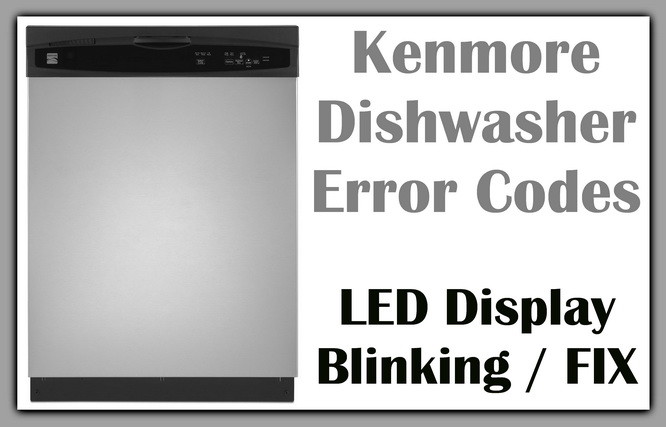
Is your Kenmore dishwasher flashing blinking lights and leaving you puzzled? Those blinking light codes aren’t random—they’re trying to tell you exactly what’s wrong.
Understanding these signals can save you time, money, and the hassle of calling a repair technician. In this guide, you’ll learn what each blinking light code means and how to quickly troubleshoot your dishwasher. Keep reading to take control of your appliance and get your Kenmore dishwasher running smoothly again.

Blinking Light Codes
Blinking light codes on Kenmore dishwashers signal issues inside the machine. These lights flash in patterns to help users identify problems quickly. Understanding these codes saves time and avoids costly repairs. This guide explains common blink patterns, what each code means, and how to identify the problem.
Common Blink Patterns
Kenmore dishwashers use blinking lights to communicate errors. The most common patterns include one light blinking repeatedly or multiple lights flashing in a sequence. For example, the clean light may blink four times in a row, then pause. These blink patterns repeat to indicate specific faults. Recognizing these patterns helps in diagnosing the dishwasher’s condition.
What Each Code Means
Each blinking code corresponds to a particular problem. Four blinks usually point to a water temperature issue. Two blinks may indicate a door latch problem. Three blinks often mean a drainage fault. Five blinks can signal a water fill issue. Learning these codes lets you pinpoint the malfunction. This knowledge allows for faster troubleshooting or repair calls.
Identifying The Problem
Start by noting the blinking light pattern carefully. Count the number of flashes and their speed. Compare this with the Kenmore dishwasher manual or online resources. Check common causes like blocked filters, door not closing properly, or water supply issues. Simple fixes often clear the error codes. If the problem persists, consider calling a technician for help.
Diagnostic Mode
The diagnostic mode on a Kenmore dishwasher helps you find problems quickly. It shows blinking light codes that tell you what is wrong. This mode saves time and helps you avoid costly repairs. You can check error codes by following simple steps. Understanding these codes makes troubleshooting easier.
Entering Diagnostic Mode
To enter diagnostic mode, start with the dishwasher door open. Press and hold the “Start” button for about 5 seconds. The lights on the control panel will begin to blink. Close the door to activate the test cycle. The dishwasher will run through a series of checks. Watch the lights carefully for any blinking patterns.
Reading Error Codes
Blinking lights show different error codes. Each pattern means a specific problem inside the dishwasher. Count the number of blinks and pauses to decode the message. For example, three blinks followed by a pause can indicate a water supply issue. Write down the codes as they appear. This helps in finding the exact fault.
Using Online Code Sheets
Online code sheets explain the blinking light meanings clearly. Search for “Kenmore dishwasher blinking light codes” to find these charts. They match the blink patterns with the dishwasher’s problems. Use these sheets to understand what the error codes mean. This makes fixing your dishwasher much easier and faster.
Quick Fixes
Kenmore dishwasher blinking light codes often signal minor issues. Many problems have quick fixes that save time and money. Simple actions can clear error lights and restore dishwasher function. Follow these easy steps to troubleshoot your Kenmore dishwasher.
Resetting The Dishwasher
Resetting the dishwasher clears most blinking light errors. Press and hold the Start or Reset button for 3 to 5 seconds. The dishwasher will drain and the lights may blink during this process. Wait until the cycle ends and the lights stop flashing. Close the door and select a new wash cycle to test if the reset worked.
Door Latch And Sensor Checks
The door latch must be fully closed for the dishwasher to run. Check the latch for dirt or damage that might stop it from locking. Clean the latch area gently with a damp cloth. Inspect the door sensor near the latch. If the sensor is dirty or misaligned, the dishwasher may show blinking lights. Adjust or clean the sensor carefully to fix this issue.
Clearing Control Panel Errors
Sometimes the control panel shows errors due to glitches. Turn off power to the dishwasher by unplugging it or switching off the circuit breaker. Wait 1 to 2 minutes before restoring power. This hard reset resets the control board and clears error codes. After power is back, close the door and start a new wash cycle. This often stops blinking lights caused by control panel errors.
Hard Reset Methods
Hard reset methods can fix many issues with Kenmore dishwashers. These methods clear blinking light codes and errors by restarting the system. Resetting helps refresh the control board and sensors. It often resolves minor glitches without needing service calls.
Below are simple ways to perform a hard reset on your Kenmore dishwasher.
Locate the Start or Cancel button on the dishwasher’s control panel. Press and hold this button for about 3 to 5 seconds. The dishwasher will drain any water inside and clear error lights. Wait for the drain cycle to finish, usually about one minute. After that, close the door and select a new wash cycle to check if the reset worked.
Power Cycle Via Circuit Breaker
Find your home’s electrical panel or fuse box. Turn off the circuit breaker that powers your dishwasher. Leave it off for at least 30 seconds to ensure complete power loss. Turn the breaker back on to restore power. Close the dishwasher door, choose a wash cycle, and press Start. This method resets the control board fully and often clears blinking codes.
When To Perform A Hard Reset
Perform a hard reset after seeing blinking lights or error codes. Use it if the dishwasher stops mid-cycle or does not start. Try a reset before calling a technician to save time and cost. Avoid resetting if you suspect mechanical damage or leaks. Hard resets fix electronic glitches but not physical faults.
Troubleshooting Specific Issues
Kenmore dishwashers use blinking light codes to signal specific problems. Understanding these signals helps in quick troubleshooting. This section explains common blinking light patterns and their meanings.
Each pattern points to a different issue inside the dishwasher. Knowing what each code means saves time and avoids unnecessary repairs. Follow the simple steps below to address these problems effectively.
Start/resume Light Blinking
The Start/Resume light blinking often means the dishwasher is paused or has an error. Check if the door is properly closed. The dishwasher will not start if the door is open or not latched.
Press the Start button to resume the cycle. If blinking continues, reset the dishwasher by turning it off and on again. Sometimes, debris in the door latch can cause this issue. Clean the latch gently with a cloth.
Rapid Console Light Blinks
Rapid blinking of console lights indicates an electrical or control board problem. This can happen due to a power surge or wiring issue. Unplug the dishwasher for a few minutes to reset the control panel.
After reconnecting power, try starting the dishwasher again. Persistent blinking may mean the control board needs professional repair or replacement. Avoid running the dishwasher until the issue is fixed to prevent further damage.
Heat Dry And High Temp Light Flashes
Flashing Heat Dry and High Temp lights signal a heating element or thermostat problem. The dishwasher may not heat water properly for cleaning and drying. Check for visible damage to the heating element under the tub.
Test the thermostat with a multimeter to ensure it works correctly. If either part is faulty, replacement is necessary. Running cycles without heat can result in poor cleaning performance and wet dishes.

Replacing Faulty Parts
Replacing faulty parts is often necessary to fix blinking light codes on Kenmore dishwashers. These codes usually signal a problem with components that need attention or replacement. Identifying and replacing the defective parts can restore your dishwasher’s proper function and stop the blinking lights.
Many common issues stem from parts like the door switch, control panel, or sensors. Addressing these parts carefully helps avoid further damage. Below are key steps to replace and check these critical elements.
Door Switch Replacement
The door switch signals if the dishwasher door is closed correctly. A faulty switch can cause blinking lights and cycle interruptions. To replace it, first unplug the dishwasher for safety. Open the door and locate the switch near the latch.
Remove the screws holding the switch, then disconnect the wiring harness. Attach the new door switch by connecting the wires and securing it with screws. Test the dishwasher to ensure the blinking light stops.
Control Panel Repair
The control panel manages all dishwasher functions. Damage or malfunction here often triggers blinking codes. Start by unplugging the dishwasher. Remove the screws that secure the control panel cover.
Carefully disconnect the wiring connectors and inspect for damage or loose wires. Replace the control board if necessary. Reconnect everything and reassemble the panel. Power on the dishwasher and check if the blinking light clears.
Sensor And Wiring Checks
Sensors monitor water temperature, level, and other key factors. Wiring connects sensors to the control board. Faulty sensors or damaged wiring can cause error codes and blinking lights.
Inspect the sensors for visible damage or dirt. Clean or replace sensors as needed. Examine wiring for cuts, burns, or loose connections. Secure any loose wires and replace damaged ones. Testing after these checks should stop the blinking.
Brand-specific Tips
Kenmore dishwashers have unique blinking light codes that indicate specific issues. Understanding these codes helps fix problems faster. Brand-specific tips make troubleshooting easier for Kenmore models. They provide clear steps tailored to your dishwasher’s design. This section focuses on Kenmore Elite models, common reset methods, and useful video guides.
Kenmore Elite Models
Kenmore Elite dishwashers often use blinking lights to show errors. These models may flash lights in patterns to signal problems like door latch faults or water supply issues. Checking the user manual helps decode these signals. Many Elite models include a diagnostic mode to test components. Running this mode can pinpoint the exact cause. Pay attention to repeated blink patterns for accurate diagnosis.
Similar Reset Techniques
Resetting Kenmore dishwashers often clears blinking light errors. Press and hold the Start or Cancel button for about 3 seconds. Wait for the lights to stop blinking or reset. Turning off power at the circuit breaker for 1 minute also resets the unit. After restoring power, close the door firmly and start a new cycle. These simple resets fix most minor glitches quickly.
Helpful Video Resources
Videos provide step-by-step guides to handle blinking light codes on Kenmore dishwashers. Channels like “Scott The Fix-It Guy” and “Hameed Appliances Repair” show how to enter diagnostic mode. They demonstrate reset procedures and replacing faulty parts. Watching these videos helps visualize each step clearly. Use them alongside your dishwasher’s manual for best results. Video tutorials are especially useful for beginners.
Frequently Asked Questions
How To Check Error Codes On Kenmore Dishwasher?
Open the dishwasher door and press the Start button. Close and open the door repeatedly to display error codes. Refer to the Kenmore manual or online sheet to interpret the blinking light codes.
How To Fix Blinking Light On Dishwasher?
Unplug the dishwasher or switch off its circuit breaker for one minute. Plug it back in and restart the cycle. Check the door latch and sensor for faults. Run a self-test if available. Replace faulty sensors or consult a technician if blinking persists.
How To Do A Hard Reset On A Kenmore Dishwasher?
To hard reset a Kenmore dishwasher, press and hold the Start/Reset button until lights blink. Wait one minute, then restart the cycle. Alternatively, turn off the dishwasher’s power at the circuit breaker for 30 seconds, restore power, and start a new cycle.
How To Hard Reset A Dishwasher?
Press and hold the Start/Reset or Cancel button until the dishwasher drains and lights blink. Wait one minute, then restart the cycle. Alternatively, cut power by switching off the circuit breaker or unplugging the unit for 1-2 minutes, then restore power and start again.
What Do Blinking Lights On Kenmore Dishwasher Mean?
Blinking lights on a Kenmore dishwasher usually indicate an error or a special mode. They help identify issues like a door problem, water supply, or drain error. Checking the blinking pattern can guide you to the exact problem.
Conclusion
Kenmore dishwasher blinking light codes help identify problems fast. Understanding these codes saves time and avoids costly repairs. Always check your user manual for specific code meanings. Simple resets often fix minor issues easily. Regular maintenance keeps your dishwasher running smoothly.
Pay attention to blinking lights to catch problems early. This knowledge helps you maintain a clean kitchen with less hassle. Stay informed and act quickly for best results.









