
Is your golf cart charger blinking red and leaving you wondering what’s wrong? You’re not alone.
That flashing red light is your charger’s way of telling you there’s a problem that needs attention. Ignoring it can mean longer downtime for your golf cart or even damage to the battery. But don’t worry—understanding why your golf cart charger is blinking red is easier than you think.
You’ll discover the most common reasons behind that blinking light and simple steps you can take to fix it quickly. Keep reading to get your golf cart back on the road without hassle.
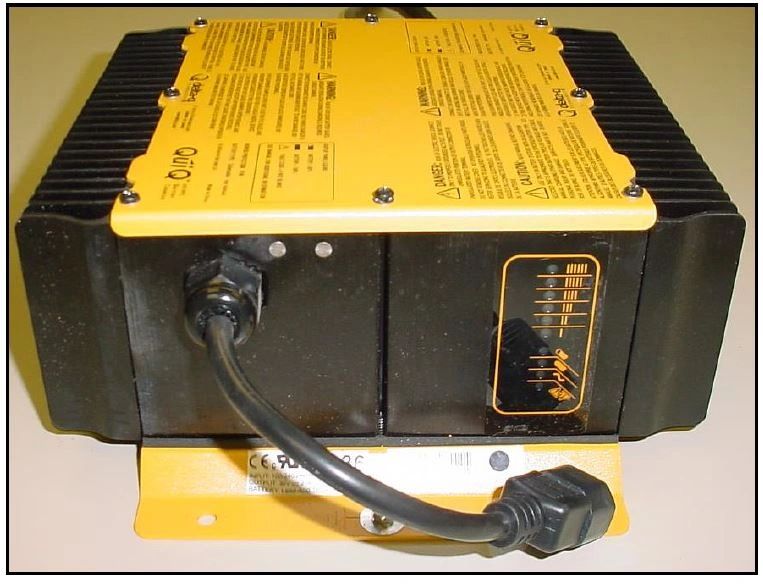
Common Causes Of Red Blinking
The red blinking light on a golf cart charger signals an issue. Identifying the root cause helps fix the problem fast. Several common reasons make the charger blink red. Each points to a different problem with the charger or battery. Understanding these causes improves battery care and charger use.
Charger Malfunction
A faulty charger often causes the red blinking light. This happens due to damaged circuits or broken parts inside. The charger may fail to deliver power properly. It signals an error by flashing red. Repair or replacement might be necessary to restore charging.
Loose Or Dirty Connections
Dirty or loose cable connections cause blinking red lights. Corrosion or dirt on battery terminals blocks current flow. Loose plugs reduce contact between charger and battery. Cleaning terminals and securing connections stops blinking and improves charging.
Battery Temperature Issues
Extreme battery temperatures trigger safety warnings on chargers. Too hot or too cold batteries can cause red blinking lights. The charger pauses or slows charging to protect battery health. Allow batteries to reach normal temperature before charging again.
Deeply Discharged Battery
A very low battery charge can confuse the charger. It may blink red because it cannot detect the battery properly. Some chargers need extra steps to reset or wake the battery. Using the correct charger and following reset instructions helps revive deeply drained batteries.
Internal Battery Faults
Damage inside the battery causes charger errors and blinking lights. Faulty cells or internal short circuits reduce battery function. The charger warns users by blinking red. Testing the battery’s health identifies if replacement is needed. Proper maintenance prevents internal faults.
Quick Fixes To Try
When your golf cart charger blinks red, it signals a problem with charging. Quick fixes can save time and avoid costly repairs. Try these simple steps before calling a technician. Most issues relate to connections, charger compatibility, or battery management. Follow each fix carefully to spot the problem and restore charging.
Check And Clean Connections
Loose or dirty connections often cause red blinking lights. Turn off the charger and unplug it from the power source. Inspect all cables and terminals for dirt, corrosion, or damage. Use a soft cloth or brush to clean connections gently. Secure all plugs tightly to ensure good contact. Poor connections stop the charger from working properly.
Use Compatible Charger
Not all chargers work with every golf cart battery. Check the charger’s voltage and current ratings against your battery’s requirements. Using an incompatible charger can cause errors and blinking lights. Always use the charger designed for your golf cart model. This helps the battery management system recognize the charger and begin charging safely.
Plug-in Sequence Tricks
Sometimes, the order of plugging in the charger matters. Connect the charger to the battery first, then plug it into the power outlet. This sequence can trigger the charger to detect the battery properly. Wait a few moments for the light to stabilize. Reverse the order if the first method does not work. Small changes like this can reset the charging process.
Some golf cart chargers or batteries have a reset button. Locate this button, usually near the charging port or on the battery pack. Press and hold the reset button for 5 to 10 seconds. Release and wait for the charger light to change. This resets the battery management system and clears minor errors. Use this step carefully to avoid damage.
Recharge To Wake Battery Management System
The battery management system (BMS) may enter sleep mode if the battery is deeply discharged. To wake it, connect the battery to a compatible charger. Keep the charger plugged in for at least 30 minutes. The charger’s voltage signals the BMS to start charging again. Sometimes a small jolt from another battery helps. This fix restores normal charging without replacing parts.
Advanced Battery Reset Methods
Advanced battery reset methods help fix stubborn golf cart charger issues. They target the battery management system (BMS) to restore normal charging. These techniques can revive batteries that seem dead or unresponsive. Using the right steps prevents damage and extends battery life.
Donor Battery Tap Technique
This method uses a second battery to wake the sleeping battery’s BMS. Connect the donor battery’s positive terminal to the dead battery’s positive terminal. Then, briefly connect the donor battery’s negative terminal to the dead battery’s negative terminal. This small jolt can reset the BMS and allow the charger to recognize the battery again.
After the tap, disconnect the donor battery and connect the charger. Watch for the charger light to stop blinking red. This method works best for deeply discharged lithium batteries. Use caution to avoid sparks or short circuits during the process.
Battery Calibration Steps
Calibration helps the charger and battery communicate correctly. First, fully charge the battery until the charger shows a green light. Next, fully discharge the battery by running the golf cart until it stops. Finally, recharge the battery to full capacity again.
This cycle resets the battery’s internal sensors and improves accuracy. It also helps the charger stop false error signals like blinking red lights. Repeat calibration every few months to maintain battery health and performance.

Safety Precautions
Safety is the top priority when dealing with a golf cart charger blinking red. This warning signal often indicates an issue that could lead to damage or injury. Taking the right precautions helps protect both you and your equipment. Understanding what not to do is as important as knowing how to fix the problem.
Avoid Physical Vent Tampering
Never try to open or block the charger vents. Vents allow heat to escape, preventing overheating. Tampering can cause internal damage or fire risks. Always keep vents clean and unobstructed. Let the charger cool down naturally if it feels hot.
Do Not Over-voltage
Using a charger with higher voltage than recommended can harm the battery. Over-voltage can cause overheating and shorten battery life. Always check the charger’s specifications. Match them exactly with your golf cart battery. Avoid using cheap or incompatible chargers.
When To Avoid Diy Repairs
Do not attempt repairs if you lack technical skills. Chargers contain high-voltage components that can cause shocks. Complex issues need professional diagnosis and service. Trying to fix it yourself may worsen the problem. Contact a certified technician for safe and effective repairs.
When To Seek Professional Help
The red blinking light on your golf cart charger signals a problem. Some issues you can fix yourself. Others need expert attention. Knowing when to call a professional saves time and prevents damage.
Ignoring serious charger problems can harm your golf cart battery. It can also cause safety risks. A professional technician has the tools and skills to diagnose and fix complex issues.
Persistent Red Light After Basic Checks
If the red light keeps blinking after you check connections and clean contacts, seek help. Persistent blinking means the charger or battery has a deeper fault. Professionals can test the charger’s circuits and battery health accurately.
Damage To Charger Or Battery Components
Visible damage like cracks, burns, or melted parts needs expert repair. Damaged components can cause dangerous electrical faults. A trained technician can safely replace parts and ensure the charger works correctly.
Unusual Smells Or Overheating
Burning smells or excessive heat from the charger or battery signal serious issues. Stop using the charger immediately. These signs suggest internal damage or risk of fire. Professionals will find the cause and fix it safely.
Charger Not Responding To Reset Attempts
Trying to reset the charger by unplugging or pressing reset buttons may fail. If the red light does not stop blinking, expert help is needed. They can perform advanced diagnostics and repairs beyond basic resets.
Battery Not Charging Fully
If the battery never reaches full charge despite long charging times, call a professional. This problem may involve the charger, battery cells, or wiring. Skilled technicians can identify and resolve these hidden issues.

Frequently Asked Questions
Why Is My Golf Cart Charger Blinking Red?
A golf cart charger blinks red due to charger malfunction, loose or dirty connections, or battery issues. Check connections and battery health.
How Do I Reset My Lithium-ion Battery?
Reset a lithium-ion battery by fully charging it with a compatible charger. Use a reset button if available. For deeply depleted batteries, briefly connect a good battery’s positive terminal to the dead one’s positive terminal to wake the management system.
Avoid physical vent tampering.
How To Reset Golf Cart Charger?
To reset a golf cart charger, disconnect it from power and battery. Wait 5 minutes, then reconnect securely. Check for a reset button and press if available. Ensure all connections are clean and tight before restarting the charger.
Why Is My Charger Blinking Red When Charging?
A charger blinking red usually signals a faulty connection, damaged charger, or battery issue. Check cables and ensure proper contact.
Why Is My Golf Cart Charger Blinking Red Light?
A blinking red light usually signals a problem with the charger or battery. It may mean a bad connection, a faulty charger, or a battery issue. Check cables and battery health first.
Conclusion
A blinking red light on your golf cart charger signals an issue needing attention. Check all connections for dirt or looseness first. Make sure to use the correct charger designed for your battery type. Sometimes, resetting the battery management system can help restore normal function.
If problems persist, inspect the charger for faults or damaged parts. Taking these steps can save time and prevent bigger problems later. Keep your golf cart charging safely and efficiently by addressing red blinking lights promptly.









