
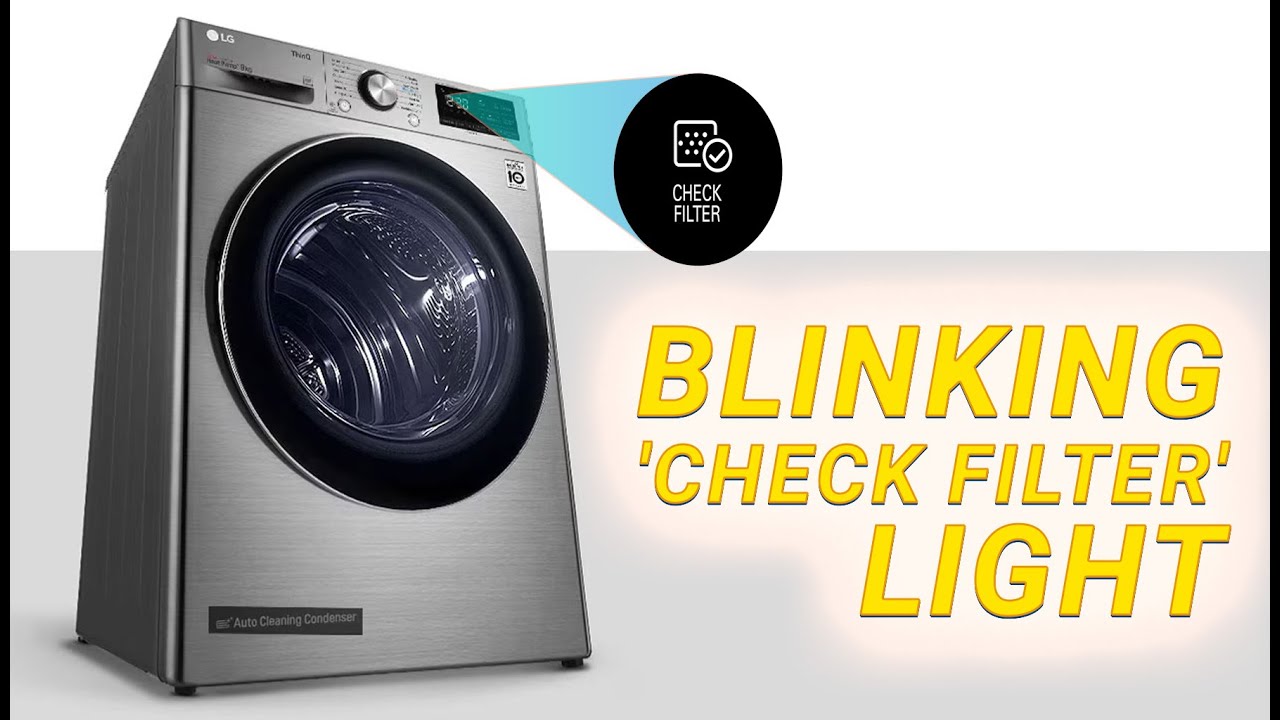
Is your LG dryer’s “Check Filter” light blinking, and you’re not sure why? You’re not alone.
This blinking warning can be confusing, especially when your lint filter looks clean. But ignoring it isn’t a good idea—it means your dryer needs attention to work safely and efficiently. You’ll discover simple steps to fix the blinking check filter light, how to clean hidden parts that cause issues, and when it’s time to call a professional.
Keep reading to get your LG dryer back to smooth drying without frustrating interruptions.
Reasons For Check Filter Light
The “Check Filter” light on your LG dryer blinks for several reasons. It is a warning to keep your dryer running safely and efficiently. Understanding why this light blinks helps you fix the problem quickly. The causes range from simple blockages to sensor issues. Below are the main reasons this light might turn on.
Vent System Blockages
Lint and debris can build up in the vent system over time. This blocks airflow and causes the “Check Filter” light to blink. A blocked vent makes drying slower and can cause overheating. Cleaning the entire vent hose and the outside vent cap removes these blockages. Make sure the vent is clear and free of kinks or lint buildup.
Residue On Moisture Sensors
Inside the dryer drum, there are metal moisture sensors. They detect how wet the clothes are. Lint, fabric softener, or detergent residue can cover these sensors. This stops them from working properly. Wipe the sensors gently with a soft cloth and mild cleaner. Clean sensors help the dryer know when clothes are dry.
Timer-based Reminders
Some LG dryer models use a timer to remind you to clean the filter. This happens after a set number of drying cycles. Even if the filter is clean, the light may blink. Check your user manual to see if your dryer uses this feature. Resetting the dryer can clear this reminder.
Sensor Malfunctions
Sometimes, the moisture sensor itself may fail. Faulty sensors send wrong signals to the dryer. This causes the “Check Filter” light to blink even when the filter is clean. Sensor problems often need professional repair. If cleaning and resetting do not help, call a technician for help.

Deep Cleaning The Vent System
Deep cleaning the vent system is essential when your LG dryer shows a check filter blinking light. This light often signals a blockage or buildup inside the vent. Clearing the vent helps your dryer work efficiently and avoids fire hazards. Follow these steps to clean the vent system deeply and keep your dryer running smoothly.
Unplugging And Inspecting The Vent Hose
Start by unplugging the dryer from the power outlet. This ensures safety during cleaning. Next, pull the dryer away from the wall to access the vent hose. Inspect the hose carefully for any visible lint buildup or damage. Remove the hose from the dryer and the wall vent to check inside for blockages.
Removing Kinks And Lint Buildup
Look for any kinks or sharp bends in the vent hose. Straighten the hose to allow smooth airflow. Use a long brush or vacuum with a hose attachment to remove lint inside the vent pipe. Clearing lint buildup improves drying performance and reduces the risk of fire.
Cleaning The Exterior Vent Cap
Locate the vent cap outside your home. Remove any debris, leaves, or lint blocking the vent opening. Clean the vent cap with a brush or cloth to ensure it opens freely. A clean exterior vent cap helps proper air release and prevents moisture buildup.
Cleaning Moisture Sensor Bars
Cleaning moisture sensor bars is key to fixing the LG dryer check filter blinking issue. These bars detect how wet clothes are during drying. Dirt or residue on them can cause false readings. This makes the dryer think the filter needs cleaning, even if it is fine. Regular cleaning keeps your dryer running smoothly and avoids sensor errors.
Locating Sensor Bars Inside The Drum
The moisture sensor bars are inside the dryer drum. Look for two thin metal strips. They are usually near the lint filter opening or on the drum wall. These bars touch the clothes during drying. Dirt can build up here from fabric softeners or dryer sheets. Spotting them is the first step to cleaning.
Using Mild Cleaner For Residue Removal
Use a soft cloth and mild cleaner to wipe the sensor bars. Avoid harsh chemicals or abrasive tools. A little rubbing alcohol or vinegar works well. Gently clean both metal strips until residue is gone. This removes any waxy build-up that blocks moisture detection. Let the bars dry completely before using the dryer again.
Preventing Sensor Errors
Clean the sensor bars regularly to prevent errors. Wipe them every few months or when you see the blinking light. Avoid using too many fabric softeners or dryer sheets. These products leave residue on sensors. Keeping the bars clean ensures accurate moisture readings. It helps the dryer work efficiently and stops false check filter alerts.
Clearing Lint Filter Housing
The lint filter housing is a common place for lint buildup in LG dryers. This area collects fine fibers that escape the lint screen. Over time, lint can block airflow, triggering the “Check Filter” blinking light.
Regularly clearing this housing helps your dryer run efficiently. It reduces drying time and lowers the risk of fire hazards. Simple cleaning steps can keep your dryer working smoothly.
Vacuuming Lint Trap Housing
Use a vacuum with a narrow nozzle to clean the lint trap housing. Remove the lint screen first. Gently insert the vacuum nozzle inside the housing. Remove all visible lint and dust.
Vacuuming helps reach areas the lint screen misses. Do this every few months to keep airflow clear. It prevents blockages that cause the filter light to blink.
Cleaning Internal Ductwork
Lint can also gather inside the ductwork beyond the lint trap housing. Disconnect the vent hose from the dryer. Use a long brush or vacuum to clean inside the ducts.
Cleaning ductwork improves air circulation and dryer efficiency. It also lowers energy costs by reducing drying time. Check ducts annually or if the filter light stays on.
Maintaining Filter Screen
Wipe the lint screen with a damp cloth after every load. Avoid using water on metal screens, as it can cause rust. Remove stuck lint by hand before vacuuming the housing.
Proper filter screen care ensures maximum lint capture. A clean screen reduces lint in the housing and ducts. Replace damaged screens to maintain dryer performance.
Resetting Your Lg Dryer
Resetting your LG dryer can clear error messages like the “Check Filter” blinking light. This process helps the dryer recognize that you have cleaned the filter and other parts. Resetting can also fix small glitches in the dryer’s system. Follow simple steps to reset your LG dryer safely and effectively. This can save time and avoid unnecessary service calls.
Unplugging And Power Cycling
Start by unplugging the dryer from the power outlet. Leave it unplugged for about one minute. This allows the dryer’s internal memory to clear errors. After one minute, plug the dryer back in. Power cycling can reset the control board and stop the blinking light.
Press and hold the Start/Pause button for three seconds. This action sends a reset signal to the dryer’s system. The blinking “Check Filter” light should turn off. If it does not, try the power cycling step again. This method is quick and works on many LG dryer models.
When To Perform A Full Reset
A full reset may be needed if the light keeps blinking. This happens after cleaning the filter and vents thoroughly. To do a full reset, unplug the dryer for five minutes. During this time, press and hold the Start/Pause button for 10 seconds. Then plug the dryer back in and turn it on. This deeper reset clears any persistent error codes.
Checking Additional Filters
Checking additional filters on your LG dryer helps keep it working well. These filters catch tiny dust and lint that can block airflow. Ignoring them causes the “Check Filter” light to blink. Regular cleaning of all filters improves drying time and energy use. Some LG dryer models have extra filters beyond the main lint filter. Knowing where to find and how to clean these filters keeps your dryer safe and efficient.
Heat Pump Condenser Filter Location
The heat pump condenser filter is usually at the bottom front of the dryer. Look for a small door or panel you can open without tools. Behind it, you will find the condenser filter. This filter traps fine particles from the drying air. It needs to be clean for the heat pump to work well. Check your dryer manual to find the exact spot if you do not see it easily.
Cleaning Procedures For Extra Filters
Turn off and unplug the dryer before cleaning any filters. Remove the extra filter gently to avoid damage. Use a soft brush or vacuum to remove lint and dust. Wash the filter with warm water if it is very dirty. Let the filter dry completely before putting it back. Clean these filters every few weeks to prevent blockages. Keeping all filters clean helps the dryer run smoothly and stops the blinking light.
When To Call A Professional
Knowing when to call a professional for your LG dryer is important. Some problems go beyond simple fixes. Calling an expert can save time and prevent damage. Here are key signs that a technician’s help is needed.
Persistent Error After Cleaning
If the check filter light keeps blinking after you clean the lint filter, a deeper issue exists. You might have a blocked vent or dirty moisture sensors. Cleaning these parts can be tricky. A professional has the tools to inspect and clear hidden blockages. They can also check if the sensor is faulty. Don’t ignore repeated errors; this can cause overheating or poor drying.
Faulty Control Board Or Thermistor Issues
Sometimes, the problem lies in the dryer’s control board or thermistor. These parts control drying cycles and temperature. If they fail, the dryer may show wrong error codes. Repairing or replacing these parts requires skill. Professionals can diagnose these electronic faults accurately. Attempting DIY repairs on electronics can be risky and cause more damage.
Heat Pump Model Inspections
Heat pump dryers have extra filters and parts. These models often need a thorough inspection beyond the lint filter. The condenser filter must be cleaned regularly. If the check filter light blinks on a heat pump model, special care is needed. Professionals know how to access and clean these filters safely. They can also check the heat pump system for faults. Routine professional checks keep these dryers efficient and safe.
Frequently Asked Questions
Why Does My Lg Dryer Keep Saying Check Filter?
Your LG dryer says “check filter” due to lint buildup, vent blockages, dirty moisture sensors, or a timer reminder. Clean the lint filter, vent system, and sensor bars. Unplug and reset the dryer. Persistent alerts may require professional sensor or control board repair.
Why Does My Dryer Keep Saying To Clean The Filter When It’s Clean?
Your dryer may detect vent blockages or sensor residue despite a clean filter. Deep clean vents and sensor bars, then reset the dryer. Persistent alerts might require professional sensor repair.
How Do You Reset The Filter Sensor On A Lg Dryer?
Unplug your LG dryer for one minute to reset the filter sensor. Clean lint filter and sensor bars before restarting.
Where Is The Lg Dryer Filter Sensor?
The LG dryer filter sensor is located near the lint filter housing inside the dryer drum. It detects lint buildup.
Why Is My Lg Dryer’s Check Filter Light Blinking?
The blinking light means the dryer senses lint buildup or a filter issue. It warns you to clean or check the lint filter and vent system.
Conclusion
The “Check Filter” light on your LG dryer helps keep it running well. Clean the lint filter and vent system regularly to avoid issues. Wipe the moisture sensor bars gently for accurate readings. Reset the dryer by unplugging it briefly if the light stays on.
Persistent blinking might mean a sensor or control problem. In that case, a technician’s help can fix the issue safely. Simple care keeps your dryer working longer and your clothes dry faster.









