
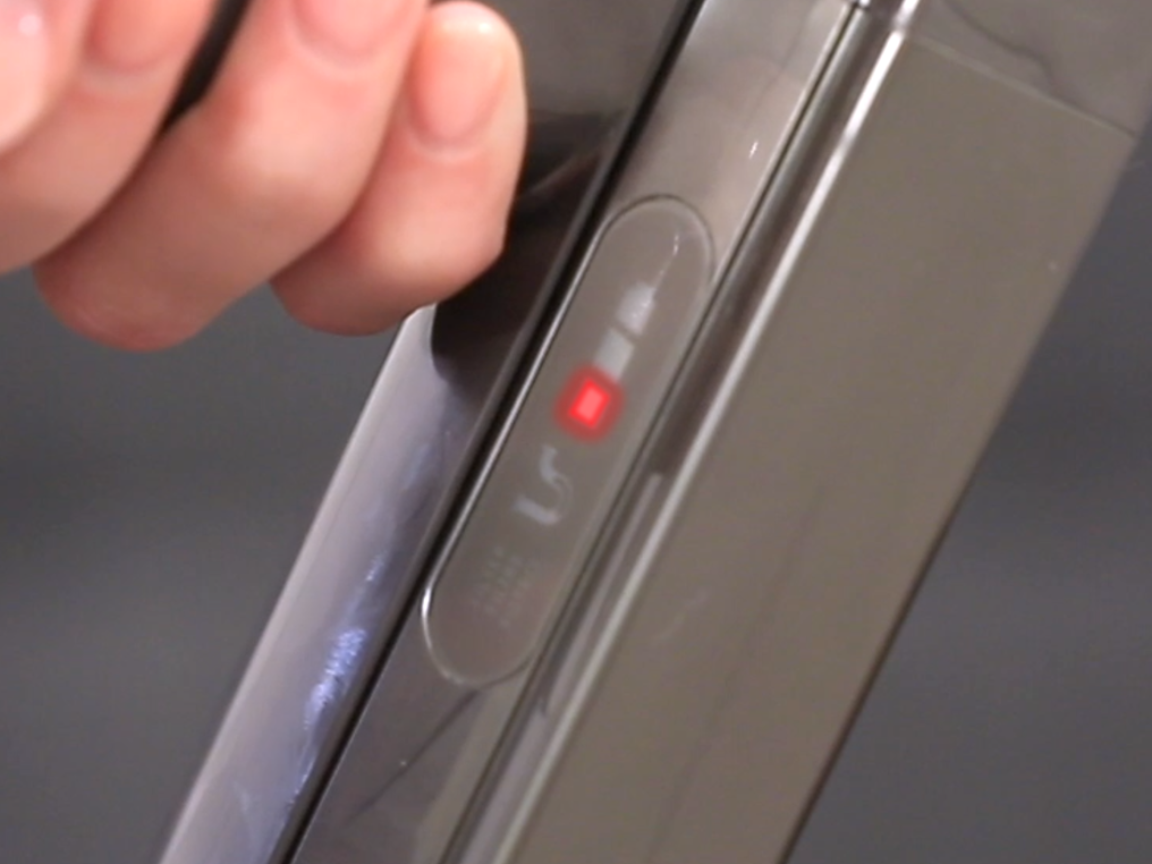
Is your Dyson V6 showing a red blinking light and leaving you wondering what’s wrong? You’re not alone.
This flashing red signal can be frustrating, especially when you rely on your vacuum to keep your home clean. But don’t worry—this light is your vacuum’s way of telling you something needs attention, and often, the fix is simpler than you think.
You’ll discover exactly what that red blinking light means, common causes behind it, and easy steps you can take right now to get your Dyson V6 back to full power. Keep reading, and you’ll be vacuuming smoothly again in no time.

Causes Of Red Blinking Light
The red blinking light on a Dyson V6 signals a problem. It alerts you to issues that need attention. Understanding the causes helps you fix the vacuum quickly.
This light usually means the vacuum cannot work properly. Several common problems trigger this warning. Knowing each cause saves time and effort.
Battery Issues
The battery might be weak or faulty. A worn-out battery loses its charge fast. This causes the red light to blink. Sometimes the battery contacts get dirty. This stops proper charging and triggers the warning.
Replacing or cleaning the battery can solve the problem. A fully charged, healthy battery stops the light from blinking.
Filter Blockages
A clogged filter restricts airflow in the vacuum. This makes the motor work harder. The vacuum detects this strain and blinks the red light. Dust and dirt build up in the filter over time.
Cleaning or replacing the filter often stops the blinking. Regular filter care keeps the vacuum running smoothly.
Charging Problems
Issues with the charger or charging port cause blinking. Loose connections or dirt on the contacts block charging. Using the wrong charger can also cause faults. Without proper charging, the vacuum cannot work well.
Check the charger and port for damage or debris. Ensuring a good connection prevents the red blinking light.
Internal Faults
Sometimes the vacuum has internal errors. These can be from motor problems or circuit faults. Overheating or sensor failures also cause the light to blink. Internal faults need professional repair in many cases.
Ignoring these faults can damage the vacuum further. Diagnosing and fixing internal issues stops the red light warning.
Checking And Cleaning Filters
Checking and cleaning the filters of your Dyson V6 is crucial for smooth operation. A red blinking light often signals a dirty or clogged filter. Regular filter maintenance keeps suction strong and prevents overheating. Follow simple steps to remove, wash, dry, and reinstall the filter properly.
Removing The Filter
First, switch off and unplug the vacuum. Locate the filter on the top or side of the machine. Twist the filter counterclockwise and pull it out gently. Avoid forcing it to prevent damage. Set the filter aside on a clean surface for cleaning.
Washing And Drying Tips
Rinse the filter under cold running water. Do not use detergent or soap. Gently squeeze the filter to remove dirt. Repeat until the water runs clear. Leave the filter to air dry completely for 24 hours. Never use a dryer or direct heat to dry the filter.
Reinstalling The Filter
Once the filter is dry, align it with the vacuum’s slot. Push it in and twist clockwise until it clicks. Ensure the filter fits snugly with no gaps. Proper installation prevents the red blinking light from returning. Your Dyson V6 will work efficiently again.
Battery Troubleshooting
Battery issues often cause the Dyson V6 red blinking light to appear. Understanding how to troubleshoot the battery helps fix common problems quickly. This section covers simple steps to check and reset the battery. It also explains when to consider a battery replacement.
Testing Battery Health
Start by checking the battery’s current charge level. Use the vacuum until it stops working to see if the battery holds power. A healthy battery usually runs for about 20 minutes. If the vacuum dies much sooner, the battery may be weak.
Another test is to charge the battery fully and then unplug the charger. Watch if the red light blinks while using the vacuum. Persistent blinking suggests battery health issues.
Resetting The Battery
Resetting the battery can clear minor faults causing the red blinking light. First, remove the battery from the vacuum. Wait for about 10 seconds before reconnecting it. This action can help the battery and vacuum communicate properly.
After resetting, plug the charger back in and charge the battery fully. Check if the red blinking light disappears during use. Repeat the reset if the problem continues.
When To Replace The Battery
Replace the battery if tests and resets do not fix the blinking red light. Signs include short run times and failure to hold a charge. Another sign is the vacuum shutting off unexpectedly.
Dyson V6 batteries wear out after long use. Buying a genuine replacement battery ensures proper fit and safety. Installing a new battery often restores full vacuum performance.
Clearing Blockages
The Dyson V6 blinking red light often signals a blockage inside the vacuum. Dirt and debris can clog the cyclone and air path, stopping airflow. This blockage triggers the safety feature, causing the red light to blink. Clearing these blockages is essential to restore suction power and proper function.
Regular inspection and cleaning keep the vacuum running smoothly. Follow simple steps to find and remove blockages safely. Proper tools and care make the task easier and protect your vacuum.
Inspecting Cyclone And Air Path
Start by removing the bin from the vacuum. Check the cyclone area for dirt buildup. Look inside the air path for any clogs. Use a flashlight to see deep inside. Blocked airways reduce suction and cause the red blinking light. Inspect both the cyclone and air path carefully for debris.
Removing Debris Safely
Turn off and unplug the vacuum before cleaning. Use your hands or a soft brush to remove visible dirt. Avoid using sharp objects that may damage parts. Gently clear any hair or string wrapped around components. Empty the bin and clean the filter to improve airflow. Clean in a well-lit area for better visibility.
Tools For Cleaning
Use a soft brush or compressed air to clear dust. A long, flexible cleaning brush helps reach narrow airways. A microfiber cloth can wipe external parts clean. Avoid water on electronic components. Keep tools dedicated to vacuum cleaning to prevent damage. These tools ensure safe and effective blockage removal.
Frequently Asked Questions
Why Is The Red Light Flashing On My Dyson V6?
A flashing red light on your Dyson V6 signals a battery or charging fault. Check for blockages, clean the filter, and ensure charging contacts are dust-free. If the issue persists, the battery may need replacement. Contact Dyson support for further assistance.
What Do I Do If My Dyson Is Blinking Red?
A blinking red light on your Dyson usually signals a battery or filter issue. Clean the filter and check for blockages. Ensure the charger and contacts are clean. Try resetting by unplugging and reconnecting the charger. Replace the battery if problems persist.
Contact Dyson support for help.
How Do You Reset A Dyson V6 Battery?
To reset a Dyson V6 battery, remove it from the vacuum, wait 10 seconds, then reattach it. Fully charge the battery before use.
How Do I Know If My Dyson V6 Battery Is Bad?
A bad Dyson V6 battery drains quickly or won’t hold a charge. The vacuum stops early or shows a flashing red light. Check for reduced run time and power loss as key signs to replace the battery.
What Does The Dyson V6 Red Blinking Light Mean?
The red blinking light signals a problem with your vacuum. It often means the filter is dirty or there is a blockage inside.
Conclusion
The Dyson V6 red blinking light signals a problem needing attention. Check the filter and remove any blockages first. Clean the charging contacts to ensure good connection. Try resetting by unplugging and fully recharging the battery. Persistent blinking may mean the battery needs replacement.
Regular maintenance helps prevent this issue from returning. Following these simple steps keeps your vacuum running smoothly. Don’t ignore the blinking light—it protects your device from damage. Stay proactive for better cleaning performance every time.









