
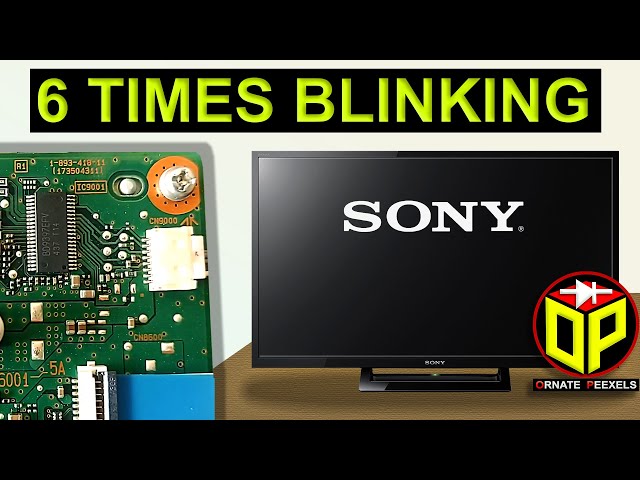
Is your Sony TV blinking a red light six times? This flashing signal isn’t just a random glitch—it’s your TV’s way of telling you there’s a problem that needs attention.
When you see those six red blinks, it usually points to an issue with the backlight, which can affect your viewing experience. Don’t worry—you don’t have to be a tech expert to fix it. You’ll discover simple, step-by-step solutions to help you understand why this happens and how to get your Sony TV back to perfect working order quickly.
Keep reading, because the fix might be easier than you think!
Red Light Blink Meaning
The red light blinking on a Sony TV signals an issue needing attention. This blinking light acts as an error indicator. It helps users understand the type of problem the TV faces. Each number of blinks has a specific meaning. Understanding these signals can save time and avoid unnecessary repairs.
Error Codes Explained
Sony TVs use blinking lights to show error codes. These codes help identify hardware or software problems. The TV’s red light blinks in a pattern. Each pattern corresponds to a different issue. The number of blinks guides troubleshooting steps. Some errors need professional repair. Others can be fixed at home. This system makes it easier to diagnose issues without opening the TV.
Six Blinks Specifics
When the Sony TV blinks red six times, it points to a specific fault. Usually, six blinks indicate a problem with the backlight. The backlight helps display images on the screen. If it fails, the TV might not show a picture. This blinking code warns users about this issue. It may also relate to power supply troubles. Checking the TV’s power connections can help. In some cases, replacing the backlight or related parts is necessary. Recognizing the six-blink code can speed up repairs and restore your TV’s function faster.
Common Causes
Basic troubleshooting helps identify simple issues causing the Sony TV to blink red six times. It involves checking connections and power sources. These steps often fix the problem quickly without needing expert help. Follow these easy methods to start.
Check External Devices
Remove all devices connected to the TV, such as gaming consoles or streaming boxes. Sometimes, faulty devices cause the blinking red light. After unplugging, turn on the TV to see if the light stops blinking. If it does, reconnect devices one at a time to find the culprit.
Inspect Power Connections
Ensure the power cord is firmly plugged into the TV and the wall outlet. Loose or damaged cords can cause power issues. Try using a different power outlet or cord if available. Avoid power strips, as they might cause voltage drops or interruptions.
Reset Power Cycle
Turn off the TV and unplug it from the power source. Wait at least one minute to let the TV reset completely. Press and hold the TV’s power button for 10 seconds to discharge residual power. Plug the TV back in and turn it on. This reset clears minor glitches causing the blinking red light.
Basic Troubleshooting
Soft reset methods help fix many common issues on your Sony TV. They clear minor glitches without deleting your data or settings. These methods are easy and quick to try before considering a full factory reset. Follow these simple steps to restart your TV and stop the red light from blinking six times.
Using Remote Control
Press and hold the Power button on your remote for about 10 seconds. The TV will turn off and restart automatically. This method refreshes the system and can clear small bugs causing the blinking red light. It is the fastest way to soft reset your Sony TV without unplugging it.
On-screen Restart Options
Access the TV menu using your remote. Navigate to Quick Settings > Settings > System > Restart. Select Restart to reboot the TV safely. This option is useful if your remote control works well and the TV screen is responsive. The soft reset from the menu closes all apps and processes cleanly.
Unplug And Plug Back
Turn off the TV using the power button. Unplug the power cord from the wall socket. Wait for 60 seconds to let the TV fully power down. Plug the cord back in and press the power button to turn on. This method removes any residual power and resets the internal circuits. It often fixes blinking red light errors caused by power glitches.
Soft Reset Methods
Performing a hard reset on your Sony TV can often resolve the blinking red light issue. This process clears temporary glitches and restores the TV to its original state. Follow these simple hard reset steps to fix the problem quickly and safely.
Unplug the TV from the power outlet first. Press and hold the Power button and Volume Down button on the TV itself. Keep holding these buttons while you plug the TV back into power. Wait until the green LED appears on the TV. Release the buttons once the green light shows. The TV will restart and begin the factory reset process. This reset erases all settings and data on the TV.
Factory Reset Consequences
A factory reset deletes all your personal settings and apps. Your saved Wi-Fi passwords and accounts will be removed. The TV returns to the state it was when first purchased. You will need to set up the TV again from scratch. Use this reset only if other troubleshooting steps fail. Keep in mind that data loss is permanent after this reset.
When To Use Hard Reset
Try a hard reset if the red light blinks 6 times continuously. Use it when the TV does not respond to normal commands. Hard reset helps clear power glitches causing errors. Avoid using it for minor issues or occasional freezes. Always try softer resets before doing a hard reset. This step is best for serious problems or system errors.
Hard Reset Steps
The blinking red light on your Sony TV often signals a backlight issue. Repairing this problem can restore your TV’s picture quality. There are several backlight repair options available. Choose the best one based on your skills and budget.
Professional Service
Hiring a professional ensures a safe and reliable backlight repair. Certified technicians use proper tools and parts. They can diagnose and fix the exact cause of the blinking red light. This option reduces the risk of further damage. It also saves time and effort.
Diy Backlight Fixes
Some users prefer to fix backlight problems themselves. Simple solutions include checking the power supply and connections. Replacing faulty LED strips is possible with basic tools and guides. Follow clear instructions to avoid mistakes. DIY fixes can be satisfying but require caution.
Cost Considerations
Professional repairs may cost more but offer quality assurance. DIY repairs lower expenses but might not guarantee success. Consider the TV’s age and value before deciding. Sometimes replacing the TV is more cost-effective than repairing. Budget carefully to avoid unexpected costs.

Backlight Repair Options
Preventing the Sony TV blinking red light error helps save time and avoids repair costs. Small daily actions protect your TV’s lifespan and keep it running smoothly. Focus on these key steps to reduce the chances of errors and damage.
These simple measures help maintain your Sony TV’s health and performance. They are easy to follow and highly effective.
Surge Protectors
Use a surge protector to guard your TV against power spikes. Sudden electrical surges can cause the red light to blink repeatedly. A surge protector absorbs extra voltage and prevents damage to your TV’s internal parts. Choose a quality protector with good reviews. Replace it every few years to ensure continued protection.
Regular Maintenance
Clean your TV regularly to avoid dust buildup inside vents and ports. Dust blocks airflow and causes overheating, which triggers error signals. Turn off and unplug the TV before cleaning. Use a soft, dry cloth for the screen and a vacuum or brush for vents. Check cables and connections for wear or looseness. Fix any issues immediately.
Firmware Updates
Keep your TV’s firmware updated to fix bugs and improve stability. Sony releases updates that address known problems and add new features. Go to the TV’s settings menu and check for updates often. Install updates using a stable internet connection. Updated firmware reduces errors like the blinking red light and enhances overall performance.
Preventive Measures
Knowing when to contact support for a Sony TV blinking red light 6 times can save time and avoid further damage. If basic troubleshooting does not fix the problem, professional help becomes necessary. Support teams have the tools and knowledge to diagnose complex issues. Acting quickly can prevent more costly repairs.
Warranty Checks
Check if your Sony TV is still under warranty before seeking repairs. Warranty coverage often includes parts and labor for defects. Review your purchase date and warranty terms in the user manual or on Sony’s website. If the issue is covered, repairs or replacements may be free of charge. Avoid unauthorized repairs during the warranty period to keep coverage valid.
Use only authorized repair centers for professional service. These centers employ trained technicians who specialize in Sony products. They use genuine parts to ensure the TV functions correctly after repair. Authorized centers provide service that does not void your warranty. Find the nearest center by visiting Sony’s official support page.
Preparing For Service
Before contacting support, gather important information about your TV. Note the model number and serial number found on the back of the TV or in settings. Write down the exact pattern of the blinking red light and any other symptoms. Keep your purchase receipt ready to confirm warranty status. Describe any troubleshooting steps you have already tried. This preparation speeds up the service process and helps technicians diagnose the problem accurately.
Frequently Asked Questions
What Does Error Code 6 Blinks Mean On Sony Tv?
Error code 6 blinks on a Sony TV indicate a backlight failure. Check connections and power cycle the TV to troubleshoot.
Can I Reset My Sony Tv To Fix The Red Light?
Yes, you can reset your Sony TV to fix the red light. Perform a soft reset by unplugging it for one minute, then plug it back in. For a hard reset, press and hold the Power and Volume Down buttons on the TV while plugging it back in to initiate a factory reset.
How Many Red Blinks Are Bad For Sony Tv?
A Sony TV blinking red light six times indicates a backlight failure. This error signals a hardware issue needing repair.
Sony Bravia TVs do not have a dedicated reset button. Perform a hard reset by unplugging the TV, holding Power and Volume Down buttons, then plugging it back in until the green LED appears. For a soft reset, use the remote’s Power button or the on-screen menu to restart.
What Does Sony Tv Blinking Red Light 6 Times Mean?
Six red blinks on a Sony TV usually indicate a hardware or power issue. It signals a problem that needs attention to prevent damage. This code helps diagnose what might be wrong inside the TV.
Conclusion
A Sony TV blinking red light six times signals a hardware issue. You can try a soft reset by unplugging the TV for a minute. For persistent problems, perform a hard reset using the power and volume buttons. These steps often fix the blinking light without expert help.
If the issue continues, contacting Sony support is the next best option. Taking quick action can save time and avoid further damage. Stay calm and follow the simple fixes to get your TV working again.









