
Is your GE dishwasher flashing all its lights at once? It’s frustrating when your trusted appliance suddenly signals a problem, leaving you unsure of what to do next.
Those blinking lights aren’t just random—they’re trying to tell you something important about your dishwasher’s health. Whether it’s a simple glitch or a more serious issue, understanding why your GE dishwasher’s lights are blinking can save you time, money, and stress.
Keep reading, and you’ll discover clear, easy steps to diagnose and fix the problem so your dishwasher can get back to work smoothly.
Common Causes Of Blinking Lights
Blinking lights on your GE dishwasher signal a problem. These flashing signals help identify what is wrong. Understanding common causes can guide you to fix issues faster. Below are frequent reasons why all lights blink on your dishwasher.
Faulty Door Latch
The door latch ensures the dishwasher door is fully closed. A faulty latch causes the dishwasher to think the door is open. This triggers blinking lights as a safety warning. Check if the latch is damaged or misaligned. Replacing or fixing the latch often stops the blinking.
Control Board Issues
The control board manages all dishwasher functions. If it malfunctions, lights may blink to show an error. Problems can include electrical faults or water damage. Resetting the dishwasher power can sometimes fix control board glitches. In severe cases, the control board needs replacement.
Buttons on the control panel can get stuck due to dirt or wear. Stuck buttons send false signals, causing lights to blink continuously. Clean the panel gently and press each button to ensure they move freely. If stuck buttons remain, repair or replace the panel.
Clogged Drain System
A clogged drain stops water from exiting the dishwasher properly. This can cause the dishwasher to alert you with blinking lights. Food debris or hard water buildup often blocks the drain. Cleaning the drain filter and hose usually clears the clog and stops the blinking.

Quick Reset Methods
Quick reset methods help fix the issue when all lights on your GE dishwasher blink. These easy steps often clear errors and restore normal function. Trying a reset is a simple way to avoid calling a technician. Below are three fast reset techniques anyone can try at home.
Power Cycle Reset
Turn off the dishwasher by pressing the power button. Wait for about one minute to let the system clear. Press the power button again to turn it back on. This reset refreshes the dishwasher’s electronics. It often stops all blinking lights and returns the machine to normal.
Locate the reset or cancel button on the dishwasher’s control panel. Press and hold this button for 3 to 5 seconds. Release the button and wait for the lights to stop blinking. This action resets the control board. It clears minor errors without interrupting the dishwasher cycle.
Breaker Switch Reset
Find the breaker box for your home and locate the dishwasher’s breaker switch. Flip the breaker to the “Off” position. Wait 30 seconds to 1 minute before turning it back “On.” This cuts power completely and resets the dishwasher’s system. After restoring power, check if the blinking lights have stopped.
Using Diagnostic Modes
Using diagnostic modes helps find and fix issues in your GE dishwasher. These modes let you read error codes, clear them, and run test cycles. This process saves time and avoids unnecessary repairs. It also helps you understand the problem better.
Accessing Error Codes
Start by entering the diagnostic mode on your dishwasher. Press and hold specific buttons as instructed in your manual. The lights will blink in a pattern showing the error codes. Write down these codes to identify the problem. Each code points to a specific fault inside the dishwasher.
Clearing Error Codes
After noting the error codes, you can clear them from the system. Use the control panel buttons to reset the error memory. This action often stops the blinking lights. Clearing codes allows the dishwasher to restart fresh. If errors return, it shows the problem still exists.
Running Test Cycles
Run a test cycle to check dishwasher functions without washing dishes. This cycle tests water flow, spraying, heating, and drainage. Watch for any unusual noises or failures during the test. Test cycles confirm if the issue is fixed. Repeat diagnostics if problems continue.
Maintenance Tips To Prevent Errors
Preventing errors in your GE dishwasher starts with simple maintenance. Small steps keep your appliance running smoothly. Regular care reduces flashing light issues and other malfunctions.
Regular Cleaning Of Drain And Filter
Clean the drain and filter every month. Remove food particles and debris to prevent clogs. A blocked drain can cause error lights and poor washing results. Rinse the filter under warm water and use a soft brush if needed. Keeping this area clean improves water flow and performance.
Inspecting And Securing Door Latch
Check the door latch for damage or looseness. A faulty latch often triggers all lights to blink. Make sure the latch closes tightly and locks properly. If it feels loose, tighten screws or replace the latch. A secure door prevents interruptions during cycles.
Avoiding Control Panel Damage
Protect the control panel from moisture and impact. Water or grease can cause buttons to stick or short circuit. Do not press buttons too hard. Wipe the panel gently with a dry cloth after each use. Avoid cleaning sprays directly on controls to keep them working well.
When To Call A Technician
Knowing when to call a technician for your GE dishwasher is important. Some problems are simple and can be fixed at home. Others need expert help to avoid damage or safety risks. If your dishwasher shows all lights blinking, this often signals a deeper issue.
Do not wait too long to get professional help. Calling a technician early can save you time and money. They have the tools and skills to diagnose and fix complex problems safely and correctly.
Persistent Error Lights
If the lights keep blinking after several resets, a technician should check it. Persistent error lights mean the dishwasher has a fault it cannot clear. This could be a sensor or wiring issue that requires special tools to find. A technician can read error codes and pinpoint the exact cause.
Electrical Component Failures
Electrical parts inside the dishwasher can fail and cause blinking lights. Problems with motors, pumps, or door switches need a technician’s expertise. They know how to test and replace faulty electrical components safely. Handling electrical repairs alone can be dangerous and cause more damage.
Control Board Replacement
The control board controls all dishwasher functions. If it malfunctions, the dishwasher may blink all lights and stop working. A technician can test the control board and replace it if needed. They ensure the new board is installed correctly and the dishwasher runs smoothly again.

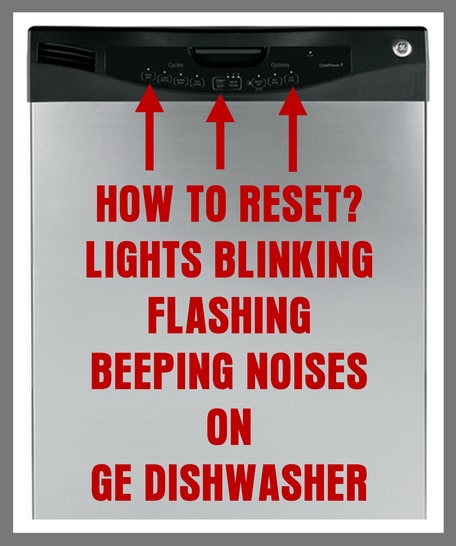
Frequently Asked Questions
Why Is My Dishwasher Flashing All Lights?
Your dishwasher flashing all lights signals an error or malfunction. Common causes include a faulty door latch, control board issues, stuck buttons, or a clogged drain. Check the user manual for specific error codes and try resetting the dishwasher by powering it off and on.
How To Force Reset Ge Dishwasher?
To force reset a GE dishwasher, turn off its circuit breaker for 30 seconds. Turn it back on, then start a short cycle to test. This power reset clears minor errors and restores normal function quickly.
How To Do A Hard Reset On Ge Washer?
Unplug the GE washer for one minute to power cycle. Plug it back in, select a cycle, and start it to complete the hard reset.
Why Is My Dishwasher Blinking But Not Turning On?
A blinking dishwasher often signals an error, like a faulty door latch, control board issue, or clogged drain. Check the user manual for specific error codes and try resetting the dishwasher by turning off the power at the breaker, then back on.
Why Are All Lights Blinking On My Ge Dishwasher?
Blinking lights usually signal an error or a problem inside the dishwasher. Common causes include door latch issues, control board faults, or blocked drains.
Conclusion
Blinking lights on your GE dishwasher signal a problem needing attention. Check the door latch, control panel, and drain for issues. A simple power reset often fixes the error. Always consult your user manual for specific codes and instructions. Taking quick action helps avoid bigger repairs later.
Keep your dishwasher running smoothly with regular care and troubleshooting.









