
Are you noticing blinking lights on your Halcyon DC Inverter and wondering what they mean? These flashing indicators are not just random signals—they’re your air conditioner’s way of telling you something needs attention.
Ignoring them could lead to bigger problems, but understanding what each blink means can help you fix issues quickly and keep your system running smoothly. In this guide, you’ll learn how to decode those blinking lights, identify common causes, and discover simple steps you can take to troubleshoot your Halcyon DC Inverter.
Keep reading to take control of your air conditioner and avoid costly repairs.
Common Blinking Light Causes
Halcyon DC inverter blinking lights signal issues that need attention. These lights flash in patterns to show specific problems. Understanding common causes helps in quick troubleshooting. It prevents damage and keeps your unit running efficiently.
Communication Errors
Blinking green lights often mean a communication error. The indoor and outdoor units fail to exchange signals properly. Loose wiring or damaged cables can cause this issue. Check connections to ensure they are secure and intact. Faulty communication stops the unit from working correctly.
Low Refrigerant Levels
Continuous blinking may indicate low refrigerant levels. Refrigerant leaks reduce cooling efficiency and strain the system. Low refrigerant causes the unit to blink and may shut down. A technician must locate and fix leaks. Recharging refrigerant keeps the system cool and stable.
Fan Motor And Compressor Issues
If the unit starts but quickly stops, the fan motor or compressor may overheat. These parts are essential for cooling and airflow. Overheating triggers blinking lights as a warning. Problems include worn motors, blocked fans, or electrical faults. Prompt repair prevents further damage.
Dirty Air Filters
Blocked airflow from dirty air filters causes blinking light alerts. Dust and debris reduce air circulation and system performance. Clean filters improve air quality and system efficiency. Regular filter cleaning prevents error codes and extends unit life. Check filters monthly and clean as needed.

Counting Blinks For Error Codes
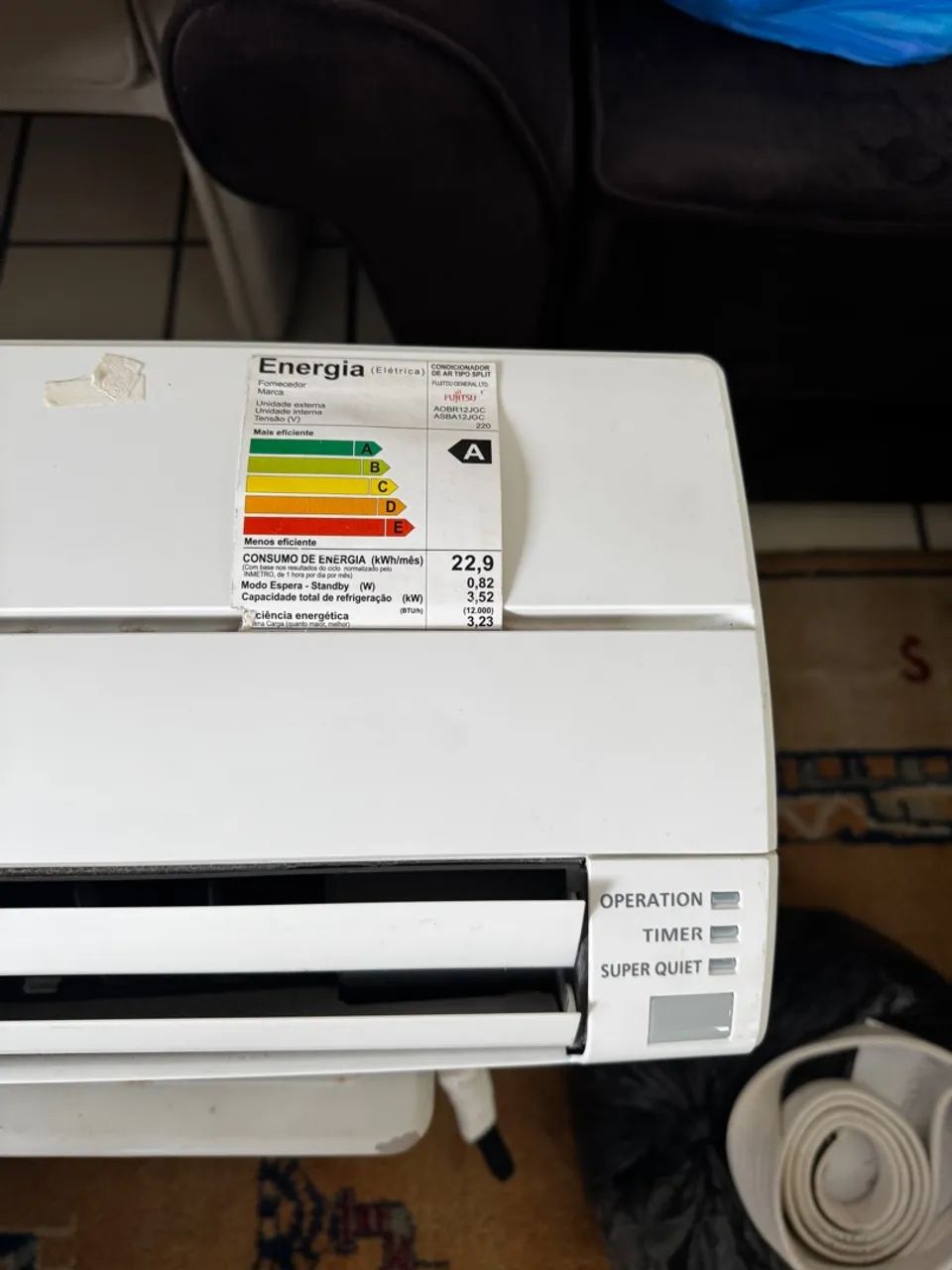
Counting blinks on your Halcyon DC Inverter helps identify specific error codes. Each blink pattern signals a different problem. Understanding these patterns speeds up troubleshooting. This method uses the flashing lights on the unit’s display panel. Two main lights flash: the operation light and the timer light. Each light’s blink count points to an error category or detail. Follow the blinking sequence carefully to decode the issue.
Operation Light Flashes
The operation light usually flashes green. It shows the main error category. Count the number of flashes before a pause. For example, three flashes mean one type of fault. Seven flashes mean another. This light alerts you to general system issues. It helps narrow down the problem area quickly.
Timer Light Flashes
The timer light often flashes orange. It provides specific error details. Count the number of orange blinks after the operation light flashes. These blinks identify the exact fault within the main category. For example, two orange blinks could mean a sensor error. Four orange blinks might indicate a communication problem. Together, these blink counts give a clear error code.
Quick Reset Methods
Quick reset methods provide fast solutions for the Halcyon DC inverter blinking lights. These methods help clear minor glitches and restore normal function. Performing a reset can save time and avoid unnecessary service calls.
Try these simple steps to reset your unit safely and effectively. Follow the instructions carefully to ensure the best results.
Power Cycling The Unit
Power cycling is the easiest way to reset your Halcyon DC inverter. Start by turning off the air conditioner using the remote or power button.
Next, switch off the circuit breaker or unplug the unit from the power source. Wait for about 5 minutes to let the system fully shut down.
After this, restore power by turning the breaker back on or plugging the unit in. Turn on the air conditioner and check if the blinking lights stop.
This method clears temporary faults and refreshes the system’s internal controls.
Some Halcyon DC inverter models include a dedicated reset button. Locate this button on the indoor unit or near the control panel.
Press and hold the reset button for 3 to 5 seconds. Release it and allow the unit to reboot. The blinking lights should turn off if the reset is successful.
This button resets the unit without cutting power, making it a quick and easy solution.
Filter Cleaning Tips
Keeping the air filter clean is essential for the Halcyon DC inverter to work well. A dirty filter blocks airflow and causes blinking lights. Regular filter cleaning improves air quality and helps avoid common errors. This section shares simple tips to clean the filter safely and effectively.
Turn Off The Unit Before Cleaning
Always switch off the air conditioner before removing the filter. This step prevents damage to the unit and keeps you safe. Wait a few minutes after turning off to ensure the fan stops fully.
Remove The Filter Gently
Open the front panel carefully to access the filter. Avoid using force to prevent breaking clips or hinges. Slide the filter out slowly to keep dust from falling inside the unit.
Use A Vacuum Cleaner For Dust
Light dust can be removed using a vacuum cleaner. Use a soft brush attachment to avoid damaging the filter mesh. Vacuum both sides gently for a thorough clean.
Wash The Filter With Water
If the filter is very dirty, wash it with lukewarm water. Do not use hot water as it may damage the filter. Avoid strong detergents; mild soap is enough to remove grime.
Dry The Filter Completely
After washing, let the filter dry naturally in the shade. Do not use direct sunlight or heat sources to speed up drying. A wet filter can cause mold and affect the air quality.
Reinstall The Filter Correctly
Place the dry filter back into the unit carefully. Ensure it fits snugly to avoid gaps. Close the front panel firmly to keep the filter secure during operation.
Checking Refrigerant Levels
Checking refrigerant levels is key when Halcyon DC inverter blinking lights signal a problem. Low refrigerant often causes the unit to blink its LED lights. This blinking alerts users to possible leaks or insufficient cooling power.
Refrigerant moves heat from inside to outside your home. Without enough refrigerant, the system cannot cool properly. This leads to blinking lights and poor air conditioning performance. Detecting low refrigerant early helps avoid bigger damage.
Signs Of Low Refrigerant In Halcyon Dc Inverter
Look for weak cooling or warm air from the vents. The unit may run longer than usual without reaching the set temperature. Ice may form on the outdoor coil. These signs often accompany blinking lights.
How To Check Refrigerant Levels Safely
Use a refrigerant gauge to measure pressure. Always follow safety guidelines. Only trained technicians should handle refrigerants due to their chemical nature. Incorrect handling can cause injury or further damage.
Why Low Refrigerant Causes Blinking Lights
The system’s sensors detect pressure drops. The control board triggers blinking lights as a warning. This prevents the compressor from running dry and getting damaged. The blinking is a built-in safety feature.
Steps To Take After Identifying Low Refrigerant
Turn off the unit to prevent damage. Contact a certified HVAC technician for inspection. They will find leaks and recharge refrigerant properly. Avoid adding refrigerant yourself to protect the system and warranty.

When To Call A Technician
Knowing when to call a technician for your Halcyon DC inverter blinking lights can save you time and prevent further damage. Some blinking signals mean simple fixes, while others require expert help. If the lights keep blinking after basic checks, professional service is necessary. Ignoring persistent blinking can cause more serious problems.
Persistent Blinking Lights
Persistent blinking lights often show a deeper issue inside the unit. If the lights blink continuously even after resetting the system, do not delay calling a technician. This may point to internal faults that need professional diagnosis. A trained technician can read error codes and fix the root cause safely.
Refrigerant And Pcb Issues
Blinks related to refrigerant problems or PCB (Printed Circuit Board) faults require expert attention. Low refrigerant can cause the unit to stop cooling effectively. PCB issues can disrupt the air conditioner’s functions and cause erratic blinking. These problems need special tools and knowledge to repair properly. Calling a technician ensures your unit works well and avoids further damage.
Preventive Maintenance Advice
Preventive maintenance is key to keeping your Halcyon DC inverter running smoothly. Regular care reduces blinking light errors and extends your unit’s life. Simple steps help avoid costly repairs and keep the air conditioner efficient.
Check your air filters every month. Dirty filters block airflow and cause blinking error lights. Clean or replace filters to maintain good air quality and system performance.
Inspect the outdoor unit regularly. Remove leaves, dirt, and debris that may block airflow. Clear space around the unit to ensure proper cooling and prevent overheating.
Verify electrical connections. Loose or damaged wires can cause communication errors and blinking lights. Tighten connections and look for wear or corrosion to keep signals clear.
Monitor refrigerant levels. Low refrigerant triggers fault codes and blinking lights. A professional technician should check and refill refrigerant if needed to maintain cooling power.
Test the fan motors often. Listen for unusual noises or vibrations. Fans that run poorly can cause the system to shut down or blink error lights. Clean and lubricate fan parts as needed.
Regular Filter Cleaning
Filters trap dust and particles from the air. Check and clean filters monthly. Use a soft brush or vacuum to remove dirt. Replace filters if they are torn or very dirty.
Outdoor Unit Inspection
Look for dirt, leaves, or plants near the unit. Clear all obstructions to allow airflow. Clean the fins gently with a soft brush to avoid damage.
Electrical Connection Check
Turn off power before inspecting wiring. Tighten any loose wires and check for corrosion. Replace damaged wires to avoid communication errors and blinking lights.
Refrigerant Level Monitoring
Low refrigerant causes poor cooling and blinking error codes. Call a licensed technician to check levels yearly. Avoid adding refrigerant yourself to prevent damage.
Fan Motor Maintenance
Listen for unusual sounds from the fan. Clean fan blades and lubricate moving parts if needed. Replace faulty motors promptly to prevent system shutdown.
Frequently Asked Questions
Why Is The Light Blinking On My Fujitsu Halcyon?
A blinking light on your Fujitsu Halcyon signals issues like blocked filters, low refrigerant, or fan problems. Check error codes by counting flashes. Clean filters and inspect wiring. If blinking persists after reset, contact a qualified technician for diagnosis and repair.
How To Reset Fujitsu Halcyon Dc Inverter?
Turn off power at the circuit breaker. Press the reset button on the unit’s PCB if available. Turn power back on and restart the unit using the remote or power button. Check for blinking lights. Contact a technician if the problem persists.
What Do The Lights Mean On A Fujitsu Air Conditioner?
Fujitsu air conditioner lights indicate status or errors. Blinking green or orange signals faults like low refrigerant, blocked filters, or fan issues. Count flashes to identify error codes. Persistent blinking means consult the manual or a technician for diagnosis and repair.
Why Is My Fujitsu Inverter Timer Light Flashing 3 Times?
A Fujitsu inverter timer light flashing 3 times signals a communication error between indoor and outdoor units. Check wiring connections and air filters. Persistent flashing may indicate low refrigerant or fan issues. Reset the unit; if the problem continues, contact a qualified technician for inspection.
What Do Blinking Lights On Halcyon Dc Inverter Mean?
Blinking lights usually signal a problem with the air conditioner. They help identify issues like blocked filters or low refrigerant. Each pattern corresponds to a specific error code.
Conclusion
Halcyon DC Inverter blinking lights signal specific issues in your AC unit. Counting the flashes helps identify the exact problem quickly. Common causes include dirty filters, low refrigerant, or fan motor troubles. Always try resetting the unit first by turning it off and on.
Persistent blinking means a technician should inspect the system. Regular maintenance keeps your air conditioner running smoothly and prevents errors. Understanding these signals saves time and avoids bigger repairs. Stay alert to blinking lights for a comfortable home environment.









