
Is your Sony Bravia TV’s red light blinking, leaving you frustrated and unsure what to do next? You’re not alone.
That blinking red light is more than just a flashing signal—it’s your TV’s way of telling you something isn’t right. But don’t worry, you don’t need to be a tech expert to fix it. You’ll discover simple and effective steps to understand what those red blinks mean and how to get your Sony Bravia back to working perfectly.
Keep reading, and you’ll be watching your favorite shows again in no time!

Red Light Blinking Causes
The red light blinking on your Sony Bravia TV signals a problem inside the unit. This blinking acts as a warning to help you identify the issue. Knowing what causes the red light to blink can save time and avoid frustration. Many reasons can trigger this alert, ranging from simple power issues to complex hardware faults.
Power Supply Issues
Power supply problems are a common cause of the red light blinking. Faulty or unstable power can make the TV unable to start properly. Loose cables or damaged power cords also affect the power supply. Sudden power surges may damage internal parts, causing the blinking light.
Overheating Problems
Overheating can cause the Sony Bravia to blink the red light as a safety measure. Poor ventilation or blocked air vents trap heat inside the TV. Dust build-up inside the TV can also increase temperature. When the TV gets too hot, it shuts down to prevent damage and signals the problem with blinking.
Hdmi Device Conflicts
Conflicts between connected HDMI devices can trigger the red light blinking. Some devices may send signals that confuse the TV. Faulty or incompatible HDMI cables cause communication errors. Disconnecting and reconnecting HDMI devices often resolves this issue.
Internal Hardware Faults
Internal hardware faults are serious causes of the blinking red light. Problems in the TV’s main board or power board can lead to failure. Faulty components inside the TV need professional repair or replacement. This cause requires expert help to avoid further damage.
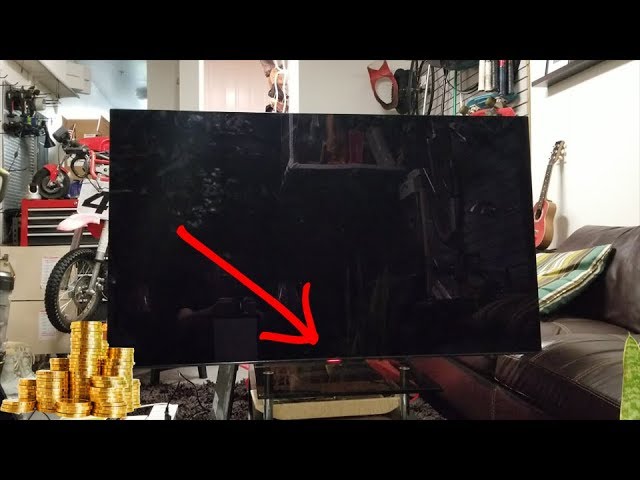
Blink Code Patterns
The Sony Bravia red light blinking signals an issue inside your TV. The blinking follows specific patterns. These patterns act as codes that tell you what might be wrong. Understanding these blink code patterns helps in diagnosing problems quickly. Each pattern differs by the number and frequency of blinks. This section explains how to read these codes.
Number Of Blinks Meaning
The number of red light blinks shows the type of fault. One blink could mean a minor issue. More blinks often point to serious problems. For example, three blinks might indicate a power supply fault. Five blinks can signal a backlight failure. Counting the blinks is the first step in troubleshooting your Sony Bravia TV.
Diagnostic Steps
Start by unplugging the TV for a few minutes. Plug it back in and watch the red light. Count the blinks carefully. Note if the blinks are steady or irregular. Check your TV manual or Sony’s website for the blink code chart. Follow recommended actions based on the blink count. This method helps avoid unnecessary repairs and saves time.
Common Blink Codes
Common blink codes include:
- 2 blinks: Power supply or main board issue.
- 3 blinks: Backlight or inverter problem.
- 4 blinks: Tuner or signal error.
- 5 blinks: LED or LCD panel fault.
Each code targets a specific component. These codes guide you or a technician to the exact issue. Recognizing common blink codes speeds up repairs and reduces guesswork.
Basic Troubleshooting
Basic troubleshooting helps identify simple causes behind the Sony Bravia red light blinking. It saves time and avoids unnecessary repairs. Follow these easy steps to check your TV’s condition and fix minor issues quickly.
Check Power Connections
Unstable power can cause the red light to blink on your Sony Bravia. Ensure the power cord is firmly plugged into the TV and wall outlet. Avoid using loose or damaged plugs. Try a different power outlet if needed. This simple check often solves power-related problems.
Disconnect External Devices
External devices may cause conflicts leading to blinking lights. Unplug all connected devices like gaming consoles, streaming boxes, and USB drives. Turn on the TV without any accessories attached. If the blinking stops, reconnect devices one by one to find the cause.
Improve Ventilation
Overheating triggers the red light to blink as a warning. Make sure your Sony Bravia has enough space around it for air to flow. Remove any objects blocking the vents. Avoid placing the TV inside closed cabinets or near heat sources. Good ventilation prevents overheating issues.
Reset Tv Settings
Resetting the TV can clear minor glitches causing the blinking light. Use the remote control to access the settings menu. Find the option to reset or restore factory settings. Confirm the reset and wait for the TV to restart. This step often fixes software-related problems.
Advanced Fixes
Advanced fixes for a Sony Bravia red light blinking issue involve deeper troubleshooting steps. These methods target software and hardware problems that basic resets cannot solve. Follow the steps carefully to avoid further issues.
Perform Factory Reset
Resetting your TV to factory settings clears all custom changes. This can remove any software glitches causing the red light to blink. Navigate to the settings menu, find the reset option, and confirm. Remember, this deletes all apps and personal settings. Only try this if other fixes fail.
Update Firmware
Outdated software can trigger error signals like the blinking red light. Check if your TV firmware is current. Go to the system update section in the settings. Download and install any available updates. This refreshes the system and can fix bugs causing the problem.
Inspect Internal Components
Internal hardware issues may cause the blinking red light. Unplug the TV and remove the back panel carefully. Look for loose cables, damaged boards, or burnt parts. Dust or debris can also cause faults. Clean the components gently. If unsure, seek professional help to avoid damage.
Contact Sony Support
If advanced fixes do not solve the problem, contact Sony support. They have access to detailed diagnostics and repair options. Provide your TV model and a clear description of the blinking pattern. Support can guide you through further steps or arrange repairs if needed.
Preventive Tips
Preventing the Sony Bravia red light from blinking saves time and frustration. Simple care steps keep your TV running smoothly. These tips protect your investment and extend your TV’s life.
Use Surge Protectors
Surge protectors guard your TV from power spikes. Sudden surges can damage internal parts and cause blinking red lights. Choose a surge protector with a high joule rating. Plug your Sony Bravia directly into it. This adds an important layer of defense against electrical issues.
Maintain Proper Airflow
Proper airflow stops your TV from overheating. Keep vents clean and free from dust. Avoid placing the TV in tight spaces or near heat sources. Good ventilation helps prevent internal damage that triggers the red light blinking. Check airflow regularly to keep your TV cool.
Avoid Static Images
Static images cause screen burn-in and stress the TV. Avoid leaving channel logos or paused screens on for long periods. Use screen savers or turn off the TV if not watching. This reduces stress on the display and lowers the chance of red light errors.
Regular Software Updates
Software updates fix bugs and improve TV performance. Check for updates often in your Sony Bravia settings. Updated software can resolve issues that cause the red light to blink. Staying current ensures your TV runs with the latest fixes and features.

Sony Bravia Lifespan Insights
The Sony Bravia series is known for its quality and performance. Understanding its lifespan helps users manage expectations and care. Knowing how long a TV lasts can guide your maintenance and usage habits.
This section explores important insights about the Sony Bravia lifespan. It covers typical lifespan, factors influencing durability, signs of aging, and ways to extend the TV’s life.
Expected Tv Lifespan
Most Sony Bravia TVs last about 7 to 10 years. This depends on daily use and care. Picture quality might fade after several years. Technology changes can also make older models feel outdated. Proper use can help reach the upper range of lifespan.
Factors Affecting Longevity
Screen type affects durability. OLED screens may degrade faster than LED/LCD screens. Bright settings and constant static images cause wear. High brightness modes can shorten backlight life. Manufacturing quality varies by model and batch. Power surges and heat also reduce lifespan.
Signs Of Aging
Dim or uneven backlight is common with age. Flickering screens show possible power or hardware issues. Red light blinking can signal internal faults. Burn-in or image retention appears on some screens. Slower startup or sudden shutdowns may indicate aging parts.
Extending Tv Life
Use surge protectors to prevent electrical damage. Keep vents clean and avoid blocking airflow. Choose energy-saving picture modes and lower brightness. Avoid static images to reduce burn-in risk. Regularly update the TV software for optimal performance. Proper care delays aging and keeps picture quality strong.
Frequently Asked Questions
Why Is My Sony Bravia Tv Blinking Red?
Your Sony Bravia TV blinks red to indicate a hardware or power issue. Count the blinks for error codes. Check power connections and unplug HDMI devices to troubleshoot. Contact Sony support if the problem persists.
How Many Red Blinks Is Bad For Sony Tv?
A Sony TV showing 6 or more red blinks usually indicates a serious hardware or power issue. Immediate service is needed.
How Do I Reset My Sony Bravia Tv That Won’t Turn On?
Unplug your Sony Bravia TV from power for 60 seconds. Press and hold the power button on the TV for 10 seconds. Plug it back in and turn it on. This resets the TV and may fix power issues.
How Long Should A Sony Tv Last?
A Sony TV typically lasts 7 to 10 years with normal use. Proper care and settings can extend its lifespan.
Why Is My Sony Bravia Red Light Blinking?
A blinking red light on Sony Bravia usually signals a hardware or software issue. It can indicate power problems, faulty components, or firmware errors. Checking the blinking pattern helps identify the exact cause.
Conclusion
Sony Bravia red light blinking signals a problem needing attention. Check the number of blinks to identify the issue. Restarting or resetting the TV often solves minor glitches. If blinking continues, professional repair may be necessary. Regular care can help prevent future problems.
Understanding these signs keeps your TV working longer. Stay calm and follow simple steps to fix it. Your Sony Bravia can return to normal with patience.









