
Is your Ninja blender’s power button blinking and leaving you puzzled? You’re not alone.
When that light starts flashing, it’s your blender’s way of telling you something isn’t quite right. But don’t worry—this doesn’t mean your Ninja is broken beyond repair. In fact, many of these blinking signals point to simple issues you can fix yourself, without needing a costly replacement or professional help.
Keep reading, and you’ll discover easy-to-follow steps to get your blender back to blending smoothly, so you can enjoy your favorite smoothies and recipes without interruption.
Common Causes
The blinking power button on your Ninja blender can be frustrating. It often signals a safety or alignment issue. Understanding common causes helps fix it fast. Most problems relate to how parts fit together or sensor errors.
Check these areas carefully. Simple adjustments usually solve the problem. Keep your blender working smoothly by addressing these common causes first.
Lid Not Fully Locked
The blender won’t start if the lid is not locked. The lid handle must snap down tightly. Align the arrow on the lid with the arrow on the pitcher handle. This ensures the safety lock engages. A loose lid causes the power button to blink.
Pitcher Misaligned
Place the pitcher correctly on the motor base. Remove it and re-seat it firmly. The pitcher must sit flat and click into place. Misalignment interrupts the sensor connection. This triggers the blinking power light and stops blending.
Faulty Sensor Or Motor
Sensors inside the blender check for correct assembly. If sensors fail, the power button blinks. Motor issues also cause blinking. Faulty parts need professional repair or replacement. Testing with another pitcher or lid helps identify sensor faults.

Quick Fix Steps
The blinking power button on your Ninja blender signals a small issue. Quick fix steps often solve this problem fast. These steps help you avoid unnecessary repairs or replacements. Follow simple actions to get your blender working again.
Start by checking the blender’s parts and how they fit. Next, try resetting the power. Finally, inspect the safety switches that control the blender’s operation. Each step targets a common cause of the blinking power light.
Reassemble Components
Turn off and unplug the blender first. Remove the pitcher and lid carefully. Check for any misalignment or loose parts. Place the pitcher back on the base firmly. Snap the lid down until it clicks. Make sure all parts are secure before turning it on.
Reset Power
Unplug the blender from the outlet. Wait 30 seconds to clear any electrical issues. Plug the blender back in firmly. Press the power button once to reset the system. This step can fix minor glitches causing the blinking light.
Check Safety Switches
Safety switches prevent the blender from running if parts are not aligned. Inspect the switches near the pitcher and lid. Clean any dirt or debris that may block them. Press the switches gently to ensure they move freely. Replace any damaged safety switches to restore function.
Safety Features Explained
The Ninja Blender has built-in safety features to protect users and the appliance. These features use the power button light to show different signals. Understanding these signals helps you use the blender safely and fix minor issues quickly.
Below are explanations of the common blinking signals you might see on your Ninja Blender power button.
Blinking Red Light Meaning
A blinking red light usually means the blender is not ready to start. This happens if the lid is not locked correctly. The blender will not operate until the lid is securely in place. Also, a red blink may indicate the pitcher is not seated properly on the base. Double-check the alignment to fix this.
Flashing power button lights can mean different things depending on the color and pattern. A slow blink often signals that the blender is overheating. Let it cool down before using it again. Rapid flashing might warn of a motor or electrical issue. In such cases, unplug the blender and inspect for damage.
Troubleshooting Tips
Experiencing a blinking power button on your Ninja blender can be frustrating. This signal often means the blender detects a problem. Simple fixes can resolve most issues quickly. Follow these troubleshooting tips to get your blender working again.
Unplug And Reconnect
Start by unplugging the blender from the power outlet. Wait for about 30 seconds. This pause allows the blender’s internal system to reset. Plug it back in firmly. This step often clears minor glitches causing the blinking power light.
Some Ninja blender models include a hidden reset switch. Find this small button near the base or under the blender. Use a thin tool, like a screwdriver, to press it gently. Hold it down for a few seconds. This action resets the blender’s control board and can stop the blinking light.
Ensure Proper Alignment
Check the blender pitcher and lid alignment carefully. The lid must snap down securely. Align the arrow on the lid with the arrow on the pitcher handle. Also, place the pitcher correctly on the motor base. Remove and reseat it firmly. Misalignment often triggers the blinking power button.
When To Contact Support
The blinking power button on your Ninja blender signals an issue. Some problems you can fix yourself. Other times, professional help is best. Knowing when to contact support saves time and avoids damage. This section guides you on when to reach out for assistance.
Persistent Blinking Issues
If the power button keeps blinking after simple fixes, contact support. Persistent blinking may mean a deeper problem inside the blender. Trying to use it can cause more damage. Support can diagnose the issue clearly. They offer safe solutions for your blender.
Motor Or Sensor Problems
The motor or sensors might fail and cause blinking lights. These parts are complex and need expert attention. Do not try to open or fix them yourself. Support teams have the right tools to check the motor and sensors. They ensure your blender works safely and well again.
Warranty And Repair Options
Check your blender’s warranty before seeking repairs. Many Ninja blenders have a warranty that covers faults like blinking power lights. Support can guide you through repair or replacement options. Using warranty services can save money on repairs. Always keep your purchase receipt for warranty claims.
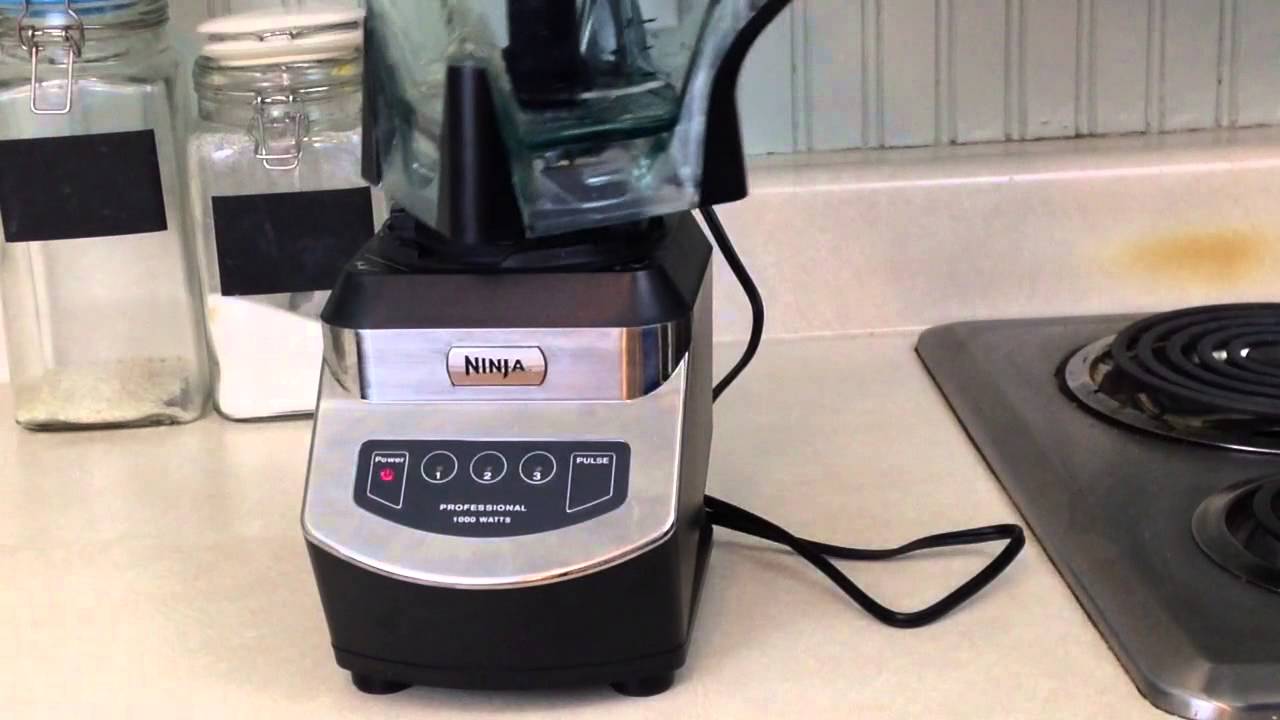
Preventive Maintenance
Preventive maintenance keeps your Ninja blender working well for a long time. Small daily habits stop common problems like the power button blinking. Taking care of the blender helps avoid costly repairs and saves time.
Simple routines make your blender safer and more reliable. Following these tips keeps the motor and parts in good shape. It also improves blender performance and extends its life.
Regular Cleaning
Clean the blender after each use. Remove the pitcher and blades carefully. Wash them with warm, soapy water. Dry all parts completely before reassembling. Wipe the motor base with a damp cloth. Avoid water inside the motor area to prevent damage.
Regular cleaning prevents food buildup. This buildup can block sensors and cause the power light to blink. Keeping the blender clean ensures smooth operation every time.
Proper Assembly Habits
Always check the pitcher and lid before blending. Align parts properly and lock the lid tightly. The blender will not start if the lid is loose. This safety feature can cause the power button to blink.
Make sure the pitcher sits firmly on the motor base. A loose fit can trigger error signals. Careful assembly avoids these interruptions and protects the blender’s motor.
Avoid Overloading
Do not fill the blender beyond its maximum capacity. Overloading puts stress on the motor. This stress can cause the power light to blink and the blender to stop.
Blend in small batches for best results. Give the motor time to rest between uses. Avoiding overload keeps the blender running smoothly and prevents overheating.
Frequently Asked Questions
How To Fix Ninja Blender Power Light Blinking?
Ensure the lid locks securely with aligned arrows. Place the pitcher flat on the base. Re-seat all parts properly. If blinking persists, contact Ninja Support for possible sensor or motor issues.
Ninja blenders do not have a dedicated reset button. To reset, unplug the blender, reassemble parts correctly, and plug it back in. Ensure the lid and pitcher are properly aligned to stop blinking lights. Contact Ninja support if issues persist.
A blinking power button on a Ninja blender signals improper assembly. Ensure the lid and pitcher are securely locked and aligned. If blinking persists, the blender may have a sensor or motor issue; contact Ninja Kitchen Support for help.
Why Is My Ninja Blender Blinking And Saying Install?
Your Ninja blender blinks and shows “install” because the lid or pitcher isn’t fully locked or aligned. Press down firmly to secure all parts. Re-seat the pitcher and lid until arrows align and clicks are heard. Persistent blinking may indicate a sensor issue; contact Ninja support.
The blinking power button usually means the blender is not properly assembled. Check if the lid and pitcher are locked securely. This safety feature prevents the blender from running if parts are loose.
Conclusion
A blinking power button on your Ninja blender often means parts are not fully locked. Double-check the lid and pitcher alignment carefully. Re-seat all components firmly to stop the blinking light. If the problem stays, the blender may have a sensor or motor issue.
Contact Ninja Kitchen Support for help. Taking these simple steps can often fix the issue quickly. Keep your blender working smoothly and enjoy your blending tasks without hassle.









