
Is your Sunbeam heated blanket blinking and leaving you wondering what’s wrong? You’re not alone, and the good news is that this common issue often has simple fixes.
When your cozy blanket’s light starts flashing, it can be confusing and frustrating—especially when all you want is warmth and comfort. But don’t worry, this blinking light is usually a signal your blanket is trying to tell you something important about its operation or safety.
You’ll discover why your Sunbeam heated blanket is blinking, easy steps to reset it, and helpful tips to keep it working perfectly. Keep reading to get your blanket back to warming you up in no time!

Common Causes Of Blinking
The blinking light on your Sunbeam heated blanket can signal various issues. Understanding the common causes helps you fix the problem quickly. Most problems relate to simple faults in the blanket’s setup or parts.
Here are the main reasons your Sunbeam heated blanket might be blinking.
Loose Connections
Loose connections often cause blinking lights. The controller must be firmly plugged into the blanket’s module. If the plug is not secure, the blanket may not work properly. Check the connection points and press them in tightly. Loose wires inside the cord can also cause blinking. Inspect the power cord and controller cable for any damage or wear.
Power Supply Issues
Power supply problems can make the light blink. The wall outlet might be faulty or loose. Try plugging the blanket into a different outlet. Avoid using extension cords or power strips, as they can cause inconsistent power flow. A weak or interrupted power supply stops the blanket from heating correctly and triggers blinking. Ensure the power source provides stable current to the blanket.
Controller Malfunctions
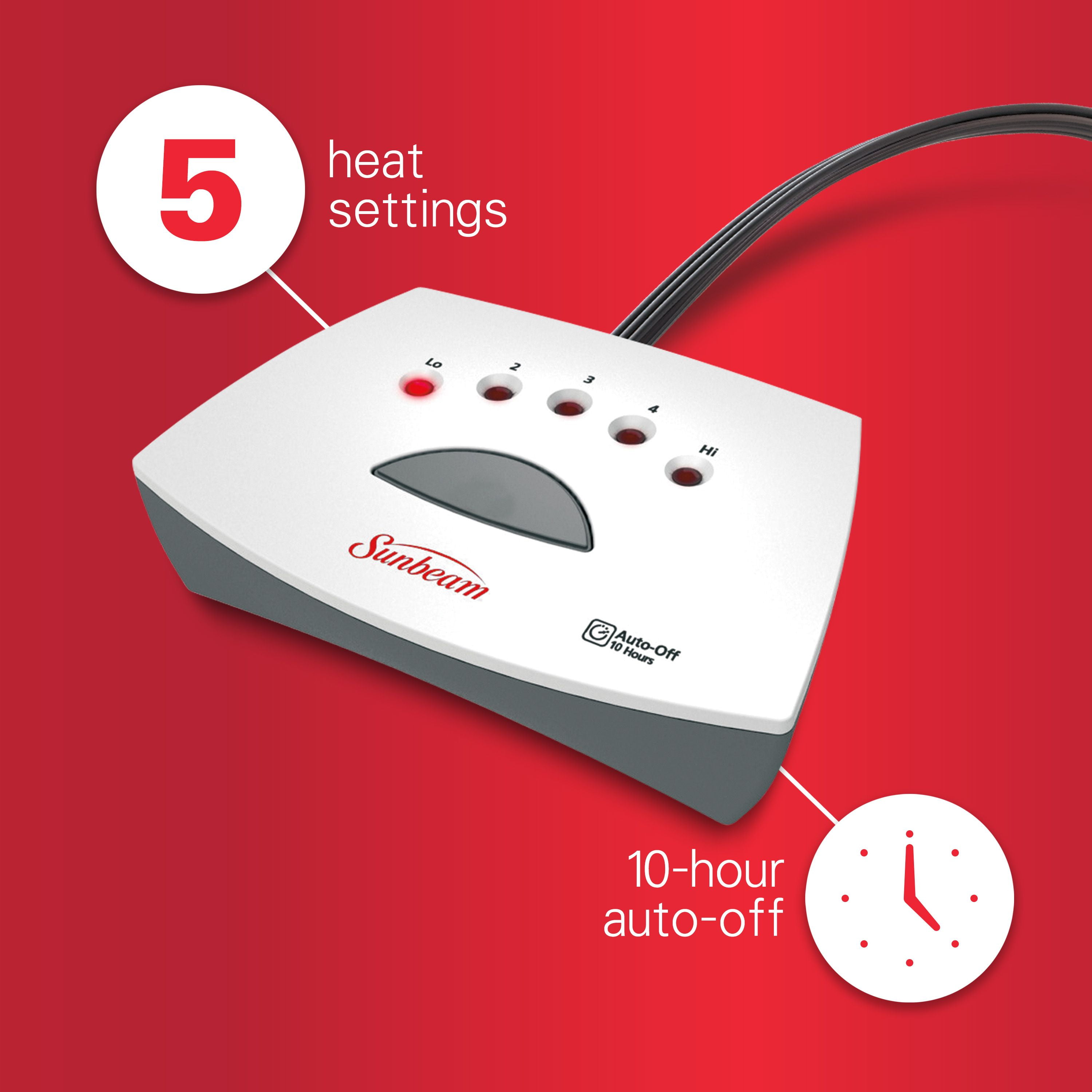
The controller controls the blanket’s heat settings. If it malfunctions, the light may blink. Faulty buttons or a damaged display can cause errors. The controller’s internal circuit may fail after long use or accidental damage. Resetting the controller by unplugging the blanket for a few minutes can help. If blinking continues, the controller might need repair or replacement.
Basic Reset Techniques
Basic reset techniques help fix the blinking light on your Sunbeam heated blanket. These steps are simple and often solve the problem quickly. Resetting the blanket can clear minor errors or connection issues. Try these methods before considering repair or replacement.
Power Cycle Reset
Unplug the blanket from the power outlet. Wait for about 30 seconds to let the device reset. Plug the blanket back into the outlet. Turn on the blanket and check if the blinking stops. This method clears temporary glitches in the system.
Replugging The Blanket
Disconnect the controller from the blanket’s module. Check the connection for dust or debris. Firmly reconnect the controller to the module. Plug the power cord back into the wall. This ensures the controller and module communicate properly.
Checking Controller And Module
Inspect both the controller and module for visible damage. Look for cracks, loose parts, or burn marks. Replace any damaged components to avoid safety risks. Make sure the controller buttons respond correctly. A faulty controller or module can cause blinking lights.
Advanced Troubleshooting
Advanced troubleshooting helps solve persistent blinking issues with your Sunbeam heated blanket. It involves careful checks beyond basic resets. This process can identify hidden problems that cause blinking lights. Follow these steps to ensure your blanket works safely and effectively.
Inspecting For Physical Damage
Look closely at the blanket’s wires and fabric. Check for frayed cords, tears, or burn marks. Any visible damage can cause the blinking light. Stop using the blanket if you find damage. Contact Sunbeam support for repair or replacement advice. Physical damage can be a safety hazard and must not be ignored.
Testing Different Power Outlets
Plug the blanket into a different wall outlet. Avoid using power strips or extension cords during testing. Sometimes, faulty outlets cause power issues. A fresh outlet ensures the blanket receives steady electricity. Test the blanket again to see if blinking stops. This step rules out power supply problems.
Identifying And Responding To Error Codes
Some Sunbeam blankets show error codes on their controllers. These codes often start with “E” followed by a number. Check the user manual for the meaning of each code. Secure all connections before trying to reset the blanket. If the error persists, contact customer support. Error codes help diagnose specific problems quickly.
Safety Tips
Using a Sunbeam heated blanket safely is important to avoid damage and injury. Blinking lights on your blanket can signal problems. Follow these safety tips to keep your blanket working well and to protect yourself.
Avoiding Damage To Heating Elements
Do not fold or bunch the blanket tightly. This can break internal wires and cause blinking issues. Always lay the blanket flat when in use or storage. Avoid spilling liquids on the blanket. Moisture can damage heating elements and cause safety risks.
When To Stop Using The Blanket
Stop using the blanket if the blinking light does not stop after resetting. Unusual smells or sounds mean the blanket may be damaged. If you see any tears or burns on the fabric, stop use immediately. Continuing to use a damaged blanket can cause electric shocks or fires.
Handling Error Indicators
The blinking light may indicate a loose connection or malfunction. Unplug the blanket and check the controller is firmly connected. Reset the blanket by unplugging and plugging it back in. If error codes appear, consult the user manual for instructions. Do not try to repair the blanket yourself. Contact Sunbeam support for help.
Maintaining Your Heated Blanket
Maintaining your Sunbeam heated blanket is key to safe and long-lasting use. Regular care helps prevent blinking light issues and other malfunctions. Follow clear steps to keep your blanket clean, stored properly, and protected under warranty.
Proper Washing Methods
Always unplug the blanket before washing. Use a gentle cycle with cold water. Avoid bleach and fabric softeners as they damage the fabric. Hand washing works well for delicate blankets. Dry flat or hang to air dry. Never use high heat in a dryer. Heat can harm the wiring inside.
Storage Recommendations
Store the blanket in a cool, dry place. Avoid folding it tightly to protect internal wires. Roll or loosely fold the blanket for best results. Keep it away from pets and sharp objects. Use a breathable storage bag to prevent moisture buildup. Proper storage prevents damage and blinking light problems.
Checking Warranty Coverage
Review your blanket’s warranty for repair or replacement options. Keep your purchase receipt and product details. Warranty usually covers manufacturing defects, not accidental damage. Contact Sunbeam support if blinking lights persist after troubleshooting. Knowing your coverage saves time and money on repairs.
Signs To Replace Your Blanket
Knowing when to replace your Sunbeam heated blanket is important for safety and comfort. Some signs show that your blanket no longer works properly. Watching for these clues helps you avoid risks like overheating or electric shocks. Here are the main signs that mean it is time to get a new blanket.
Physical Wear And Tear
Look closely at your blanket for any visible damage. Frayed wires or torn fabric can cause sparks or short circuits. Burn marks or melted spots are serious dangers. If you see these issues, stop using the blanket immediately.
Even small holes can let dirt inside and harm the heating parts. Regular use wears out the fabric and wiring over time. Physical damage is a clear sign to replace the blanket.
Heating Inconsistencies
The blanket should warm evenly and stay at the set temperature. Cold spots or areas that get too hot are problems. Inconsistent heating means the internal wires may be broken or damaged. This can cause discomfort or even burns.
If your blanket blinks or shuts off by itself during use, it may not heat correctly. These heating issues reduce the blanket’s effectiveness and safety. Such problems usually mean it’s time for a new one.
Controller Failures
The controller must work smoothly to adjust heat settings. Buttons that don’t respond or displays that blink oddly show controller failure. Loose connections or error codes also point to trouble.
A faulty controller can cause the blanket to stop heating or overheat. Repairing controllers often costs as much as buying a new blanket. Replacing the entire unit ensures reliable and safe use.
Frequently Asked Questions
Why Is My Heated Blanket Blinking And Not Working?
Your heated blanket blinks and won’t work due to loose connections or a power issue. Unplug it, check the controller’s connection, then replug and reset. Inspect for damage or try another outlet if the problem persists.
How To Reset A Heated Blanket?
Unplug the heated blanket from the outlet. Ensure the controller is firmly connected. Plug it back in and turn it on to reset.
Is It Safe To Use A Sunbeam Heating Pad With A Flashing F?
A flashing “F” on a Sunbeam heating pad signals a connection or coil issue. Stop use immediately for safety. Check for damage, avoid bending or folding while hot. Contact Sunbeam support for repair or replacement advice before using it again.
What Is The Lifespan Of A Heated Blanket?
Heated blankets typically last 5 to 10 years depending on quality, usage, and proper care. Regular maintenance extends lifespan.
Why Is My Sunbeam Heated Blanket Blinking?
A blinking light often means a loose connection or power issue. Check if the controller is firmly plugged into the blanket’s module.
Conclusion
A blinking Sunbeam heated blanket often signals connection or power issues. Check all plugs and cords for secure fitting. Unplugging and replugging can reset the blanket. Inspect for any visible damage before use. Avoid using the blanket if damage appears.
Using a different wall outlet may help. If problems persist, contact customer support. Keeping these tips in mind ensures safe, warm comfort. Don’t ignore blinking lights; they protect your safety. Simple steps can fix most blinking problems quickly. Stay warm and safe with your heated blanket.









