
Is your Honeywell Pro Series thermostat showing a blinking “Cool On” light, but your air conditioner isn’t kicking in? You’re not alone—and it’s not something to panic about.
This blinking signal is your thermostat’s way of telling you there’s a delay or an issue that needs attention. Whether it’s a simple protective delay, low batteries, or a clogged air filter, understanding why this happens can save you time, money, and frustration.
Keep reading to discover the common causes behind the blinking “Cool On” indicator and easy steps you can take to get your cooling system back up and running smoothly. Your comfort is just a few fixes away.
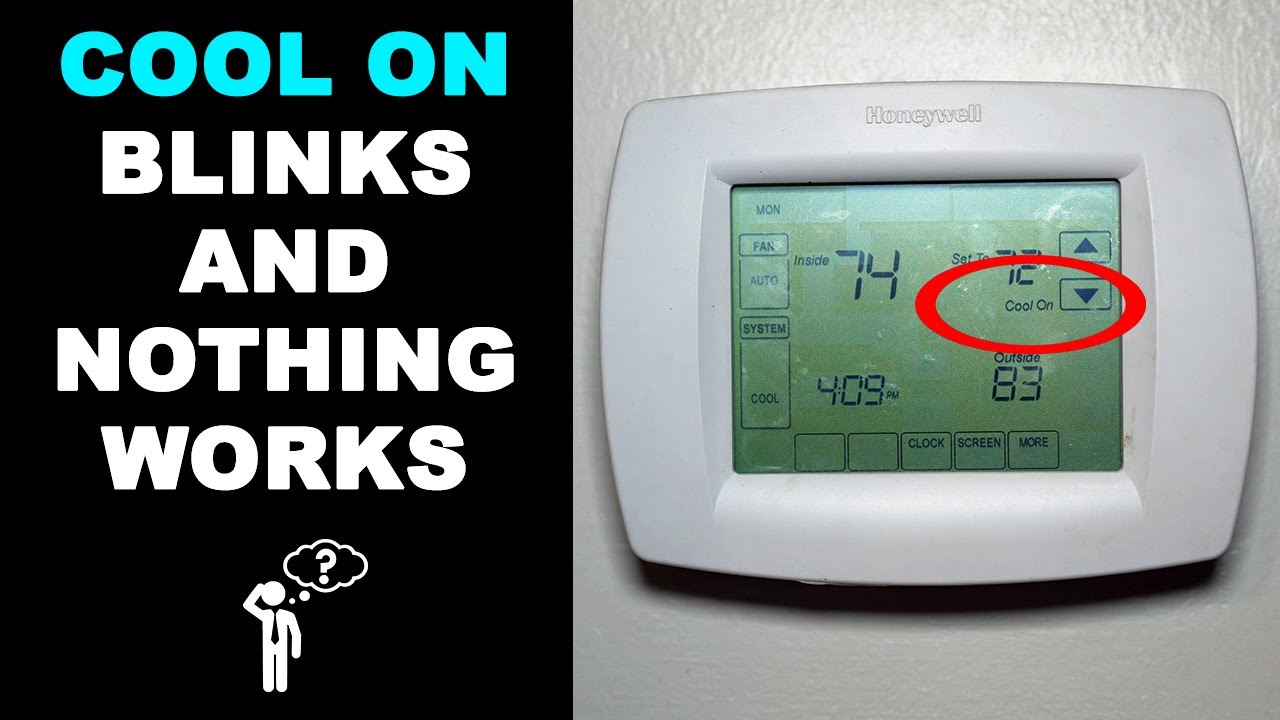
Cool On Blinking Meaning
The “Cool On” blinking light on your Honeywell Pro Series Thermostat signals a delay before the air conditioner starts. This pause protects the system from damage caused by frequent cycling. The thermostat pauses to allow the compressor to equalize pressure.
This blinking is normal and usually lasts a few minutes. It prevents strain on the HVAC system and helps extend its life. However, if the blinking continues for a long time, it might indicate a problem that needs attention.
What Does The Cool On Blinking Mean?
The blinking “Cool On” light means the thermostat is in a protective delay mode. This delay stops the compressor from turning on too quickly after it last ran. The system waits to balance pressure inside the unit.
Short delays are common after turning the AC on or after a power outage. This blinking is a safety feature, not a sign of failure. It helps avoid damage to the compressor.
Common Causes Of Cool On Blinking
- Protective Delay: The system waits before restarting the compressor.
- Power Interruptions: A brief power flicker triggers a restart delay.
- Low Batteries: Weak batteries in the thermostat can cause blinking.
- Dirty Air Filter: Restricted airflow can make the system work harder.
- Wiring or Sensor Issues: Loose connections or faulty sensors may cause blinking.
- System Malfunction: Possible low refrigerant or other mechanical problems.
How To Fix Cool On Blinking
Start by waiting a few minutes to see if the system begins cooling. Replace thermostat batteries if they are low. Check and replace dirty air filters to improve airflow.
Inspect wiring and sensors for loose connections. Reset the thermostat by turning it off and on again. If the blinking continues, call an HVAC professional for a thorough checkup.
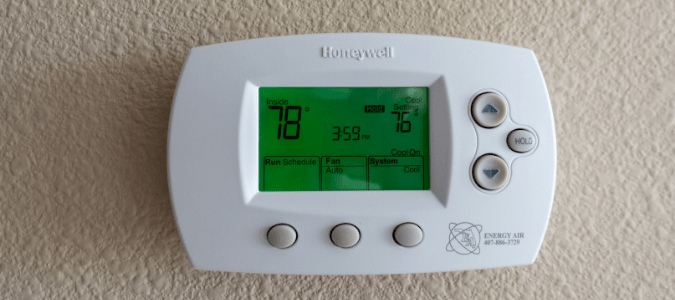
Common Causes
The Honeywell Pro Series Thermostat may show a blinking “Cool On” light for several reasons. Understanding these common causes helps in quick troubleshooting. This blinking often signals the system is trying to protect itself or needs attention.
Some issues are simple and easy to fix. Others may require professional help. Below are the main causes that trigger the blinking “Cool On” light.
Protective Delay Mode
The thermostat often enters a protective delay to avoid damage. This delay stops the compressor from turning on too soon. It usually lasts a few minutes. Waiting patiently can solve the blinking light problem.
Power Interruptions
Power flickers or brief outages can cause the system to pause. The thermostat blinks as it resets itself. This delay protects the compressor from sudden power changes. The blinking should stop once power stabilizes.
Low Batteries
Weak or dying batteries can cause erratic thermostat behavior. The blinking light may appear as a warning sign. Replacing batteries with fresh ones often resolves this issue quickly.
Dirty Air Filter
A clogged air filter reduces airflow to the cooling system. This makes the system work harder and less efficiently. The thermostat may blink to signal this problem. Checking and replacing the air filter helps restore normal function.
Wiring And Sensor Issues
Loose wiring or faulty sensors can disrupt thermostat signals. These issues cause blinking as the system struggles to read temperatures. Inspecting wires and sensors and resetting the thermostat can fix the problem.
System Malfunctions
More serious problems like low refrigerant or compressor issues can cause blinking. These malfunctions require professional HVAC service. If basic fixes do not work, calling an expert is the best step.
Quick Fixes
The Honeywell Pro Series Thermostat blinking “Cool On” light often signals a minor issue. Many problems have simple fixes you can try yourself. These quick fixes help restore normal cooling and prevent bigger problems. Follow these easy steps to troubleshoot your thermostat and get your system running smoothly again.
Wait For Delay To End
The blinking “Cool On” light sometimes means the system is in a protective delay mode. This delay protects the compressor from damage by avoiding rapid restarts. Wait about 5 minutes to let the delay finish. The cooling should start automatically after the wait.
Replace Thermostat Batteries
Low or dead batteries cause the thermostat to act strangely. Remove the thermostat cover and check the batteries. Replace old batteries with fresh AA or AAA batteries. New batteries often fix blinking lights and improve thermostat performance.
Clean Or Replace Air Filter
A dirty air filter blocks airflow and stresses the cooling system. Turn off your HVAC system and remove the air filter. Clean it if reusable or replace it if disposable. A clean filter helps your system run efficiently and stops blinking alerts.
Inspect Wiring And Sensors
Loose wires or faulty sensors trigger blinking “Cool On” lights. Turn off power to the thermostat. Remove the thermostat cover and check all wiring connections. Look for loose, disconnected, or damaged wires. Ensure sensors are properly attached and clean. Secure any loose wires before powering back on.
Reset The Thermostat
Resetting your Honeywell thermostat clears temporary glitches. Find the reset button or remove batteries to power down. Wait 30 seconds and restore power or replace batteries. Resetting often stops blinking lights and restores normal operation.
When To Call A Technician
Preventing the Honeywell Pro Series Thermostat cool on blinking saves time and stress. Regular care keeps your system running smoothly. Simple steps stop many common issues before they start.
Regular Battery Checks
Check thermostat batteries every three months. Low batteries cause blinking and errors. Replace batteries with fresh ones promptly. Always use high-quality batteries for longer life.
Scheduled Air Filter Maintenance
Inspect air filters monthly during peak use. Dirty filters block airflow and stress the system. Replace filters every 1 to 3 months. Clean filters improve cooling and prevent blinking.
Routine System Inspections
Schedule HVAC inspections twice a year. A technician checks wiring, sensors, and refrigerant levels. Early detection stops system malfunctions. Regular inspections keep your thermostat stable and reliable.
Frequently Asked Questions
Why Is My Honeywell Thermostat Just Flashing Cool On?
Your Honeywell thermostat’s flashing “Cool On” indicates a protective delay before the A/C starts. Wait a few minutes. Replace low batteries, check the air filter, and inspect wiring. Call an HVAC pro if the blinking continues after troubleshooting.
Why Is The Cool Setting On My Thermostat Blinking?
The blinking cool setting on your thermostat usually signals a protective delay to prevent compressor damage. Wait for the system to start. Check batteries, air filters, and wiring. Replace batteries or clean filters if needed. Call an HVAC professional if blinking continues after troubleshooting.
Why Is My Thermostat Flashing Cool On But Not Turning On?
Your thermostat flashes “cool on” to signal a protective delay, often due to power interruptions or compressor protection. Check and replace low batteries, clean or change dirty air filters, and inspect wiring or sensors. Wait a few minutes; if it continues, contact an HVAC professional.
Why Is My Pro Brand Thermostat Blinking Cool On?
Your Pro brand thermostat blinks “cool on” during a protective delay to prevent compressor damage. Wait a few minutes for the system to start. Low batteries, dirty filters, or wiring issues can also cause blinking. Replace batteries, check filters, and ensure secure wiring.
Call an HVAC pro if it persists.
Why Is My Honeywell Pro Series Thermostat Cool Light Blinking?
The blinking cool light means the system is in a protective delay mode. This protects the compressor from short cycling after turning on. Waiting a few minutes usually resolves it.
Conclusion
The blinking “Cool On” light on your Honeywell Pro Series thermostat often signals a temporary delay. This delay helps protect your system from damage during power shifts or startup. Simple steps like replacing batteries or cleaning filters can fix many issues.
Keep an eye on wiring and sensors for any loose connections. If the blinking continues after basic checks, a professional HVAC technician should inspect your system. Staying calm and following these tips ensures your thermostat and air conditioner work smoothly again.









