
Is your Samsung washing machine’s self-clean light blinking and leaving you puzzled? You’re not alone.
That blinking light is your machine’s way of telling you it’s time for a deep clean—an essential step to keep your washer fresh, odor-free, and running smoothly. Ignoring this signal could lead to buildup inside your drum, affecting how well your clothes get cleaned.
But don’t worry, fixing this is easier than you might think. You’ll discover exactly what that blinking self-clean light means, why it’s important, and simple steps you can take to reset it and keep your Samsung washing machine in top shape. Keep reading, and you’ll have your washer working like new again in no time!

Why Self Clean Light Blinks
The blinking self clean light on your Samsung washing machine often causes confusion. It signals the machine needs attention to keep working well. Understanding why this light blinks helps maintain your washer’s performance. The blinking can mean different things depending on the situation.
Self Clean Reminder Function
The self clean light blinks as a reminder to run the cleaning cycle. Samsung washers track the number of washes. After many washes, the light flashes to suggest cleaning the drum. This helps remove dirt and bacteria inside the machine. It is not an error but a helpful alert. Running the self clean cycle keeps your washer fresh and odor-free.
Accumulation Of Residue
Residue buildup causes the self clean light to blink. Detergent, fabric softener, and dirt may collect inside the drum. This buildup can cause bad smells and affect wash quality. The blinking light warns you to remove the residue. Running the self clean cycle or wiping the drum helps solve this. Regular cleaning prevents residue from damaging your washer.
Cycle Completion Indicator
The blinking light can also show the self clean cycle is done. After the cycle finishes, the light flashes for some time. This signals you to open the door and air out the drum. Leaving the door closed traps moisture and causes mold. The blinking stops after a while or when you open the door. It helps ensure your washer stays clean and dry.
Running The Self Clean Cycle
Running the self clean cycle on your Samsung washing machine keeps the drum fresh and odor-free. This cycle removes detergent residue and dirt buildup inside the drum. It helps maintain your machine’s performance and hygiene. Follow these simple steps to run the self clean cycle effectively.
Preparing The Drum
Start by emptying the drum completely. Remove all clothes and items. Check for any small objects or debris inside. Leave the door open for a few minutes to let the drum dry. This step ensures the cleaning cycle works properly.
Selecting The Cycle
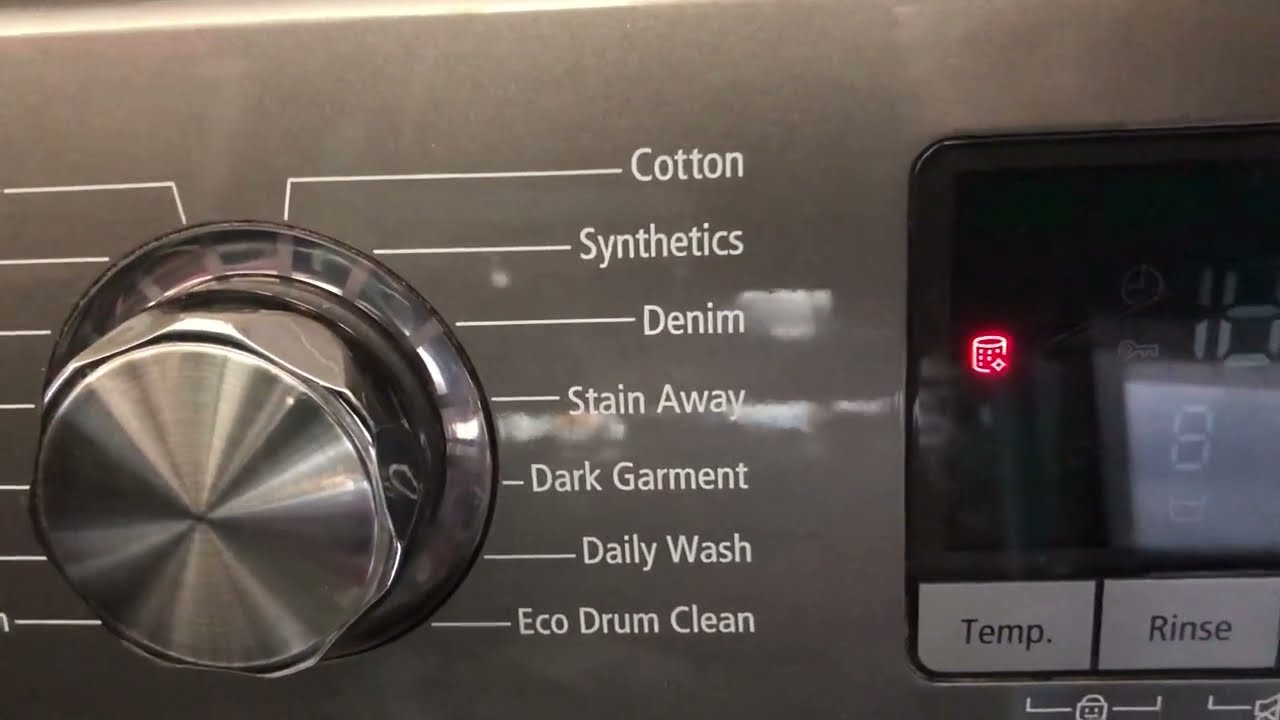
Power on your washing machine. Find the “Self Clean” or “Eco Drum Clean” cycle on the control panel. This cycle uses hot water and extra spin cycles. Press the start button to begin the cleaning process. The cycle usually takes around an hour to finish.
Using Cleaning Agents
Use a washing machine cleaner tablet or liquid bleach for better results. Place the cleaner in the detergent drawer. Avoid using regular laundry detergent during this cycle. Cleaning agents help remove stubborn dirt and kill bacteria inside the drum. Using the right cleaner keeps your machine fresh and safe.
Resetting The Self Clean Light
Resetting the self clean light on your Samsung washing machine is a simple way to maintain its performance. This light blinks to remind you to run the self-clean cycle. Resetting it after cleaning helps keep your washer running smoothly. Follow the steps below to reset the self clean light effectively and troubleshoot any issues.
Basic Reset Steps
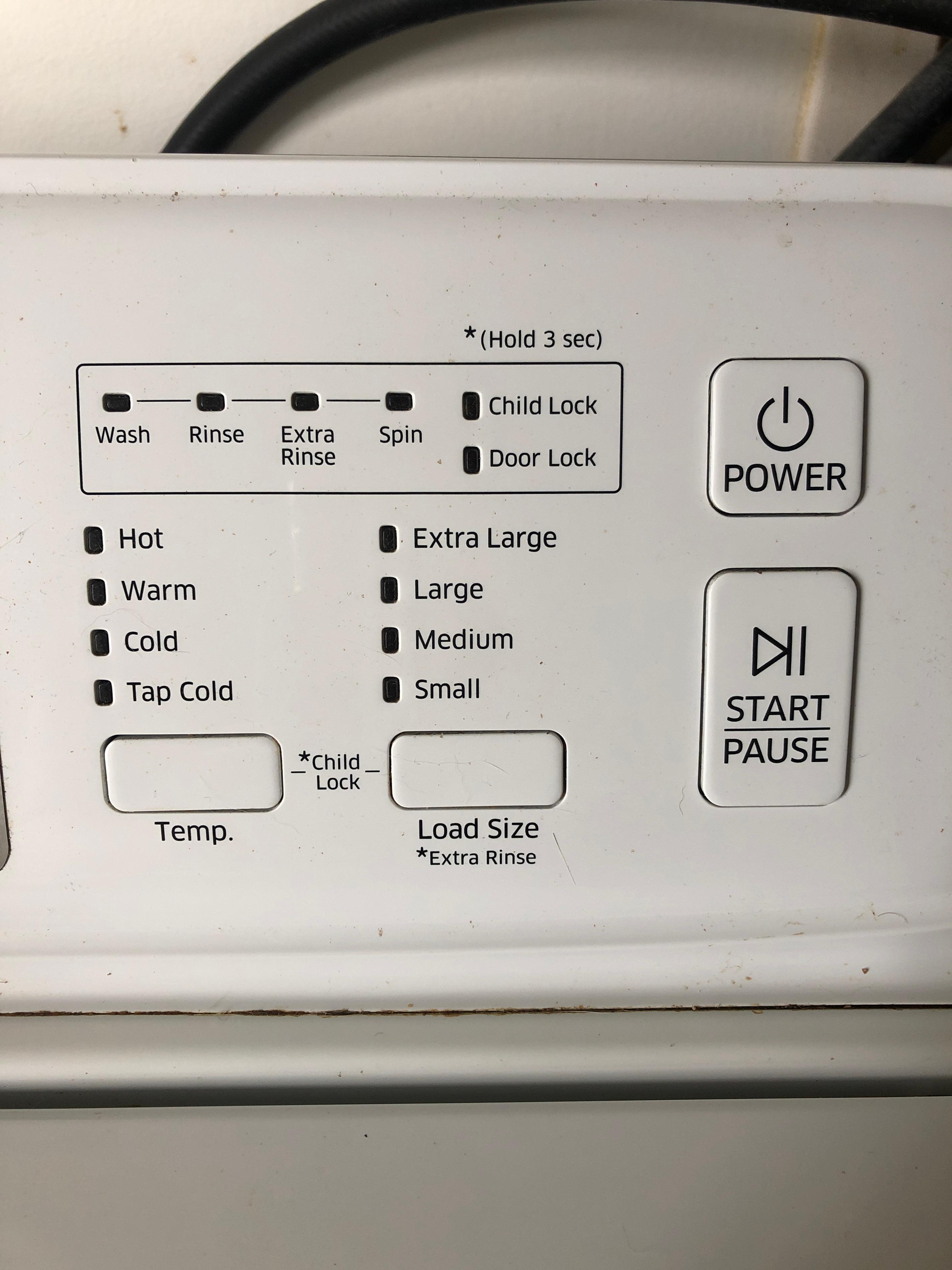
First, ensure the drum is empty and the door is closed. Press and hold the “Delay End” button for 3 to 5 seconds. The self clean light should stop blinking and turn off. This signals the reset is complete. If your model does not have a “Delay End” button, check your user manual for the exact reset button.
When To Reset
Reset the self clean light after finishing the self-clean cycle. This cycle removes dirt and odor from the drum. Do not reset before running the cycle, or the reminder may come back quickly. Resetting too often can mask underlying issues, so only reset after proper cleaning.
Troubleshooting Reset Issues
If the light keeps blinking after resetting, unplug the washer for 1 minute. Plug it back in and try the reset steps again. Check for any error codes on the display, as they may prevent the reset. Clean the filter and drum thoroughly to avoid false reminders. Persistent blinking may require a service call.
Cleaning The Drain Pump Filter
Cleaning the drain pump filter is key to fixing the Samsung washing machine self clean blinking issue. The filter traps lint, hair, and small objects that can block water flow. A clogged filter causes the machine to warn you with blinking lights. Regular cleaning keeps your washer running smoothly and prevents odors.
Locating The Filter
Find the drain pump filter at the bottom front of your washer. Look for a small access panel or cover. You may need a flat tool to open it. Place a shallow tray or towel underneath to catch water. The filter is behind this panel and looks like a round cap.
Removing Debris
Turn the filter cap counterclockwise to remove it. Water may spill out, so be ready. Pull out any lint, coins, or debris trapped inside. Use a soft brush or cloth to clean the filter thoroughly. Rinse it under running water before placing it back. Screw the cap back tightly to avoid leaks.
Regular Maintenance Tips
Check the drain pump filter every one to two months. Clean it more often if you wash many clothes or pets’ items. Avoid washing large objects that can damage the filter. Run the self clean cycle regularly to keep the drum fresh. This simple step helps your washing machine last longer and work better.
Tips To Prevent Blinking Light
The blinking self-clean light on your Samsung washing machine signals the need for maintenance. Preventing this blinking keeps your washer fresh and working well. Simple habits can reduce buildup and avoid frequent reminders. Follow these tips to keep the blinking light at bay.
Regular Self Clean Cycles
Run the self-clean cycle once every month. Ensure the drum is empty before starting. This cycle removes dirt and bacteria inside the washer. Use the recommended cleaner or just run the cycle without detergent. Regular cleaning stops bad odors and buildup that trigger the blinking light.
Avoiding Detergent Build-up
Use the correct amount of detergent for each load. Too much detergent causes residue inside the drum and pipes. Choose high-efficiency detergent if your washer needs it. This lowers soap suds and prevents clogs. Rinse the detergent drawer often to stop grime from forming.
Keeping Washer Dry After Use
Leave the washer door open after every wash. This helps air dry the inside and stops mold growth. Wipe the door seal and drum with a dry cloth regularly. Moisture trapped inside causes bad smells and blinking alerts. A dry washer stays clean longer and runs better.
Samsung washing machines include hidden features for better hygiene. These features keep your washer fresh and clean inside. They work quietly and activate at certain times. Understanding these can help you maintain your machine well.
These hidden self-cleaning features remove dirt and bacteria. They make the washing machine more efficient and safer to use. Let’s explore these secret cleaning modes and how they benefit you.
Sanitizing Modes
Samsung washers have special sanitizing modes. These modes use hot water and strong cycles to kill germs. They clean the drum deeply, removing detergent buildup and grime. You may not see these modes often, but they work hard to keep the machine clean.
When They Activate
The washer activates hidden cleaning modes after many washes. Usually, the self-clean light blinks as a reminder. The machine may run these cycles automatically or ask you to start them. This helps prevent odors and mold inside the drum.
These hidden modes improve washing results by keeping the drum clean. They remove harmful bacteria that regular cycles miss. Using these modes also extends the life of your machine. A clean washer means better-smelling clothes and fewer repairs.
Common Issues And Fixes
The Samsung washing machine’s self clean blinking light helps keep your washer fresh. It signals when the drum needs cleaning. Sometimes, this light blinks due to issues. Understanding these common problems saves time and effort. You can fix most problems yourself with simple steps.
Below are frequent issues and easy fixes to try at home. This guide aims to keep your washer running smoothly.
Washer Stuck On Self Clean
Your washer may stay stuck on the self clean cycle. This can happen if the cycle is interrupted or the machine detects residue inside. To fix this, first, unplug the washer for five minutes to reset it. Next, run the self clean cycle again with an empty drum. Use a washing machine cleaner or a small amount of bleach in the detergent drawer. This helps clear buildup and allows the cycle to complete properly.
Light Blinking Without Cycle
The self clean light can blink even without starting the cycle. This often means the washer is reminding you to clean the drum. The light usually turns off after an hour. If it keeps blinking, try running the self clean cycle manually. Also, check the drain pump filter for clogs. A dirty filter can cause the light to blink incorrectly. Cleaning the filter regularly prevents false alerts.
Error Code Meanings
Samsung washers show error codes when problems occur. Some errors link to the self clean function. For example, “4E” means water supply issues. “5E” signals a drainage problem. These errors can cause the self clean light to blink. To clear errors, reset the machine by unplugging it for a few minutes. Inspect hoses and filters for blockages. Consult your user manual for specific error code details. Fixing errors often stops the blinking light and restores normal operation.
Frequently Asked Questions
What Does It Mean When My Samsung Washer Is Blinking Self-clean?
A blinking self-clean light on your Samsung washer signals it’s time to run the self-clean cycle. This cycle removes residue and odor buildup inside the drum. Run it empty with a cleaner tablet or liquid bleach for best results. The light resets after cleaning.
Do I Need To Put Anything In My Samsung Washer For Self-clean?
You don’t need to add anything for Samsung washer’s self-clean cycle. Adding a cleaner tablet or bleach improves results but isn’t required.
How To Reset Samsung Washer Self-clean?
To reset Samsung washer self-clean, run the Self Clean cycle with an empty drum. Use a cleaner if needed. The light will stop blinking after the cycle finishes. Clean the drain pump filter if the light persists.
How Long Does Self-clean On Samsung Washer Take?
The Samsung washer self-clean cycle typically takes about 1 hour to complete. Running it regularly removes buildup and odors.
Why Is My Samsung Washing Machine Self Clean Blinking?
The blinking self clean light reminds you to run the cleaning cycle. It helps remove dirt and odor from the drum. This is normal maintenance for your washer.
Conclusion
The blinking self-clean light on your Samsung washer signals it needs cleaning. Running the self-clean cycle keeps the machine fresh and odor-free. Always use the right cleaner and keep the drum empty during the cycle. Check and clean the filter if the light does not stop blinking.
Regular maintenance helps your washer work better and last longer. Simple care prevents bigger problems later. Stay on top of these steps for smooth washing days ahead.