
Is your Altice remote blinking but not responding? That flashing light can be confusing and frustrating when you’re just trying to enjoy your favorite shows.
You might wonder why your remote keeps blinking or why it won’t connect to your cable box anymore. The good news is, you don’t have to stay stuck with a remote that won’t work. You’ll discover simple and effective ways to stop that blinking, fix pairing issues, and get your remote back in control quickly.
Keep reading—your solution is just a few easy steps away.
Causes Of Blinking Light
The blinking light on an Altice remote signals an issue that needs attention. Understanding the causes helps fix the problem quickly. Several common reasons make the remote’s light blink repeatedly. These often relate to power, connection, or hardware troubles.
Low Battery Issues
The most frequent cause is low battery power. Weak batteries struggle to send signals properly. This triggers the remote’s light to blink as a warning. Replacing old batteries with fresh ones usually stops the blinking. Always use new, high-quality batteries for best results.
Lost Pairing With Receiver
The remote may lose its connection with the cable box or receiver. This happens after power outages or resets. When pairing breaks, the blinking light shows the remote is searching to reconnect. Re-pairing the remote with the receiver restores communication and stops blinking.
Signal Obstructions
Objects blocking the path between remote and cable box cause signal problems. Walls, furniture, or electronic devices can interfere. The remote’s blinking light signals failed commands due to these blockages. Moving closer or removing obstacles improves signal flow and stops blinking.
Remote Malfunction
Hardware faults inside the remote also cause blinking lights. Internal damage or worn-out parts disrupt normal function. Sometimes, the blinking indicates the remote needs repair or replacement. Testing with another remote confirms if the device itself is the issue.
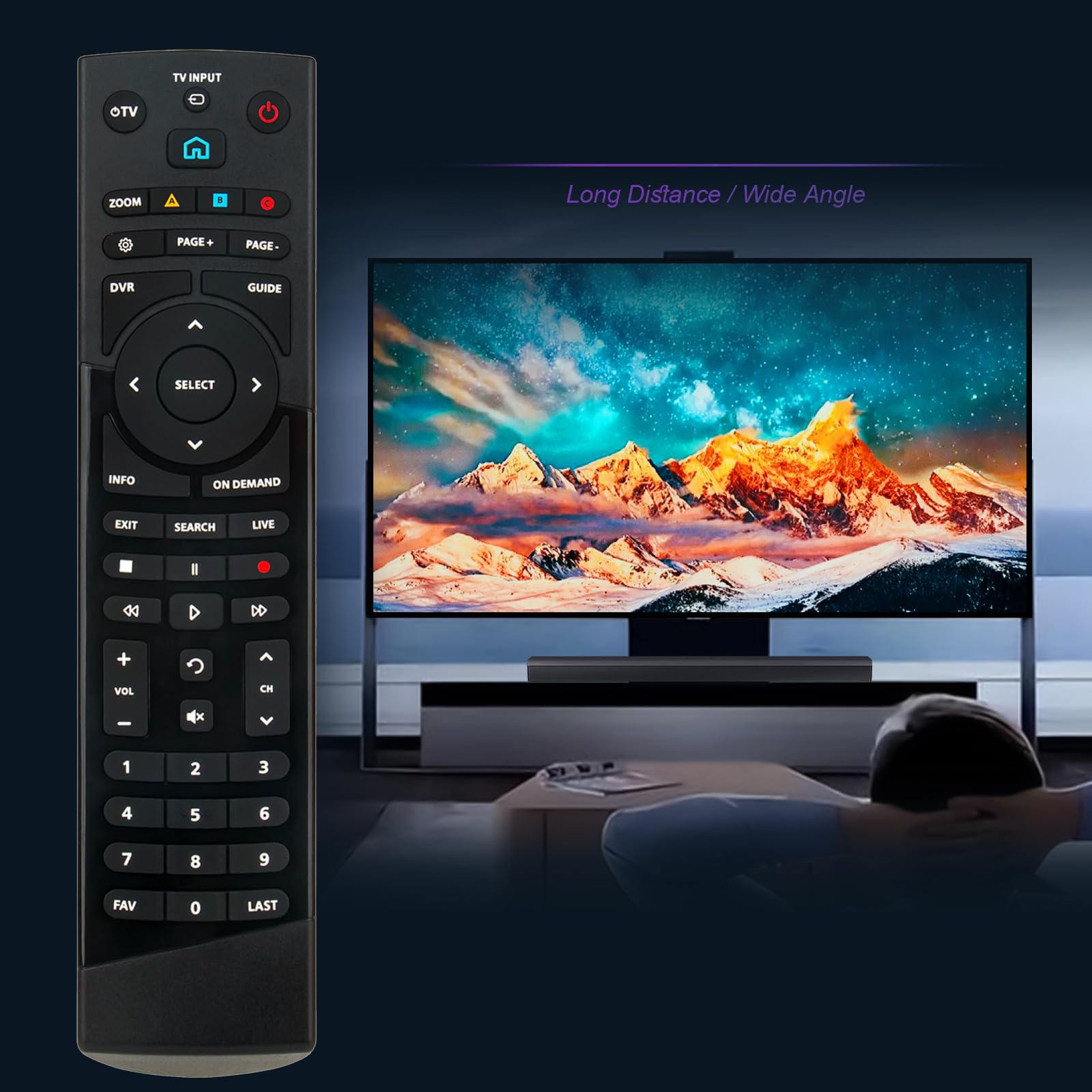
Battery Replacement Tips
Replacing the batteries in your Altice remote can stop the blinking and improve performance. Using the right batteries and installing them correctly helps the remote work longer. You can also spot early signs of battery drain to avoid sudden remote failures.
Choosing The Right Batteries
Use fresh alkaline batteries for the best power. Check the remote’s manual for the correct battery size. Avoid mixing old and new batteries. Using rechargeable batteries may cause issues with the remote’s signals.
Proper Battery Installation
Open the battery compartment gently to avoid damage. Insert the batteries following the plus and minus signs. Make sure the batteries fit snugly without forcing them. Close the compartment tightly to maintain contact and prevent blinking.
Signs Of Battery Drain
The remote may blink faster or irregularly when batteries run low. Buttons might stop responding or work intermittently. If the remote range decreases, it usually means weak batteries. Replace batteries promptly to keep your remote working smoothly.
Pairing The Remote
Pairing the Altice remote is essential to control your cable box smoothly. This process connects the remote to the device, allowing it to send commands. Without pairing, the remote’s signals will not reach the cable box. The remote may blink during pairing, indicating it is trying to connect. Follow simple steps to enter pairing mode and complete the process quickly.
How To Enter Pairing Mode
Start by pointing the remote at the cable box. Press and hold the “OK” and “2” buttons together. Keep holding them for about five seconds. You will see the remote’s LED light start blinking rapidly. This blinking means the remote is now in pairing mode. Release the buttons and wait for the remote to connect.
Step-by-step Pairing Process
First, ensure your cable box is powered on. Next, press and hold the “OK” and “2” buttons on the remote. Watch for the blinking light to appear. Once it blinks fast, release the buttons. The remote will try to sync with the cable box automatically. When the blinking stops, test the remote by pressing any button. If the box responds, pairing is successful.
Troubleshooting Pairing Failures
If the remote fails to pair, check the batteries. Replace them with fresh ones if needed. Make sure there are no objects blocking the remote’s signal path. Try moving closer to the cable box during pairing. Restart the cable box and repeat the pairing steps. If the remote still does not pair, it may need to be reset or replaced.
Resetting The Remote
Resetting the Altice remote can solve many blinking and connection problems. A reset clears temporary errors and refreshes the remote’s settings. This process is simple and helps avoid the need for replacement. Different reset methods exist, from soft resets to a full factory reset. Choose the method based on the issue and how severe it is.
Soft Reset Methods
Soft resets fix minor glitches without erasing settings. Start by removing the batteries from the remote. Wait for 30 seconds to let the remote fully power down. Reinsert the batteries and press any button to wake the remote. This method often stops the blinking light and restores normal function. Another soft reset is holding the power button for 10 seconds. Release and try using the remote again.
Factory Reset Instructions
Factory reset erases all settings and pairs the remote as new. First, remove the batteries from the remote. Press and hold the “OK” and “Back” buttons together. While holding, insert the batteries back in. Keep holding the buttons for 10 seconds until the light blinks twice. Release the buttons. The remote now returns to its original factory settings. You must then pair it with your Altice box again.
When To Reset The Remote
Reset the remote if it keeps blinking without response. Use a soft reset if the remote acts slow or buttons don’t respond. Choose a factory reset if pairing fails after multiple tries. Also reset if the remote behaves oddly after battery replacement. Resetting prevents frustration and restores smooth control of your Altice device.
Checking For Obstructions
Checking for obstructions is a key step in fixing a blinking Altice remote. The remote sends signals using infrared light. Objects between the remote and the cable box can block these signals. This causes the remote to blink but not work properly.
Removing any barriers helps the remote connect with the box. This step often solves blinking and pairing issues. Understanding where obstructions occur can save time and frustration.
Clear Line Of Sight
Always point the remote directly at the cable box. Make sure nothing blocks the path between them. Even small objects like books or decorations can interrupt the signal. Keep the area clear for the best connection.
Avoiding Interference
Other electronic devices can interfere with the remote’s signal. Devices like Wi-Fi routers or cordless phones cause problems. Place the remote and box away from such electronics. This reduces signal disruption and blinking.
Environmental Factors
Bright sunlight or strong indoor lighting can affect the remote’s sensor. Avoid using the remote under direct sunlight or bright lamps. Dust or dirt on the remote’s sensor also causes trouble. Clean the sensor gently with a soft cloth.
Dealing With Remote Faults
Dealing with remote faults can be frustrating, especially when your Altice remote starts blinking without responding. Understanding the common signs of hardware failure and knowing when to replace your remote helps you avoid long interruptions in your TV experience. This section guides you through identifying problems and finding the right support.
Signs Of Hardware Failure
One clear sign is the remote blinking but not working. Buttons may stop responding or work only intermittently. The remote might fail to pair with the cable box despite repeated attempts. Sometimes, the blinking light flashes in unusual patterns, indicating internal issues. Physical damage or worn-out buttons also suggest hardware problems.
When To Replace The Remote
Replace the remote if fresh batteries do not fix blinking or connection issues. Persistent unresponsiveness after resetting the remote shows it may be faulty. Damaged buttons or cracks in the casing are reasons to get a new remote. If the remote is old and frequently malfunctions, replacement ensures smooth operation.
Contacting Support
Contact Altice support when troubleshooting does not solve the problem. Provide details about blinking patterns and steps already taken. Support can guide you through advanced fixes or authorize a replacement remote. Keep your account information ready to speed up the service process.
Additional Troubleshooting
Additional troubleshooting steps help fix an Altice remote that keeps blinking. These steps go beyond simple battery changes and signal checks. They address deeper issues with the remote or cable box connection. Follow these tips carefully to restore smooth remote control.
Resetting The Cable Box
Resetting the cable box can clear temporary glitches. Unplug the box from power. Wait for at least 30 seconds. Plug it back in and let it fully restart. This can fix communication issues between the remote and box. Try using the remote again after reset.
Reprogramming The Remote
Reprogramming helps if the remote loses connection to the box. Hold the “Setup” button until the LED blinks twice. Enter the code for your cable box brand. The LED should blink again to confirm. Test if the remote now controls the box properly. Repeat the process if needed.
Testing With Another Device
Testing the remote with another device shows if the remote is faulty. Try using it on a different Altice box or TV. If it blinks but does not work, the remote may be defective. Consider replacing it if problems persist despite troubleshooting.

Frequently Asked Questions
Why Does My Altice Remote Keep Blinking?
Your Altice remote keeps blinking because it lost pairing with the receiver or has low batteries. Replace batteries and re-pair the remote. Ensure no obstructions block the signal. If blinking continues without response, the remote may be faulty and need replacement.
Why Does My Remote Keep Blinking?
Your remote keeps blinking because it lost pairing with the device or has low batteries. Replace batteries and re-pair the remote to fix it. Check for obstructions blocking the signal. Persistent blinking may indicate a faulty remote needing replacement.
How Do I Reset My Altice Remote?
To reset your Altice remote, remove batteries, press and hold the power button for 10 seconds, then reinsert batteries. This clears memory and resets the remote.
How Do I Pair My Altice Remote?
To pair your Altice remote, press and hold the Home and Back buttons together until the LED blinks. Then, follow on-screen prompts to complete pairing.
Why Is My Altice Remote Blinking But Not Working?
A blinking remote often means low battery or pairing issues. Replace batteries and try pairing again to fix the problem.
Conclusion
Altice remote blinking often signals simple issues like low batteries or pairing problems. Replace batteries first to see if blinking stops. Clear any objects blocking the remote’s signal to the box. Try re-pairing the remote following on-screen instructions. If blinking continues, the remote might be faulty and need replacement.
Taking these steps usually restores normal remote function quickly. Keep calm and check each solution one by one. Your Altice remote can work well again with little effort.









