
Is your Dyson Airwrap flashing a white light and you’re not sure why? You’re not alone.
That blinking white light is actually your Airwrap’s way of telling you it needs some attention—usually a quick cleaning or a simple reset. Ignoring it won’t make the problem go away, and your styling routine could be interrupted at the worst moment.
You’ll discover exactly what that blinking white light means, how to fix it step-by-step, and tips to keep your Airwrap running smoothly for years to come. Ready to get your Airwrap back in perfect shape? Let’s dive in!

Causes Of White Light Blinking
The Dyson Airwrap blinking white light signals an internal alert. Understanding the causes helps in quick troubleshooting. Common reasons include blockages and heat problems. These issues affect performance and safety.
Clogged Filter
The filter traps dust and hair particles. Over time, it can become clogged. A blocked filter restricts airflow. This causes the device to blink white. Cleaning the filter regularly prevents this problem.
Overheating Issues
Overheating triggers the white light to blink. The Airwrap stops to cool down. Excess heat can result from long use or blocked air paths. Letting the device rest helps avoid damage.
Product Build-up
Hair products leave residues inside the Airwrap. This build-up blocks heat flow. It causes the device to overheat and blink white. Cleaning the attachments and barrel removes residue.
Motor Blockage
Hair or debris can block the motor. A blocked motor struggles to work properly. The Airwrap detects this and blinks white. Removing blockages restores smooth operation.
Cleaning The Filter
Keeping the Dyson Airwrap filter clean helps maintain its performance. A clogged filter can cause the white light to blink. Cleaning the filter regularly prevents overheating and protects the device. Follow these simple steps to clean the filter safely and effectively.
Removing The Filter Cage
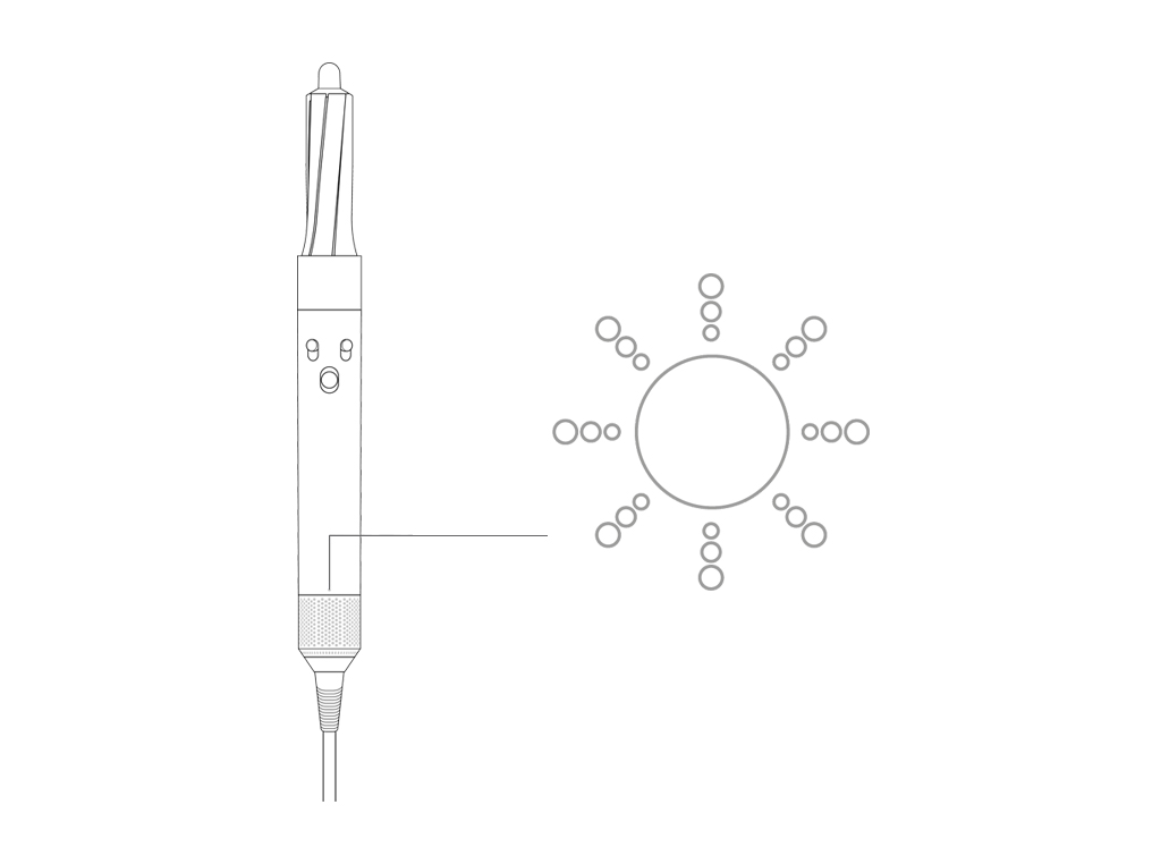
Turn off and unplug the Airwrap before cleaning. Locate the filter cage at the end of the handle. Gently pull the filter cage away from the device. Slide it off carefully to avoid damage. Set the filter cage on a clean surface for washing.
Washing And Drying
Rinse the filter cage under warm running water. Avoid using soap or harsh chemicals. Tap the filter cage gently to remove extra water. Leave it to dry naturally in a warm place. Do not use a hairdryer or direct heat to dry the cage.
Cleaning The Filter Mesh
Use a soft brush to clean the filter mesh inside the cage. Move the brush up and down to remove dust and debris. Check for hair or fibers stuck in the mesh. Clean the mesh until no dirt remains visible. Reattach the filter cage only when it is completely dry.
Clearing Overheating Problems
The Dyson Airwrap may blink white light due to overheating. Clearing overheating problems helps the device work safely. Overheating often happens because airflow is blocked or dirt builds up inside. Regular checks keep your Airwrap cool and extend its life.
Checking Airflow
Airflow must be smooth for proper cooling. Check the air intake vents for any blockages. Use your fingers or a soft brush to clear dust or hair. Make sure no objects cover the vents during use.
Removing Hair And Debris
Hair and debris can clog the filter and vents. Turn off the Airwrap and unplug it before cleaning. Gently remove hair wrapped around the barrel and filter. Use a soft cloth or brush to clear debris from the mesh.
Avoiding Product Residue
Hair products can leave sticky residue inside the Airwrap. This residue traps heat and causes overheating. Clean the barrel and attachments after each use with a damp cloth. Avoid spraying products directly onto the device to prevent buildup.
Resetting The Airwrap
Resetting the Dyson Airwrap helps fix many common issues, including the white light blinking. This process clears minor errors and restores normal function. It is simple and quick to do at home.
Follow the steps carefully for a proper reset. If the problem continues, professional help may be needed.
Power Cycle Steps
First, turn off the Airwrap using the power button.
Unplug the device from the power outlet.
Wait for at least 60 seconds to let it cool down.
Plug the Airwrap back into the power source.
Press the power button to switch it on.
Check if the white light stops blinking and the device works normally.
When To Contact Support
Contact support if the white light keeps blinking after reset.
Also reach out if the device overheats or does not start.
Do not try to open or repair the Airwrap yourself.
Use official Dyson service to avoid damage and keep warranty.
Preventive Maintenance Tips
Keeping your Dyson Airwrap in top shape helps avoid the white light blinking problem. Preventive maintenance ensures smooth operation and extends the device’s life. Simple habits can stop many issues before they start. Follow these key tips to maintain your Airwrap well.
Regular Filter Cleaning
Clean the filter often to stop blockages. Dust, hair, and product build-up can clog it. Remove the filter cage carefully. Wash it under warm running water. Let it dry completely before putting it back. Clean the mesh with a gentle up and down motion. A clear filter keeps airflow steady and prevents overheating.
Proper Storage
Store your Airwrap in a dry, cool place. Avoid keeping it in a bathroom or damp area. Moisture can damage internal parts and cause blinking lights. Use the original case or a soft pouch. Keep the cord untangled to avoid wear. Proper storage protects the device from damage and dust.
Avoiding Excessive Product Use
Limit how much hair product you apply before styling. Heavy products can build up on the Airwrap’s barrel and filter. This buildup blocks airflow and causes heat issues. Use light amounts of sprays or creams. Clean the device regularly if you use products often. This keeps the Airwrap working well and stops blinking lights.

Warranty And Repairs
The Dyson Airwrap White light blinking signals a need for attention. Understanding warranty and repairs helps manage this issue effectively. Knowing your rights and repair options ensures peace of mind. This section explains warranty coverage, repair bookings, and replacement policies.
Dyson Warranty Coverage
Dyson offers a limited warranty for the Airwrap. This warranty covers defects in materials and workmanship. It usually lasts for two years from the purchase date. The warranty does not cover damage from misuse or normal wear. Keep the original receipt to claim warranty service. Dyson repairs or replaces faulty parts at no cost. Warranty terms vary by country, so check local details.
Booking Repair Services
Repair services can be booked through Dyson’s official website. Provide your product details and issue description. Dyson offers mail-in repair or local service centers. Authorized technicians use genuine parts to fix your Airwrap. Booking online is quick and convenient. Prepare your Airwrap for shipping if needed. Repairs under warranty are free, excluding shipping fees.
Replacement Policies
Dyson may replace your Airwrap if repairs fail. Replacement usually occurs when the product has a major fault. The replacement product matches your original model. Dyson handles replacements within the warranty period. Out-of-warranty replacements may incur a charge. Always check if your Airwrap qualifies for replacement. Contact Dyson support for guidance on replacement procedures.
Frequently Asked Questions
Why Does Mydyson Airwrap Keep Flashing White?
Your Dyson Airwrap flashes white to signal a clogged or dirty filter. Clean the filter to restore normal function.
How Do I Clean The Filter On Mydyson Airwrap?
Gently pull off the filter cage from the Airwrap. Rinse it under warm water. Tap to remove excess water and let it dry completely before reattaching. Clean the filter mesh using a rotating up-and-down motion to remove debris.
Why Does Mydyson Keep Stopping And Flashing White?
MyDyson stops and flashes white because the filter is clogged with hair or debris. Clean the filter regularly to fix this.
Will Dyson Replace My Airwrap For Free?
Dyson replaces Airwraps free if they break within the warranty and were used as intended. Contact Dyson support for repair or replacement.
Why Is My Dyson Airwrap Blinking White Light?
A blinking white light usually means the filter needs cleaning. Dust or hair blocks airflow, causing the light to flash.
Conclusion
The white light blinking on your Dyson Airwrap usually signals a filter issue. Cleaning the filter gently removes dust and hair clogs. This simple step helps prevent overheating and keeps your device working well. Regular maintenance extends the life of your Airwrap and improves performance.
Pay attention to blinking lights as early warnings. Taking quick action saves time and avoids bigger problems later. Keep your tool clean, and it will serve you better every day.









