
If you own a NOCO GB40 jump starter, seeing a blinking red light can be confusing and a bit worrying. You might wonder what it means and whether your device or car battery is in trouble.
This blinking red light isn’t just a random signal—it’s trying to tell you something important about the condition of your jump starter or battery. You’ll discover exactly why your NOCO GB40 is blinking red, what common issues cause this warning, and how you can quickly fix them.
Keep reading to avoid potential damage and get your jump starter working safely again.

Causes Of Blinking Red Light
The Noco GB40 blinking red light signals an issue that needs attention. This warning helps protect the device and battery from damage. Various causes trigger this blinking red light. Understanding these causes helps in quick troubleshooting and safe use.
Reverse Polarity Connection
The most common cause is reverse polarity connection. This happens when the clamps connect to wrong battery terminals. The red clamp must connect to the positive (+) terminal. The black clamp goes to the negative (-) terminal. Reversing them causes the red light to blink. The charger stops working to prevent damage.
Battery Voltage Issues
Battery voltage too low or too high can cause blinking red light. The charger detects voltage out of safe range. This may happen if the battery is deeply discharged or faulty. The charger refuses to start charging. It waits until voltage returns to a normal level.
Overheating Internal Battery
The internal battery inside the GB40 can overheat. This happens after continuous use or high current flow. The blinking red light warns of high temperature. The device pauses charging and cools down. Using the charger in a hot environment may also trigger this issue.
Faulty Or Dead Battery
A dead or faulty battery often causes the blinking red light. The charger detects that the battery cannot accept a charge. This may happen if the battery is old or damaged. In this case, the charger stops to avoid further damage. Testing the battery with another device helps confirm this issue.
Internal Charger Problems
Sometimes the blinking red light shows an internal problem. This can be a fault in the charger’s electronics. Damaged circuits or worn parts trigger the error light. If the charger is dropped or exposed to moisture, internal issues may occur. Professional repair or replacement might be needed.
Symptoms To Watch For
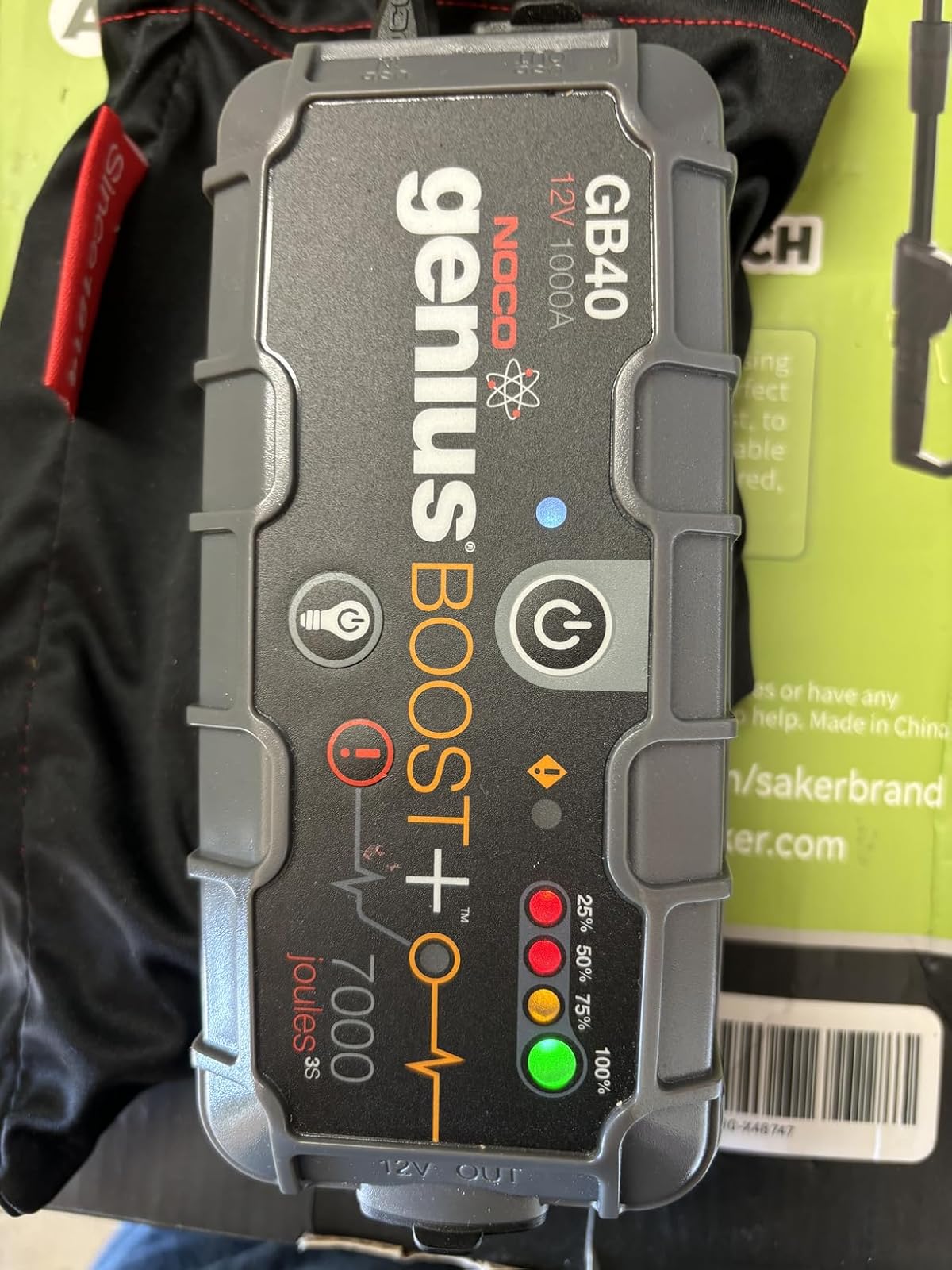
The NOCO GB40 jump starter uses different light signals to show its status. Recognizing these signals helps you know when the device works well or needs attention. Watch for unusual light patterns. These signs can prevent damage and keep your jump starter ready.
Alternating Red And Green Lights
When the NOCO GB40 shows red and green lights blinking one after another, it means trouble. This pattern often points to a bad internal battery inside the jump starter. The device may not hold a charge properly. You should recharge it fully or check for a replacement if the lights keep blinking.
Solid Red Light Vs Blinking Red
A solid red light usually means the clamps connect in reverse. The red clamp must go to the positive terminal, and the black to the negative. Fix this to clear the error. Blinking red light can mean the device is too hot or the battery inside is low. Let the jump starter cool down or recharge it before using again.
Charging Error Indicators
The NOCO GB40 shows charging errors with specific light signals. A blinking red light during charging often means the battery voltage is wrong or the battery is dead. Reverse polarity also triggers this error. Check all connections and battery health carefully. Correct any mistakes to avoid damage to the jump starter.
Basic Troubleshooting Steps
The Noco GB40 blinking red light signals an error that needs attention. Understanding basic troubleshooting helps fix common issues fast. Follow these simple steps carefully to identify the problem and restore your device’s function.
Check Clamp Connections
Make sure the clamps connect properly to battery terminals. The red clamp must attach to the positive (+) terminal. The black clamp goes on the negative (-) terminal. Incorrect connections cause the red light to blink. Double-check the clamps for tight and clean contact.
Inspect Battery Condition
Look at the battery for damage or corrosion. A dead or shorted battery can trigger the blinking red light. Clean any corrosion from terminals using a wire brush. If the battery is old or swollen, consider replacing it before charging again.
Allow Unit To Cool
The Noco GB40 may overheat after repeated use. A blinking red light can mean the unit is too hot. Turn off the charger and unplug it. Let the device cool down for 15 to 30 minutes before trying again. This prevents further damage.
Verify Charger Settings
Check the charger mode matches your battery type. Using the wrong setting can cause error signals. Confirm the charger is set for the correct voltage and battery chemistry. Reset the device by unplugging and plugging it back in if needed.
Advanced Fixes
Taking preventive measures helps avoid the Noco GB40 blinking red light issue. This light often signals a problem with the jump starter or its connection. Understanding simple steps can protect your device and ensure reliable use. Below are key practices to follow for prevention.
Proper Clamp Handling
Always connect the clamps to the correct terminals. The red clamp must go to the positive (+) terminal. The black clamp should attach to the negative (-) terminal. Wrong connections can cause the red light to blink. Check clamps before turning on the device. Secure clamps firmly to avoid loose contact.
Avoiding Overheating
Do not use the GB40 repeatedly without breaks. Continuous use heats the internal battery and triggers the red blinking light. Allow the unit to cool down after several attempts. Keep the device in a cool, dry place. Avoid exposing it to direct sunlight or high temperatures.
Regular Charger Maintenance
Inspect the clamps and cables for damage regularly. Clean any dirt or corrosion from the clamps. Store the GB40 in a safe area away from moisture. Charge the internal battery fully before storing. Check the charger for any signs of wear or malfunction. Routine care extends the device’s lifespan and prevents errors.
Frequently Asked Questions
How Do I Know If My Gb40 Is Charging?
Your GB40 shows a solid green light when fully charged. A flashing red light means charging is in progress or an error occurred. Ensure clamps connect correctly: red to positive, black to negative.
Will Noco Gb40 Start A Dead Battery?
Yes, the NOCO GB40 can start a dead battery quickly and safely. It delivers powerful 1000 amps for jump-starting.
Why Is My Noco Error Light Blinking?
Your Noco error light blinks due to reversed polarity, low battery voltage, internal battery overheating, or a faulty battery connection. Check clamp placement and battery condition to resolve it.
How Do You Manually Override A Noco Gb40?
To manually override a NOCO GB40, press and hold the power button for 5 seconds until the LED flashes. This resets the device and allows manual control. Ensure clamps connect correctly to the battery terminals before overriding to avoid errors.
What Does A Blinking Red Light On Noco Gb40 Mean?
A blinking red light signals an error with the jump starter. It often means reversed clamps or a hot internal battery.
Conclusion
The Noco GB40 blinking red light signals an issue needing attention. Check battery connections for correct polarity first. Make sure clamps match positive and negative terminals properly. Let the unit cool if it feels hot to touch. A flashing red light may also mean a dead or incompatible battery.
Following simple steps helps fix common errors quickly. Stay calm and troubleshoot carefully to keep your charger working well. Understanding these signals protects your device and battery health.









