
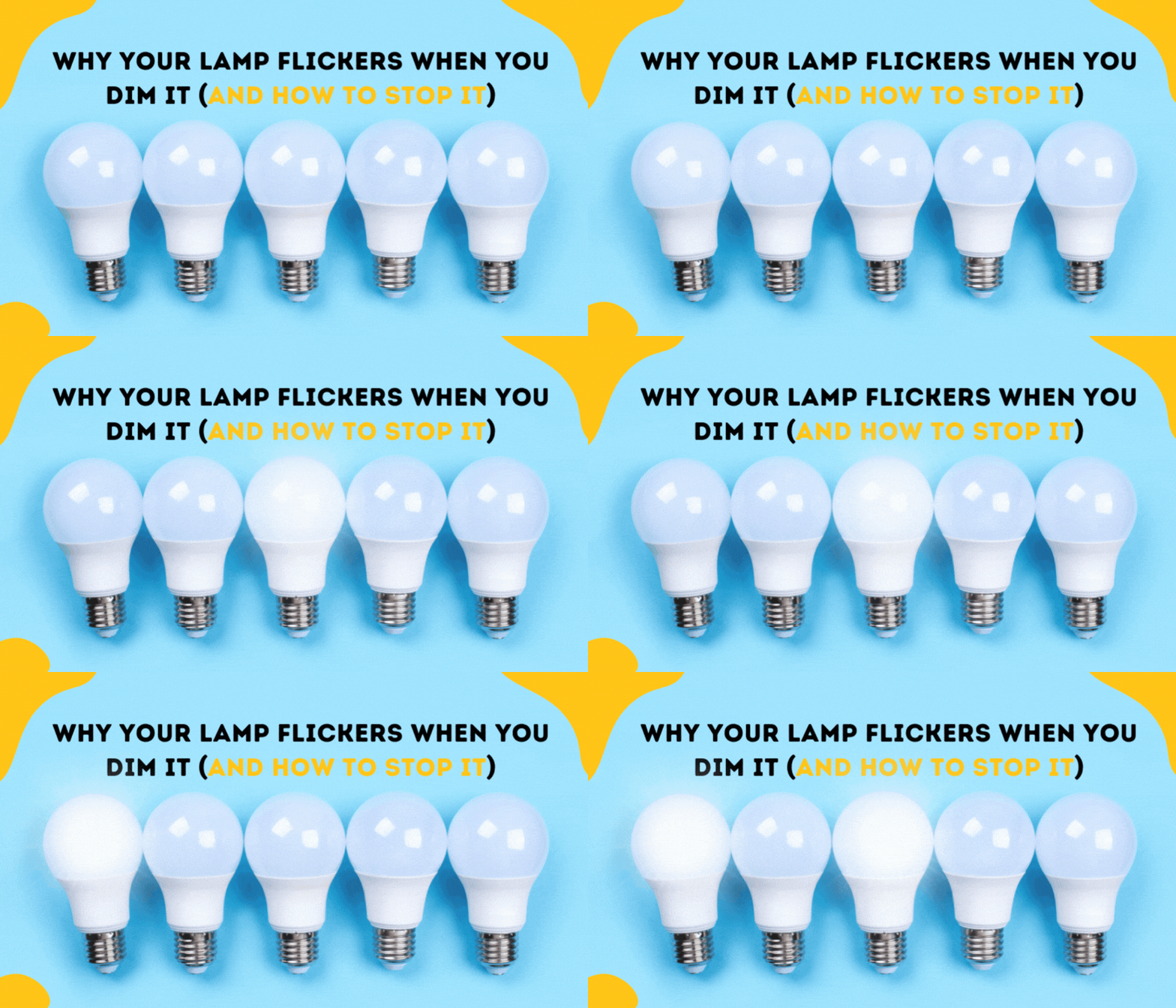
Are your LED lights blinking or flickering when you use a dimmer switch? It can be frustrating and even a little worrying when your carefully chosen lighting doesn’t work smoothly.
You might wonder if the problem is with the bulbs, the dimmer, or something else in your home’s wiring. The good news is that most blinking LED lights on dimmers are caused by simple, fixable issues. You’ll discover why this happens and how you can quickly stop those annoying flickers.
Keep reading to bring steady, perfect lighting back to your space without guesswork or costly mistakes.

Common Causes
LED lights blinking on a dimmer is a common problem many face. Identifying the cause helps fix the issue quickly. Several factors can make LEDs flicker or blink when used with dimmers. Understanding these causes ensures better lighting performance and comfort.
Incompatible Dimmer Switches
Not all dimmer switches work well with LED bulbs. Traditional dimmers designed for incandescent bulbs often cause flickering. LED-compatible dimmers regulate power differently. Using the wrong dimmer can lead to blinking or buzzing lights. Always check dimmer specifications before installation.
Loose Bulbs Or Connections
Loose bulbs or faulty wiring cause unstable light flow. A bulb not screwed in tightly can flicker. Worn or loose fixture connections also disrupt power. These small issues often cause blinking and are easy to fix. Turn off power before tightening bulbs or checking connections.
Faulty Led Drivers
LED drivers control the power supply to bulbs. A damaged or low-quality driver may cause flickering. Drivers convert AC power to the correct DC voltage for LEDs. Poor drivers can produce inconsistent current, leading to blinking lights. Replacing faulty drivers often solves the problem.
Power Surges And Voltage Fluctuations
Sudden changes in voltage affect LED stability. Power surges from other appliances or grid issues cause blinking. LEDs are sensitive to voltage shifts and may flicker in unstable conditions. Installing surge protectors or voltage stabilizers helps maintain steady light output.
Electrical Interference
Nearby electrical devices can interfere with LED operation. Motors, fans, or wireless devices create electromagnetic noise. This interference disrupts LED circuits and causes flickering. Keeping LED wiring away from strong electrical sources reduces blinking. Shielded cables also improve performance.
Quick Fixes
LED lights blinking on a dimmer can be frustrating. Many causes exist, but some quick fixes often solve the problem fast. These simple steps help restore stable lighting without extra cost or complex tools. Try these solutions before calling an electrician.
Tighten And Clean Bulbs
Loose bulbs cause flickering. Turn off the power first. Unscrew the bulb carefully. Check the socket for dust or dirt. Clean the socket with a dry cloth. Screw the bulb back in firmly. Tight connections improve electrical flow and stop blinking.
Replace With Led-compatible Dimmers
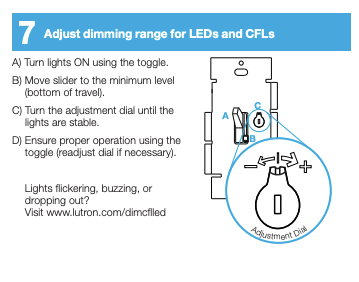
Not all dimmers work with LED bulbs. Older dimmers may cause flickering. Replace them with dimmers made for LED lights. Look for “LED-compatible” on the product label. This match reduces flicker and helps the light dim smoothly.
Inspect And Secure Wiring
Loose or damaged wiring can cause blinking. Turn off the power before checking wiring. Inspect wires connected to the dimmer and light fixture. Tighten any loose wires using a screwdriver. Replace damaged wires to ensure safe, steady power flow.
Remove Interference Sources
Other electronic devices can cause LED flicker. Move devices like routers or cordless phones away from the dimmer area. Keep the dimmer and bulbs clear of metal objects or strong magnets. Reducing interference helps keep the lights steady.
Test Without Dimmer
Remove the dimmer switch and replace it with a normal switch. Turn the lights on to check if blinking stops. If the lights stay steady, the dimmer is the problem. This step helps find the exact cause of flickering quickly.
Advanced Solutions
Advanced solutions help fix LED lights blinking on dimmers. These methods focus on improving electrical compatibility and stability. They target underlying causes that simple fixes cannot solve. Implementing these steps reduces flickering and extends LED lifespan.
Using advanced solutions ensures smooth dimming and steady light output. These approaches protect your lighting system from power issues and interference.
Upgrade Led Drivers
LED drivers control power to the bulbs. Old or low-quality drivers cause flickering on dimmers. Replacing them with high-quality, compatible drivers improves power regulation. This upgrade stabilizes voltage and current, reducing blinking. Choose drivers designed for dimmable LEDs for best results.
Separate Circuits For Large Appliances
Large appliances create power surges that affect LED lights. Sharing a circuit causes flickering due to voltage drops. Installing separate circuits for heavy loads prevents interference. This setup isolates lighting from appliances, keeping LED lights stable. Consult an electrician to safely add dedicated circuits.
Use Surge Protectors
Power surges damage LED drivers and cause flickering. Surge protectors absorb sudden voltage spikes. Installing surge protection on lighting circuits guards LEDs against fluctuations. This device prolongs bulb life and maintains consistent light output. Surge protectors are affordable and easy to install.
Match Bulbs By Brand And Model
Mixing LED bulbs of different brands or models leads to inconsistent dimming. Each type reacts differently to voltage changes. Use matching bulbs from the same brand and model for uniform performance. This practice reduces flickering and improves dimmer compatibility. Buying in sets ensures consistent light quality.
When To Seek Help
Knowing when to seek professional help for LED lights blinking on a dimmer can prevent further damage. Small flickers may be normal, but persistent or severe issues signal deeper problems. Acting early can save time and keep your home safe.
Signs Of Wiring Problems
Frequent flickering or blinking can mean loose wiring. Sparks or burning smells near switches are warning signs. Flickering that worsens over time also suggests wiring issues. These problems require an electrician’s attention to avoid hazards.
Widespread Flickering Issues
If multiple lights blink on the same dimmer, the problem may be with the dimmer switch or electrical circuit. Flickering in several rooms can indicate a power supply issue. Such widespread problems need professional diagnosis for a proper fix.
Safety Precautions
Turn off power before inspecting any electrical parts. Avoid touching wires or switches if unsure. Use a voltage tester to check for live wires. Call a licensed electrician to handle repairs safely and correctly. Safety should always come first with electrical issues.
Frequently Asked Questions
Why Are My Led Lights Flickering On A Dimmer Switch?
LED lights flicker on dimmers due to incompatible dimmer switches, loose bulbs, or voltage fluctuations. Use LED-compatible dimmers and secure bulbs firmly.
How Do I Get My Led Lights To Stop Blinking?
Tighten the bulb and ensure it’s compatible with your dimmer switch. Clean socket contacts and check for loose wiring. Replace faulty drivers or upgrade bulbs to stop LED lights from blinking.
Why Is My Led Light Suddenly Flashing And Dimming?
Your LED light may flash and dim due to incompatible dimmer switches, loose wiring, or power supply issues. Check bulb fit and dimmer type first.
Why Do My New Led Light Bulbs Flicker?
New LED bulbs flicker due to incompatible dimmers, loose wiring, voltage fluctuations, or poor-quality bulbs. Use LED-compatible dimmers and check connections.
Why Do Led Lights Blink On A Dimmer Switch?
LED lights blink on dimmers when the bulb and dimmer are not compatible. Flickering can also happen due to loose wiring or poor connections. Using the right dimmer for LED bulbs usually stops the blinking.
Conclusion
Blinking LED lights on dimmers often signal simple issues. Check bulb fit and socket cleanliness first. Use dimmers made for LED bulbs to prevent flickering. Inspect wiring carefully for loose or damaged connections. Sometimes, power surges from other devices cause blinking.
Upgrading to better bulbs and compatible dimmers usually helps. Small fixes can improve light stability and comfort. Stay patient and methodical to solve the problem effectively. Bright, steady LED lighting is achievable with proper care.









