Is your weed pen blinking and leaving you frustrated? You’re not alone.
That blinking light is trying to tell you something important about your device’s health. Whether it’s a sign of a low battery, a clogged cartridge, or something else, understanding what those flashes mean can save you time and money. You’ll discover simple, effective ways to fix your blinking weed pen and get back to enjoying smooth, hassle-free vaping.
Keep reading—you’re just a few steps away from solving this common problem for good.
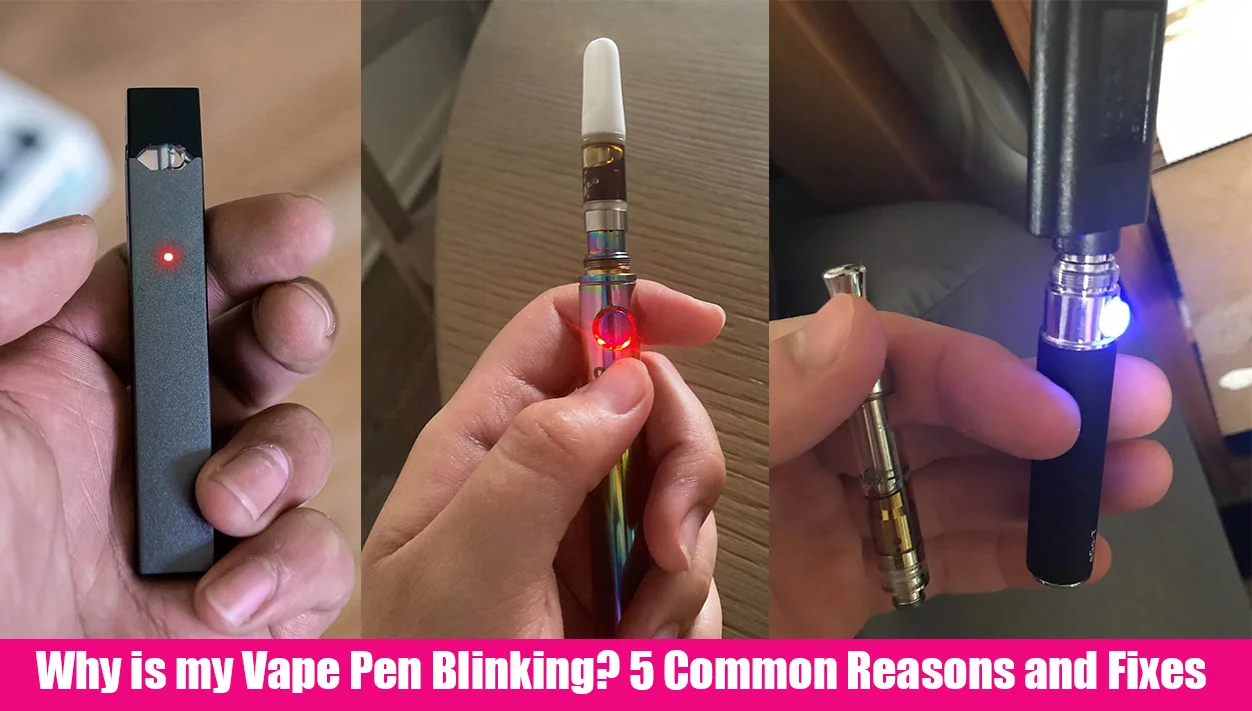
Causes Of Weed Pen Blinking
Weed pen blinking signals an issue with the device. It often means the pen cannot operate correctly. Understanding the causes helps fix it fast. Several common problems cause the blinking light. Identifying the right cause saves time and frustration.
Low Battery Issues
The most common cause is a low battery. When the battery runs low, the light blinks to warn you. Charging the pen fully usually stops the blinking. Sometimes, the battery is old and won’t hold charge well.
Poor Cartridge Connection
A loose or dirty cartridge connection can cause blinking. The pen may not detect the cartridge properly. Unscrewing and resecuring the cartridge often helps. Cleaning the contact points improves connection and stops blinking.
Clogged Atomizer
Residue buildup can block the atomizer. A clogged atomizer stops vapor production and causes blinking. Regular cleaning prevents clogs and maintains performance. If blocked, soak the atomizer in warm water to clear it.
Short Circuit Problems
A short circuit happens when electrical parts touch wrongly. This causes the pen to blink as a safety alert. Check for damaged parts or liquid leaks inside the device. Avoid using the pen until repaired to prevent damage.
Overheating Concerns
Overheating triggers the blinking light to protect the pen. Continuous use or high voltage may cause heat buildup. Let the pen cool down before using it again. Using the correct charger and settings reduces overheating risks.
Incompatible Components
Using cartridges or batteries not made for your pen causes blinking. Incompatible parts may not connect or work properly. Always use recommended components for your specific weed pen model. This ensures smooth operation and avoids blinking issues.
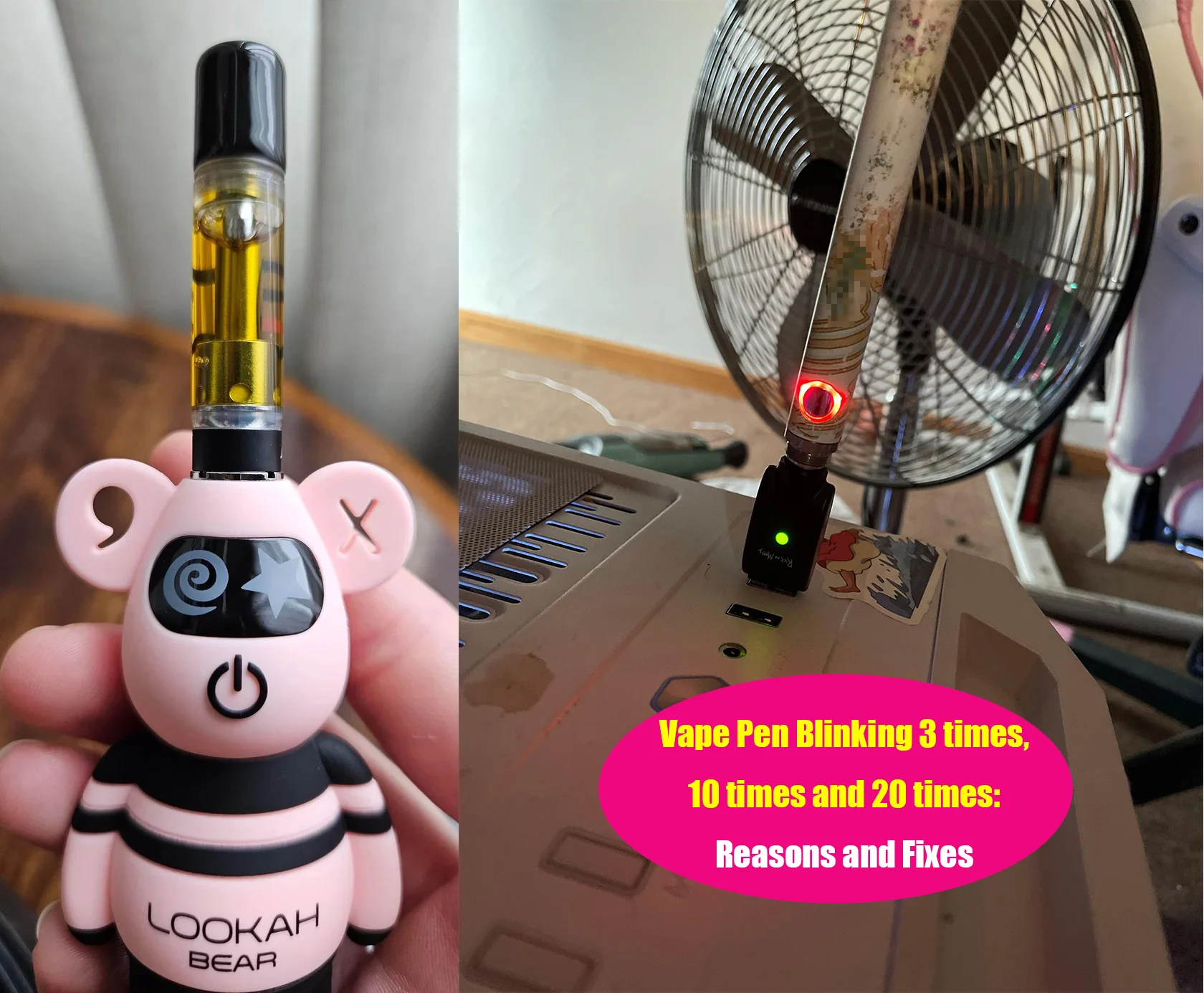
Quick Fixes To Stop Blinking
A blinking weed pen light can be frustrating. It often signals a small issue that stops your device from working properly. Quick fixes can help you solve blinking problems fast. Following simple steps can restore your pen to full function.
Try these easy methods to stop your weed pen from blinking. Each step targets common causes of blinking lights. Keep your device ready to use with these quick tips.
Fully Charge The Battery
Check if your pen’s battery is low. Connect the charger and let it charge completely. A blinking light often means the battery needs power. Wait until the light shows full charge before using again.
Inspect And Reconnect Cartridge
Remove the cartridge carefully. Look for loose or dirty connections. Screw it back on firmly but gently. A loose cartridge can cause blinking. Proper connection keeps the pen working smoothly.
Clean Contact Points
Use a cotton swab or soft cloth to clean metal contacts. Dirt or residue can block signals. Clean both the pen’s and cartridge’s contact points. This helps the device detect the cartridge correctly and stop blinking.
Clear Clogs And Blockages
Check the airflow holes and mouthpiece for blockages. Use a small tool or brush to clear any clogs. Blocked airflow can cause the pen to blink. Keeping the path clear improves vapor flow and device function.
Allow Device To Cool Down
Overheating can trigger blinking lights. Turn off the pen and let it rest for a few minutes. Cooling down prevents damage and resets the sensors. Use the pen again only after it feels cool to touch.
Reset Auto-draw Sensors
Some pens have auto-draw sensors that detect when you inhale. If blinking continues, try resetting the sensor. Remove the cartridge and press the power button multiple times. This can recalibrate the sensor and stop the blinking.
Tips For Disposable Vape Pens
Disposable vape pens offer a simple and convenient way to enjoy vaping without the hassle of refilling or recharging. Yet, sometimes these devices blink, signaling issues that need your attention. Understanding these signals helps maintain your vape pen’s performance and avoid unexpected problems.
Check For Low E-liquid
One common reason for a blinking disposable vape pen is low e-liquid. When the liquid runs low, the device may blink to warn you. Vapor production decreases, and flavor fades as the liquid nears the end. Watch for these signs to avoid dry hits or damage to the coil.
Identify Faulty Devices
Some blinking pens may indicate a faulty device. This can happen if the pen is dead on arrival or has internal defects. If your new disposable vape blinks constantly without producing vapor, it may be defective. Testing it early saves time and frustration.
When To Replace Disposables
Disposable vape pens have a limited lifespan. Replace them once the flavor weakens or vapor becomes thin. Also, stop using pens that blink continuously or fail to work despite troubleshooting. Proper replacement ensures safety and a better vaping experience.
Preventive Maintenance
Preventive maintenance plays a key role in avoiding issues like weed pen blinking. Keeping your device in good condition extends its life and ensures smooth use. Simple habits can stop blinking problems before they start. Follow these steps to maintain your weed pen properly.
Regular Cleaning Routine
Clean your weed pen often to prevent buildup. Use a cotton swab dipped in alcohol to wipe the connection points. Remove residue from the atomizer and mouthpiece. Dirt and oil can block signals and cause blinking. Regular cleaning keeps the battery and cartridge working well.
Proper Storage Practices
Store your weed pen in a cool, dry place. Avoid extreme temperatures or moisture that can damage the battery. Keep it upright to stop leaks and clogging. Use a protective case to prevent drops and scratches. Good storage protects the device and stops blinking caused by damage.
Using Compatible Accessories
Only use cartridges and batteries made for your pen model. Incompatible parts can cause errors and blinking lights. Check the voltage and connector type before buying accessories. Using the right components ensures safe use and steady performance. Avoid cheap or unbranded parts to prevent malfunctions.
Troubleshooting Advanced Issues
Troubleshooting advanced issues with your weed pen requires careful attention. Some problems are not fixed by simple steps. Understanding the causes helps in solving them effectively. This section covers handling short circuits, managing overheating, and contacting support.
Handling Short Circuits
A short circuit often causes the pen to blink rapidly. It happens when the battery and atomizer connect improperly. Start by unscrewing the cartridge slightly. Clean the contact points with a dry cloth or cotton swab. Avoid using water or liquids. Check the cartridge for damage or leaks. Replace the cartridge if needed. Reassemble the pen carefully to avoid cross-threading. If blinking continues, test with another cartridge. Persistent short circuits may need professional repair.
Dealing With Persistent Overheating
Overheating causes the pen to blink and stop working. It happens from prolonged use or a faulty battery. Let the pen cool down for at least 15 minutes. Avoid using it while charging. Check the battery for swelling or damage. Use only the charger that came with the pen. Using the wrong charger can cause heat and damage. If overheating repeats, stop using the pen. Replace the battery or pen to avoid safety risks.
Contacting Manufacturer Support
Manufacturer support can solve complex issues beyond basic fixes. Have your purchase details ready. Explain the blinking issue clearly. Mention any steps already taken to fix it. Ask about warranty coverage and repair options. Some manufacturers offer replacement parts or full device swaps. Follow their instructions carefully to avoid voiding warranties. Keep records of all communication for reference. Support teams provide the safest and most effective solutions.
Frequently Asked Questions
What Does A Blinking Light Mean On A Weed Pen?
A blinking light on a weed pen usually indicates low battery, poor connection, a clogged atomizer, or device malfunction. Charge it, clean connections, and check for blockages. If blinking persists, the pen may need replacement.
Why Is My Pen Blinking But Not Hitting?
A blinking pen often means low battery, poor cartridge connection, clogged atomizer, or overheating. Charge it, clean contacts, check for blockages, and ensure compatibility. Replace if it’s disposable and still won’t hit.
Can I Still Use My Vape If It’s Blinking?
A blinking vape usually signals low battery, poor connection, or a blockage. Charge it, clean contacts, and check the cartridge. Stop using if it overheats or doesn’t work after troubleshooting. Replace disposable vapes if blinking persists.
Why Is My Vape Pen Blinking 10 Times Then Stops?
Your vape pen blinking 10 times then stopping usually signals a battery issue or a poor cartridge connection. Try charging fully, cleaning contacts, and adjusting the cartridge. If it persists, the device may have a short circuit or be faulty, requiring replacement.
Why Is My Weed Pen Blinking But Not Working?
A blinking weed pen usually means low battery or poor connection. Clean the contacts and charge the pen fully. Also, check for cartridge blockages or loose parts.
Conclusion
A blinking weed pen usually signals a battery or connection issue. Charging the battery fully often stops the blinking. Cleaning the contact points can improve the connection. Check for clogs in the mouthpiece or airflow holes. Let the device cool if it feels hot.
Sometimes loosening and tightening the cartridge helps. If the pen is new and still blinks, it might be faulty. Understanding these simple steps can keep your vape pen working well. Stay patient and try each fix carefully for the best results.