Is your GE washer’s spin light blinking and leaving you puzzled? You’re not alone.
That blinking spin light is your washer’s way of signaling that something isn’t quite right during the spin cycle. It could mean your load is unbalanced, the lid isn’t properly closed, or even that the machine needs a quick reset.
But don’t worry—understanding what this blinking light means can save you time, frustration, and maybe even a costly repair. You’ll discover simple, practical steps to diagnose and fix the blinking spin light on your GE washer so you can get your laundry back on track quickly and easily. Keep reading to take control of your washer and put an end to those blinking signals once and for all.
Causes Of Spin Light Blinking
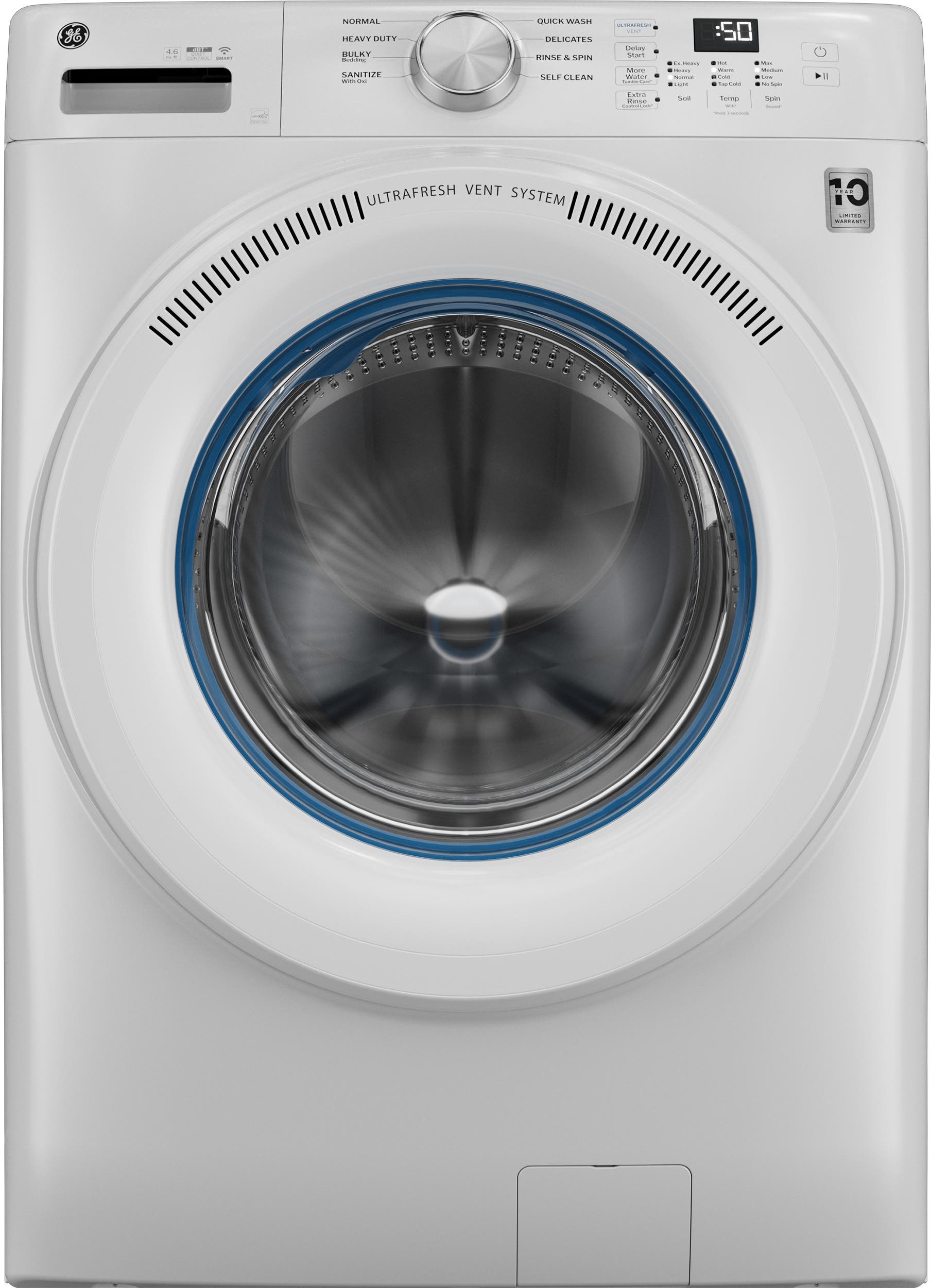
The spin light blinking on a GE washer signals a problem during the spin cycle. This blinking warns users that the washer cannot complete spinning. Several common causes trigger this issue, each affecting the washer’s performance differently.
Understanding these causes helps in diagnosing and fixing the problem quickly. Below are the main reasons for the spin light blinking.
Unbalanced Load Issues
An unbalanced load prevents the washer from spinning properly. Clothes that bunch up on one side cause the drum to wobble. The washer detects this and stops spinning to avoid damage. Redistributing clothes evenly inside the drum often solves this problem.
Lid Lock Problems
The washer will not spin if the lid lock is faulty. This safety feature ensures the lid stays closed during spinning. If the lock is broken or the lid is not fully closed, the spin light blinks. Checking and fixing the lid lock can restore normal operation.
Drain Pump Malfunctions
A clogged or broken drain pump stops water from draining. If water stays inside, the washer cannot start the spin cycle. The spin light blinks to show this issue. Cleaning or replacing the drain pump usually fixes the problem.
Electronic Control Glitches
The washer’s electronic control board manages the spin cycle. Errors or glitches in the control system cause the spin light to blink. Power resets or professional repairs may be required. Running a diagnostic test can help identify control faults.

Basic Reset Methods
Spin light blinking on your GE washer can signal different issues. Basic reset methods often fix these problems. These simple steps help clear errors and restart the washer’s functions. Try these resets before calling a technician. They work for many common washer models.
Power Cycle Reset
Unplug the washer from the power outlet. Wait for two minutes to let the system reset. Plug the washer back in and turn it on. Select a new cycle like “Rinse & Spin.” Start the cycle to check if the spin light stops blinking. This reset clears minor electronic glitches.
Lid Open/close Reset
Open the washer lid fully and then close it firmly. The lid must be completely shut for the washer to spin. This action can reset the lid lock sensor. Try starting the spin cycle again. If the lid sensor was the issue, the spin light will stop blinking.
Motor Reset For Hydrowave Models
Unplug the washer to power it down. After two minutes, plug it back in. Start a small load without clothes to test the motor. The washer should fill with water and begin to agitate. This reset helps clear motor issues in HydroWave models. It can restore normal spinning function.
Diagnosing Error Codes
Diagnosing error codes helps you understand why your GE washer’s spin light blinks. These codes point to specific problems inside the machine. Checking these codes saves time and avoids guesswork. The process involves entering a special mode, reading the codes, and knowing what they mean. This section explains each step clearly.
Entering Diagnostic Mode
Start by turning the washer off. Press and hold the “Start/Pause” button. While holding it, turn the washer back on. Keep holding the button until the lights start blinking. This means the washer is in diagnostic mode. You can now read the error codes shown by the blinking lights.
Common Fault Codes
Some codes appear more often than others. For example, code “E02” means the washer is not draining. Code “E03” shows a problem with the water filling system. Code “E10” signals a lid lock failure. These common codes help identify issues quickly. Your washer manual has a full list of codes for your model.
Interpreting The Codes
Each blinking pattern matches a number. Count the blinks to find the code. For instance, two blinks followed by a pause means “E02.” Understanding codes guides you to the right fix. Some problems need simple resets, others may require a technician. Use the code to decide the next step for repair.
Quick Fixes To Try
The spin light blinking on your GE washer signals a problem with the spin cycle. Trying quick fixes can often solve this issue without needing a technician. These simple steps can help restore your washer’s normal function fast.
Redistributing The Load
Uneven clothes in the drum cause the washer to stop spinning. Open the lid and spread clothes evenly around the drum. Avoid overloading the washer with too many items. A balanced load helps the washer spin smoothly and stops the spin light from blinking.
Ensuring Lid Is Fully Closed
The washer will not spin if the lid is open or not closed tightly. Press down on the lid until you hear a click. Check for any obstructions that prevent the lid from closing fully. A secure lid allows the washer to complete the spin cycle.
Cleaning The Drain Pump
A clogged drain pump can cause the spin light to blink. Remove the access panel and locate the drain pump filter. Clear out any lint, coins, or debris blocking the pump. Cleaning the pump helps the washer drain water properly and spin as needed.
Checking Power Supply
Power interruptions can affect the washer’s spin cycle. Unplug the washer or turn off the circuit breaker for two minutes. Plug it back in or switch on the breaker. This resets the washer’s control board and may stop the spin light from blinking.
When To Call A Professional
Knowing when to call a professional for your GE washer is important. Some problems need expert care. Attempting repairs without enough knowledge can cause more damage. A skilled technician can diagnose and fix complex issues safely and efficiently. Here are key signs that show it is time to get professional help.
Persistent Error Codes
Error codes on your GE washer show specific problems. If error codes keep appearing after resets, the issue is serious. Persistent error codes often signal internal faults that require a technician’s tools. Professionals can read and clear codes properly and perform needed repairs.
Motor Replacement Needs
The motor controls spinning and agitation in the washer. If the spin light blinks and the machine will not spin, the motor might be failing. Motor problems often need part replacement. A professional can test the motor and replace it safely with the right tools.
Complex Electronic Failures
Modern GE washers have electronic control boards. These control the washer’s functions and cycles. When blinking lights and errors come from electronic failures, repairs can be tricky. Professionals have the skills to diagnose and replace electronic parts without risking further damage.
Preventive Maintenance Tips
Preventive maintenance helps keep your GE washer running smoothly. It reduces the chance of the spin light blinking error. Small, regular checks prevent bigger problems and costly repairs. Follow these simple steps to maintain your washer’s performance and extend its life.
Regular Load Balancing
Uneven loads cause the washer to stop spinning and blink the spin light. Always distribute clothes evenly around the agitator. Avoid washing heavy items with light ones in the same load. Balance helps the washer spin correctly and protects the motor and drum.
Cleaning Filters And Pumps
Filters and pumps collect lint and debris over time. Clogged parts block water flow and cause errors. Clean the filters and pump regularly by following the user manual. Clear any visible dirt and check for foreign objects. This keeps water draining smoothly and prevents spin issues.
Routine Control Panel Checks
The control panel can develop faults or loose connections. Inspect the buttons and display for damage or unresponsiveness. Press each button to confirm it works properly. Clean the panel gently to remove dust and moisture. A well-maintained panel avoids false error signals and blinking lights.
Frequently Asked Questions
How Do You Reset The Spin Cycle On A Ge Washer?
To reset the spin cycle on a GE washer, unplug it or turn off its circuit breaker for two minutes. Then, restore power and select a new cycle like Rinse & Spin. Ensure the lid is fully closed and the load is balanced before restarting.
Why Is My Washing Machine Light Blinking?
A blinking washing machine light often signals an error or cycle issue. Check if the lid is closed, load is balanced, or reset the machine. Consult the manual for specific error codes to diagnose the problem accurately.
What Does It Mean When The Rinse And Spin Light Is Blinking?
A blinking rinse and spin light on a GE washer signals an error or unbalanced load. Check the lid, redistribute clothes, or reset the washer.
What Is Wrong With A Ge Washer That Won’t Spin?
A GE washer won’t spin due to a faulty lid lock, unbalanced load, clogged drain pump, or motor issues. Resetting power often helps.
Why Is The Spin Light Blinking On My Ge Washer?
The blinking spin light usually signals a problem with the spin cycle. It may mean the washer lid is open, the load is unbalanced, or there is an error in the system.
Conclusion
The spin light blinking on your GE washer signals a problem to fix. Start by checking if the lid is fully closed. Uneven clothes can stop the spin cycle, so spread them out evenly. Try unplugging the washer for a couple of minutes to reset it.
Running a short cycle with no clothes helps test the motor. If the light keeps blinking, consult the user manual for error codes. Taking these steps can often restore your washer’s spin function quickly and easily.