Is your Roku remote blinking green and leaving you frustrated? You’re not alone.
That blinking green light usually means your remote is trying to connect but something is blocking the way. Don’t worry—you don’t have to replace your remote just yet. You’ll learn simple, clear steps to fix the blinking green light and get your Roku remote working smoothly again.
Keep reading to take control of your streaming experience without the hassle.
Reasons For Green Blinking
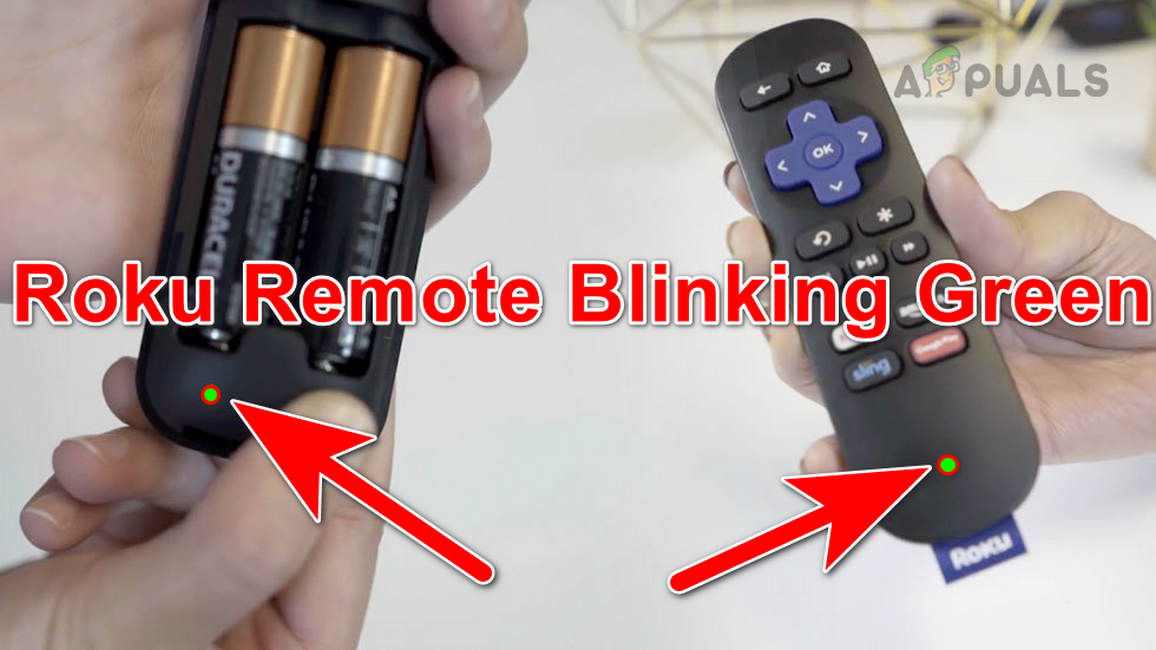
Battery issues often cause the Roku remote to blink green. This blinking can mean the remote is low on power or the batteries are not working properly. Checking the batteries is a good first step in fixing the problem. Simple battery troubleshooting can save time and restore remote function quickly.
Follow these steps to ensure the batteries in your Roku remote are working well. Proper battery care helps keep the remote responsive and stops the blinking green light.
Replacing Batteries
Remove the old batteries from your Roku remote. Use fresh batteries to replace them. Old or weak batteries cause the green light to blink. New batteries give the remote enough power to work correctly.
Checking Battery Placement
Open the battery compartment carefully. Check the position of each battery. Make sure the positive and negative ends match the markings inside. Incorrect placement can stop the remote from working and cause blinking.
Using High-quality Batteries
Choose batteries from reliable brands. High-quality batteries last longer and provide steady power. Cheap batteries may lose power fast and cause the remote to blink green. Investing in good batteries improves remote performance.


Frequently Asked Questions
Why Is My Roku Remote Light Flashing Green?
Your Roku remote flashes green to indicate pairing mode or low battery. Replace batteries and re-pair the remote to fix it.
How Do You Resync A Roku Remote?
Press and hold the pairing button on the Roku remote for 3-5 seconds. Wait for the remote’s light to flash. The Roku device should recognize and sync the remote automatically. If no pairing button, restart the Roku, replace batteries, and ensure a clear line of sight.
How Do I Reset My Unresponsive Roku Remote?
Remove the batteries, press every button to clear stuck keys, then insert fresh batteries. Unplug your Roku, reconnect it, and wait for pairing.
Why Does My Remote Light Keep Blinking?
Your remote light blinks due to low batteries, pairing mode activation, or connection issues. Replace batteries and re-pair the remote.
Why Is My Roku Remote Blinking Green Light?
A blinking green light means the remote is trying to pair with the Roku device. It usually happens after replacing batteries or restarting the Roku. The green light shows the remote is in pairing mode.
Conclusion
A blinking green light on your Roku remote signals a pairing or battery issue. Replace old batteries with fresh ones and check their placement. Restart your Roku device to refresh the connection. Make sure nothing blocks the remote’s signal to the Roku player.
Following these simple steps helps fix the blinking green light quickly. Stay patient and try again if needed. This keeps your Roku remote working smoothly for a better streaming experience.