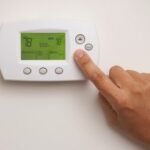
Is your Pro thermostat’s Stage 1 or Stage 2 light blinking, leaving you wondering what it means? You’re not alone.
When these lights flash, it’s often a sign that your system is trying to tell you something important. Ignoring these signals can lead to discomfort or costly repairs. But don’t worry—understanding why your thermostat is blinking can help you take quick action to keep your home comfortable and your HVAC system running smoothly.
You’ll discover the common reasons behind those blinking lights, simple steps you can take to fix the issue, and when it’s time to call a professional. Keep reading to get your thermostat back to normal and avoid unexpected breakdowns.

Credit: www.supplyhouse.com
Stage 1 And Stage 2 Basics
Understanding the basics of Stage 1 and Stage 2 is essential for any homeowner using a Pro Thermostat with dual-stage heating and cooling systems. These stages control how your HVAC system operates to maintain comfort and efficiency throughout the year.
Stage 1 handles the initial heating or cooling demand. If more power is needed, Stage 2 activates to boost performance. This layered approach helps balance energy use and comfort.
How Dual-stage Thermostats Work
Dual-stage thermostats control two levels of heating or cooling power. Stage 1 runs during mild temperature changes. It uses less energy and runs quietly.
Stage 2 starts when the temperature difference is large. It delivers extra heat or cooling quickly. This stage helps the system reach the desired temperature faster.
The thermostat senses indoor and outdoor temperatures. It switches between stages to keep your home steady. This prevents frequent on/off cycling that wears out equipment.
Benefits Of Two-stage Systems
Two-stage systems provide better comfort by keeping temperatures steady. They avoid big swings in room temperature. This improves overall home comfort.
They also save energy by using Stage 1 for small adjustments. Stage 2 only runs when needed. This reduces energy costs and lowers wear on your HVAC system.
These systems run quieter since they don’t always operate at full power. They also help control humidity better than single-stage systems. This creates a healthier indoor environment.
Reasons For Blinking
The blinking of Stage 1 and Stage 2 lights on a Pro Thermostat signals specific conditions inside your HVAC system. Understanding these reasons helps you address issues quickly and keep your home comfortable. The blinking is not random; it points to distinct system statuses or alerts.
Three main reasons cause the blinking: time delay protection, low battery warning, and component malfunctions. Each plays a critical role in the thermostat’s operation and your system’s health.
Time Delay Protection
Time delay protection prevents the system from turning on too soon after shutting off. This pause protects the compressor from damage caused by quick restarts. During this delay, the thermostat blinks to show it is waiting before the system can run again. This feature extends the lifespan of your HVAC unit.
Low Battery Warning
The thermostat may blink when its batteries run low. Batteries power the thermostat’s display and controls. When they weaken, the blinking alerts you to replace them. Low batteries can cause inaccurate readings or system shutdown. Changing batteries regularly avoids these interruptions.
Component Malfunctions
Blinking lights can also signal a malfunction in system components. Problems like stuck relays or sensor failures trigger warning signals on the thermostat. These malfunctions can reduce system efficiency or stop operation. Spotting the blinking early helps you fix issues before they worsen.
Common Blinking Patterns
Understanding common blinking patterns on a Pro Thermostat helps diagnose system issues quickly. Blinking lights act as signals to inform homeowners about the system’s current status or problems. Each blinking pattern has a specific meaning related to the thermostat’s operation.
Recognizing these patterns avoids confusion and assists in timely troubleshooting. The Pro Thermostat uses stage 1 and stage 2 blinking to communicate different alerts. These alerts can indicate normal operation or potential faults requiring attention.
Stage 1 Blinking Signals
Stage 1 blinking usually shows the system is in low or moderate heating or cooling mode. A single blink means the thermostat is calling for the first stage of heating or cooling. Rapid blinking might indicate a short delay before the system starts to protect the compressor.
Slow blinking of stage 1 can also mean the thermostat is waiting for the system to stabilize. Sometimes, stage 1 blinking points to low battery power in the thermostat. In this case, replacing batteries often solves the problem.
Stage 2 Blinking Alerts
Stage 2 blinking signals the system needs more power for rapid temperature changes. It activates during extreme weather or quick heating and cooling demands. A steady blink in stage 2 means the second stage is active and working properly.
Fast blinking of stage 2 can warn about a possible system error or relay issue. This alert suggests a service check may be necessary. Ignoring stage 2 blinking alerts might lead to inefficient system performance or damage.

Quick Fixes For Blinking Issues
Blinking lights on your Pro Thermostat Stage 1 and 2 can be confusing. They often signal a minor issue that you can fix quickly. Simple steps often solve these blinking problems. You do not need to call a technician immediately. Try these quick fixes to restore normal thermostat operation.
Replacing Batteries
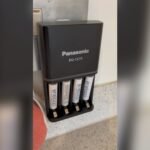
Weak batteries are a common cause of blinking lights. Open the thermostat cover carefully. Remove old batteries and insert fresh ones. Use batteries recommended by the manufacturer. After replacement, check if the blinking stops. This fix often restores full functionality fast.
Resetting The Thermostat
Resetting your thermostat clears minor errors. Find the reset button or switch on the device. Press and hold it for a few seconds. The screen may go blank and then restart. This process refreshes the system and may stop blinking. Resetting helps when the thermostat software is stuck.
Checking Wiring Connections
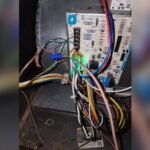
Loose or damaged wires can cause blinking issues. Turn off the power to your HVAC system first. Remove the thermostat from the wall carefully. Inspect all wiring connections for tightness and damage. Reconnect any loose wires securely. Replace damaged wires if needed. Proper wiring ensures clear communication between thermostat and HVAC.
When To Call A Professional
Knowing when to call a professional for a Pro Thermostat blinking issue can save time and prevent damage. Some problems need expert attention. Simple fixes do not always solve the root cause. Recognizing warning signs helps you act quickly.
Stuck Relays And Mechanical Problems
Relays control the connection between thermostat and HVAC system. Sometimes they get stuck or fail to switch properly. This causes the Stage 1 or Stage 2 light to blink continuously. Mechanical parts inside the thermostat or furnace may wear out. These issues need a trained technician to diagnose and fix. Attempting repairs without experience can cause more harm.
Persistent Blinking After Fixes
Replacing batteries or resetting the thermostat may stop blinking temporarily. If blinking returns, the problem is deeper. Faulty wiring, sensor errors, or control board malfunctions could be the cause. Persistent blinking signals the need for professional service. Experts use specialized tools to identify the exact fault. They ensure safe and lasting repairs to keep your system running smoothly.
Preventive Maintenance Tips
Preventive maintenance helps your Pro Thermostat work smoothly. It avoids blinking issues and system failures. Small steps keep your heating and cooling system reliable. This saves money and extends device life.
Regular Battery Checks
Check your thermostat batteries every few months. Low batteries cause blinking lights and wrong signals. Use fresh, high-quality batteries to ensure steady power. Replace batteries immediately if the display dims or blinks.
System Inspections
Inspect your HVAC system regularly for dirt and damage. Clean filters and vents to maintain airflow. Look for loose wires or unusual sounds near the thermostat. Early fixes prevent bigger problems and blinking errors.
Keeping Firmware Updated
Update your thermostat firmware when updates are available. Firmware controls device functions and fixes bugs. Updated software improves performance and reduces blinking issues. Follow manufacturer instructions to install updates safely.
Impact On Hvac Performance
The blinking of Stage 1 and Stage 2 indicators on a Pro Thermostat signals issues that affect HVAC system performance. These blinking stages can disrupt the normal operation of your heating and cooling equipment. Understanding this impact helps maintain home comfort and system longevity.
When the thermostat blinks, it often means the HVAC system is not running at full capacity. This partial or irregular operation can reduce overall efficiency and comfort. Identifying the cause early can prevent more serious problems and higher energy costs.
Energy Efficiency Concerns
Blinking stages often indicate the HVAC system is cycling improperly. This leads to more frequent starts and stops, wasting energy. The system uses more power to reach the desired temperature, increasing utility bills.
Reduced efficiency also causes extra strain on HVAC components. This can shorten their lifespan and lead to costly repairs. A blinking thermostat may signal the need for maintenance or part replacement to restore efficiency.
Comfort And Temperature Control
Inconsistent HVAC operation results in uneven heating or cooling. This causes noticeable temperature swings inside the home. Rooms may feel too hot or too cold at different times of the day.
Blinking Stage 1 or 2 may also mean the system cannot respond quickly to temperature changes. This delays reaching the set comfort level. Comfort suffers as the HVAC cannot maintain steady indoor conditions.

Frequently Asked Questions
Why Does My Thermostat Say Stage 1 And 2?
Your thermostat shows Stage 1 and 2 to control heating or cooling in two steps. Stage 1 handles mild needs, saving energy. Stage 2 activates for faster temperature changes or extreme weather. This improves comfort, reduces wear, and maintains steady indoor temperatures efficiently.
How Do I Reset A Pro 1 Thermostat?
To reset a Pro 1 thermostat, press and hold the reset button for 5 seconds. The thermostat will reboot and restore default settings.
What Does Stage 1 And 2 Mean On A Heat Pump?
Stage 1 on a heat pump runs at low capacity for mild conditions, saving energy. Stage 2 activates higher capacity for rapid heating or cooling during extreme temperatures. This two-stage system improves comfort and efficiency by adjusting output based on demand.
What Does It Mean When Stage One Is Blinking On The Thermostat?
A blinking stage one on the thermostat usually signals a time delay or low battery. It protects the system from damage. Replace batteries or wait a few minutes. Persistent blinking may indicate a component issue needing professional inspection.
What Does Pro Thermostat Stage 1 Blinking Mean?
Stage 1 blinking shows the system is in the first heating or cooling phase. It may also indicate a time delay to protect the equipment. This is normal during startup or system restarts.
Conclusion
A blinking Pro Thermostat on Stage 1 or 2 signals a system alert. It often shows a delay or low battery issue. Checking the batteries is a simple first step. Also, ensure the HVAC system is not overheating or stuck.
Regular maintenance helps prevent these blinking alerts. If blinking continues, professional help might be necessary. Understanding these signals keeps your home comfortable. Stay attentive to your thermostat’s signals for smooth heating and cooling.