If you’re seeing your Owlet monitor blinking green and wondering what it means, you’re not alone. That steady or flashing green light is actually your Owlet’s way of communicating important information about your baby’s status—and understanding it can help you feel more confident and secure.
Whether you’re new to using the Owlet Smart Sock or have been relying on it for a while, knowing exactly what the green blinking light signals will give you peace of mind and ensure you’re responding correctly. Keep reading to discover the simple meanings behind the green light, what to do if it keeps blinking, and how to troubleshoot common issues so your Owlet keeps working perfectly for you and your little one.
Owlet Green Light Signals
The Owlet monitor uses green light signals to keep parents informed about their baby’s status. These lights show if the system is working properly and tracking vital signs accurately. Understanding the green light signals helps you know what the Owlet is doing at a glance.
The green signals come in different patterns. Each pattern means something specific about the connection between the sock and the base station. This quick guide explains what each green light pattern means and compares them to other colors used by the Owlet monitor.
Bouncing Green Meaning
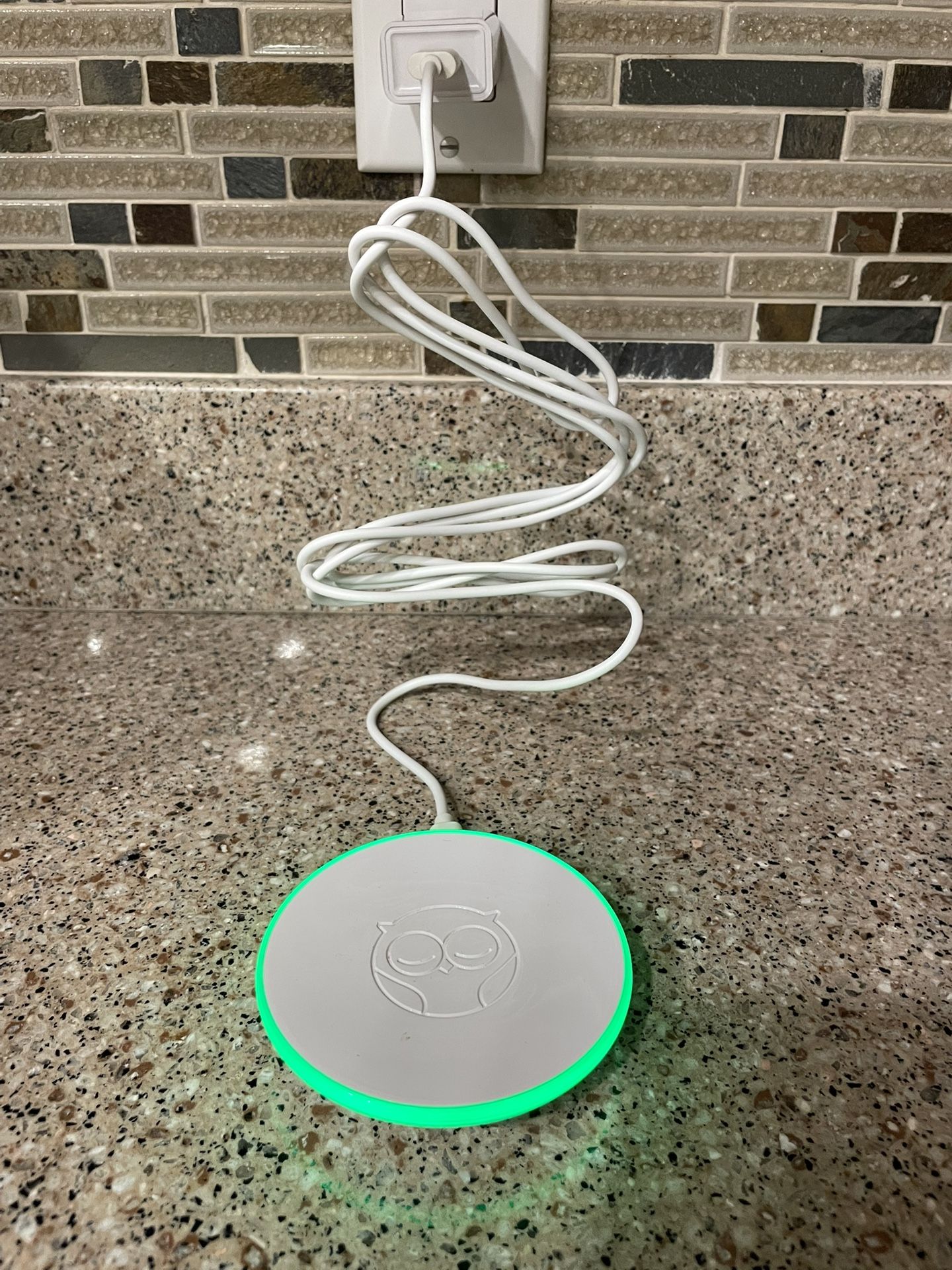
A bouncing green light means the base station is actively searching for the sock’s signal. It happens when the sock is trying to connect or reconnect. This signal shows the monitor is working to find the baby’s readings but has not locked on yet.
Pulsing Green Meaning
A pulsing green light means the base station is successfully receiving data from the sock. This is a good sign. It shows the monitor is tracking your baby’s heart rate and oxygen levels in real time. The system is functioning well and ready to alert if needed.
Comparing Other Light Colors
Owlet uses other colors too. Yellow light means the sock is not properly placed on the baby’s foot. It may have fallen off or shifted. Red light signals a low oxygen level or heart rate. These colors alert parents to check on their baby immediately.
Green lights show normal activity. Yellow and red lights warn of potential issues. Knowing these colors helps parents respond quickly and keep their baby safe.
Common Causes Of Blinking Green
The Owlet blinking green light signals different statuses of the device. Understanding why it blinks helps solve common issues fast. This section covers typical reasons for the blinking green light.
Sock Placement Issues
The sock must fit snugly on the baby’s foot. A loose sock can cause the green light to blink. The sensor might lose contact with the skin. Check that the sock is on the right foot. Ensure the sensor is positioned correctly on the sole.
Connection Problems
The base station needs a stable connection to the sock. Wireless interference can cause blinking green. Distance between the sock and base station matters. Walls or other objects can block the signal. Restart the base station to refresh the connection.
Power And Docking Errors
Proper docking is crucial for charging and data transfer. The sock must be fully seated in the base station. Dirt or debris in the dock can interrupt the connection. Low battery or power issues may cause blinking. Check the power source and cable for faults.
Quick Fixes For Blinking Green
When the Owlet Base Station blinks green, it means the device is trying to connect or receive data. This blinking can sometimes last longer than expected. Quick fixes help you solve this issue fast. You can try simple steps at home to get your Owlet back to normal.
These easy actions focus on the sock, the base station, and power connections. They do not require technical skills or tools. Follow each step carefully for the best result.
Repositioning The Sock
Make sure the sock fits snugly on your baby’s foot. The sensor must touch the skin for accurate readings. Remove the sock and put it back on with care. Check if the green blinking stops and changes to a steady light. Adjust the sock if it feels loose or too tight.
Restarting The Base Station
Turn off the base station by unplugging it. Wait about 10 seconds before plugging it back in. This restarts the system and clears minor errors. Watch the light after restarting. The blinking green should change to solid green or stop blinking.
Checking Power And Cables
Inspect the power cord and cables for damage or loose connections. Ensure the plug fits securely in the outlet. Try a different outlet if needed. A steady power supply keeps the base station working well. Damaged cables can cause blinking lights or no power.

Advanced Troubleshooting Steps
Advanced troubleshooting helps solve persistent Owlet blinking green issues. It targets deeper problems beyond simple fixes. Follow these steps carefully to restore proper device function.
These steps improve device connection, software, and settings. They ensure accurate monitoring of your baby’s health. Use these methods when basic troubleshooting fails.
Resetting The Owlet Device
Resetting the device can clear minor errors. First, unplug the base station from power. Wait 30 seconds before plugging it back in. This forces a reboot and refreshes connections.
If the green light still blinks, try a factory reset. Hold the reset button on the base station for 10 seconds. Release it and wait for the device to restart. This resets all settings to default.
Updating Firmware And App
Outdated software causes connectivity problems. Check the Owlet app for firmware updates regularly. Open the app and go to device settings. Download and install any available updates.
Also, update the Owlet app on your smartphone. Visit the app store and install the latest version. Updated software improves performance and fixes bugs.
Verifying Wi-fi Settings
Owlet requires a stable Wi-Fi connection. Confirm your Wi-Fi is working and has strong signal near the base station. Avoid using public or guest networks.
Ensure the device is connected to a 2.4 GHz network, not 5 GHz. Check your router settings to verify this. Enter the correct Wi-Fi password in the app during setup.
Disable any firewall or security settings that might block the device. Restart your router if connection issues persist. Reliable Wi-Fi keeps the Owlet connected and stable.
Safety Tips While Using Owlet
Using the Owlet monitor helps parents track their baby’s health easily. Safety remains the top priority while using this device. Following some simple safety tips ensures accurate readings and peace of mind. These tips guide you on monitoring, responding to alerts, and keeping the device clean.
Monitoring Oxygen And Heart Rate
Check the Owlet regularly to see your baby’s oxygen and heart rate. The base station shows a blinking green light when it receives good readings. Make sure the sock fits snugly on the baby’s foot. Loose or misplaced socks can cause wrong readings or alerts.
Observe the numbers and patterns. Consistent monitoring helps you notice any changes early. Keep the device charged and within range to avoid interruptions.
Responding To Alerts
Owlet sends alerts if your baby’s oxygen or heart rate falls outside safe levels. Never ignore these alerts. Pause and check your baby’s condition immediately. Sometimes, a reposition or adjusting the sock fixes the issue.
If the alert continues, contact a healthcare professional. Use the alerts as a prompt, not a diagnosis. Stay calm and act quickly for your baby’s safety.
Maintaining Device Hygiene
Clean the Owlet sock and base station regularly to keep the device safe. Use gentle soap and water for the sock. Avoid harsh chemicals that might damage the fabric or sensors.
Wipe the base station with a soft, dry cloth. Keep the device away from dust and moisture. Proper hygiene helps maintain accurate readings and extends device life.
When To Contact Support
Knowing when to contact support for your Owlet blinking green light can save time and stress. The green light usually means all is well, but persistent issues need attention. Some problems may require professional help to ensure your baby monitor works correctly.
Persistent Blinking Issues
If the green light keeps blinking without stopping, it may signal a deeper problem. Try restarting the base station first. Unplug it, wait 10 seconds, then plug it back in. If blinking continues, contact support. They can guide you through advanced troubleshooting steps.
Hardware Malfunctions
Hardware faults might cause unusual blinking patterns or no readings at all. Check the sock and base station for visible damage. If you notice cracks, loose parts, or if the device won’t power on, reach out to support. They can help identify if repair or replacement is needed.
Warranty And Replacement
Owlet products come with a warranty covering defects and malfunctions. If your device fails during the warranty period, contact support for a replacement. Keep your purchase receipt and serial number ready. Support will verify your warranty and guide you through the replacement process.
Frequently Asked Questions
What Does Green Flashing Light On Owlet Mean?
A green flashing light on the Owlet Base Station means it is actively receiving your baby’s oxygen and pulse readings.
What Are The Different Colors Of The Owlet?
The Owlet Monitor uses three colors: green (normal readings), yellow (sock placement issue), and red (low oxygen or heart rate alert).
Why Won’t My Owlet Go Into Pairing Mode?
Your Owlet may not enter pairing mode if the sock isn’t properly placed or the base station needs a restart. Ensure correct Wi-Fi and reset the base by unplugging, then plugging it back in. Check for firmware updates and keep the sock on your baby’s foot during pairing.
How To Hard Reset Owlet Sock?
To hard reset the Owlet Sock, unplug the base station, wait 10 seconds, then plug it back in. Place the sock securely on your baby’s foot. This restarts the device and resolves most connection issues.
What Does Owlet Blinking Green Light Mean?
A blinking green light means the base station is actively receiving your baby’s readings. It shows the system works and tracks oxygen and heart rate well.
Conclusion
The Owlet blinking green light shows your baby’s vitals are being tracked. It means the base station is working and receiving data. A steady green pulse signals all readings are normal. If the light keeps flashing, check the sock placement on your baby’s foot.
Restart the base station if needed to fix connection issues. Understanding these signals helps you stay calm and confident. Your baby’s safety is the priority, and the green light reassures you. Keep monitoring to ensure your little one stays healthy and happy.