Is your Oral-B iO toothbrush blinking red and you’re not sure why? That flashing light is trying to tell you something important about your device’s health or battery status.
Ignoring it could mean your brush won’t work properly when you need it most. But don’t worry—you’re about to discover exactly what the red blinking means, why it happens, and the simple steps you can take to fix it quickly.
Keep reading to make sure your Oral-B iO stays in top shape and your smile stays bright every day.
Red Light Causes
The Oral B iO blinking red light often signals an issue that needs attention. Understanding the red light causes helps in quick troubleshooting. This section breaks down the main reasons why your toothbrush shows a red blinking light. Each cause points to a specific problem that can affect your brushing experience.
Battery Issues
The red light can mean the battery is low or failing. Over time, batteries lose their ability to hold a charge. A worn-out battery will cause the light to blink red during use. This alerts you to recharge or replace the battery. In some cases, the battery connection inside the handle may be loose or damaged.
Charging Problems
The toothbrush might blink red if it does not charge properly. Dirt or debris on the charging base can stop the device from charging. Using a damaged or incompatible charger can also cause this issue. Make sure the charger and base are clean and firmly connected to power. Faulty power outlets may prevent proper charging as well.
Brush Head Connection
A poor connection between the brush head and handle can trigger the red light. If the brush head is not attached securely, the device may not work correctly. Old or worn brush heads can also cause connection issues. Removing and reattaching the brush head can often fix this. Always use compatible brush heads recommended by Oral B.
Firmware Glitches
Software errors inside the toothbrush may cause the red light to blink. Firmware glitches can result from interrupted updates or bugs. Resetting the toothbrush can clear minor software problems. Check for available firmware updates through the Oral B app. Keeping the device software up to date helps prevent these glitches.
Soft Reset Methods
Soft reset methods help fix the Oral B iO blinking red issue quickly. These resets clear minor errors without affecting your settings. They are simple to perform and often restore normal function fast.
Try these soft reset steps before seeking repairs or replacements. They can save time and extend your toothbrush’s lifespan.
Using The Charger Button
Place the Oral B iO handle on its charging base. Press and hold the charger button firmly. Hold it for about 10 seconds to reset the device. After releasing, wait a few moments. Then, remove the handle and try turning it on.
This method resets the battery connection and electronics. It stops the red blinking light if caused by a minor glitch.
Power Button Reset
Locate the power button on the toothbrush handle. Press and hold the power button for 15 seconds. Keep holding even if the light changes or turns off. Release the button after 15 seconds. Wait for 10 seconds before switching it back on.
This reset clears internal errors affecting the power system. It often ends the blinking red light without erasing your brushing history.
Deep Cleaning Tips
Maintaining your Oral B iO toothbrush in top condition helps prevent the blinking red light issue. Deep cleaning is key to keep the brush working smoothly. Dirt, moisture, and residue can build up in hidden spots. Regular cleaning stops these problems before they start. Follow these easy tips for a thorough clean.
Cleaning Brush Head Connection
Remove the brush head from the handle carefully. Use a soft cloth or cotton swab to clean the metal contact points. Dirt or toothpaste buildup here can cause poor connection. Make sure no water stays trapped in this area. Clean it gently but well to maintain good power flow.
Removing Moisture And Debris
After each use, shake off excess water from the brush and handle. Wipe the handle and brush head with a dry cloth. Leave the brush apart in a dry, open space to air dry. Avoid storing it in closed containers or wet places. Moisture can cause damage and trigger the red blinking light.
Battery Care
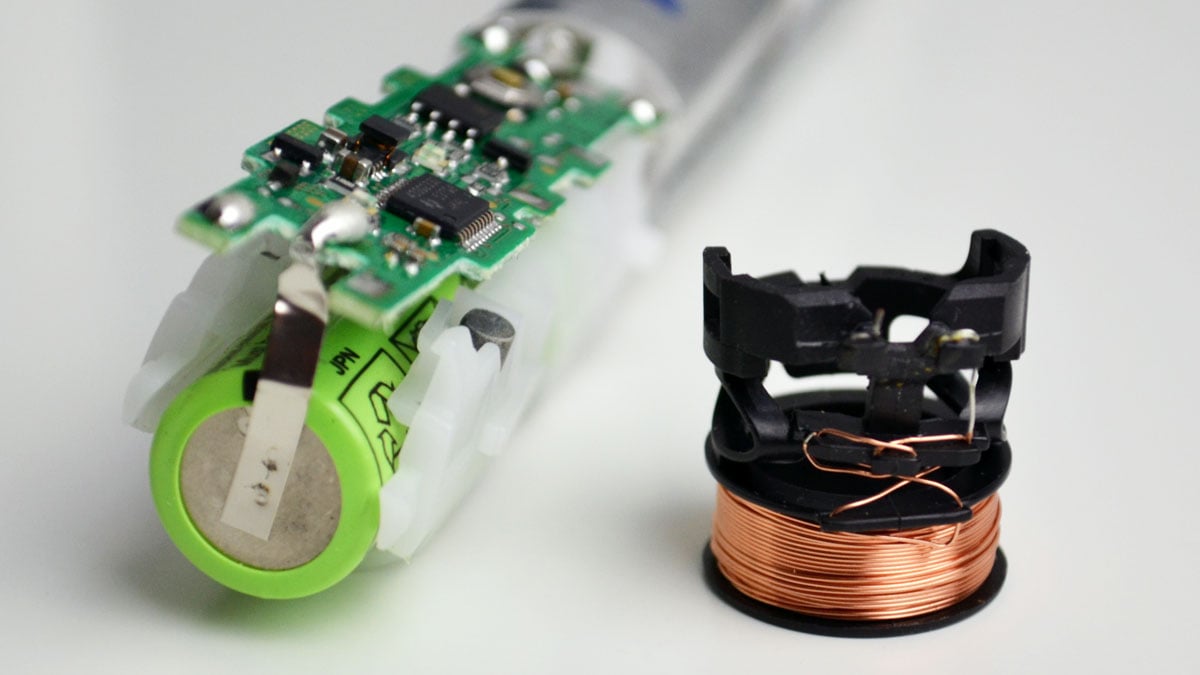
Battery care plays a key role in keeping your Oral B iO toothbrush working well. Proper battery handling helps avoid issues like the blinking red light. This red light often signals battery problems that need attention.
Maintaining battery health extends the life of your toothbrush. It also ensures better brushing performance and saves money on repairs or replacements.
Proper Charging Cycles
Always place your Oral B iO on its charger after use. Do not unplug it too early. Let the battery reach full charge for best results. Avoid keeping the brush on the charger all the time. Charge it fully, then unplug to prevent battery stress. Following proper cycles keeps the battery healthy and prevents the red blinking light.
Avoiding Deep Discharges
Try not to let the battery drain completely before charging. Deep discharges can damage lithium-ion batteries inside the toothbrush. Charge the brush when the battery is low but not empty. Regular shallow discharges improve battery life. This simple habit reduces the chance of the red light warning on the Oral B iO.
Battery Replacement Signs
Watch for shorter brush time between charges. The battery may not last as long as before. The toothbrush might stop suddenly or blink red even after charging. These signs mean the battery is wearing out. Replacing the battery or handle restores proper function. Ignoring these signs can lead to permanent battery failure.
Firmware Updates
Firmware updates keep your Oral-B iO toothbrush running smoothly. They improve features and fix issues that may cause the red blinking light. Staying up to date helps avoid errors and extends the life of your device.
Using The Oral-b App
Connect your toothbrush to the Oral-B app on your smartphone. The app checks for new firmware updates automatically. It guides you through the update process step-by-step. Make sure Bluetooth is on and the toothbrush is charged before starting.
Checking For Updates
Open the Oral-B app and go to the device settings. Look for a section named “Firmware Update” or similar. Tap on it to see if a new update is available. If yes, follow the instructions to download and install the update.
Resetting After Update
Once the update finishes, reset your toothbrush to clear any error signals. Place it on the charger and press the power button for a few seconds. This simple reset often stops the red blinking light. It helps the toothbrush run with the newest firmware.

Factory Reset Options
The Oral B iO blinking red light often signals the need for a factory reset. This reset helps clear errors and restore the toothbrush’s original settings. Performing a factory reset can fix issues related to charging, connectivity, and software glitches.
Two main factory reset options exist for the Oral B iO: resetting via the app and using a button combination on the toothbrush itself. Both methods are simple and do not require special tools.
Reset Via App
Open the Oral B app on your smartphone. Make sure your toothbrush is connected via Bluetooth. Navigate to the settings menu within the app. Look for the option labeled “Factory Reset” or “Reset Device.” Tap the reset option to start the process. Wait for the app to confirm the reset is complete. This method resets software settings without affecting hardware functions.
Button Combination Reset
Turn off the toothbrush by pressing the power button. Press and hold the power button and the mode button simultaneously. Keep holding both buttons for about 10 seconds. Release the buttons once the light blinks or changes color. The toothbrush will restart and reset to factory defaults. This method works well if the app is unavailable or the device won’t connect.
When To Replace Parts
Knowing when to replace parts of your Oral-B iO toothbrush helps keep it working well. Parts wear out over time and need timely replacement. This prevents issues like blinking red lights and poor cleaning.
Check each part regularly to avoid damage or reduced performance. Below are key parts to monitor and replace as needed.
Brush Head Replacement
Replace the brush head every three months for best results. Worn bristles clean less effectively and may hurt your gums. Some brush heads have color indicators that fade with use. When the color fades, it signals time to swap it out. Using a fresh brush head keeps your teeth clean and healthy.
Battery And Handle Lifespan
Batteries lose power after years of use. If your toothbrush blinks red often, the battery might be weak. Lithium-ion batteries in newer models last longer than older types. When the battery runs out quickly or the brush stops mid-use, consider replacing the handle. Physical damage or worn finish also means a new handle is needed. Taking care of the battery by charging properly can extend its life.

Troubleshooting Faqs
Facing issues with your Oral-B iO blinking red? This section covers common problems users face and easy ways to fix them. Troubleshooting these issues can save time and keep your brush working well.
Below, find answers to frequent questions about charging, responsiveness, and blinking light patterns. Each point explains what might cause the problem and how to resolve it quickly.
Brush Not Charging
Your brush may not charge if the charger or cable is damaged. Check for dirt or debris on the charging base. Clean the contacts gently with a dry cloth.
Try plugging the charger into a different outlet. Avoid using extension cords or power strips that might cause power issues. If the brush still does not charge, the battery might be old or faulty.
Unresponsive Brush
If your brush does not turn on, try a soft reset. Place the brush on the charger and hold the power button for 10 seconds. Release the button and try switching it on again.
Check if the brush head is attached properly. A loose or damaged brush head can prevent the brush from working. Replace the brush head if needed.
Light Blinking Patterns
The blinking red light means different things depending on the pattern. A slow blink usually signals low battery. Charge your brush fully to stop the blinking.
A fast blinking red light may indicate an error or a need for a reset. Try the soft reset method or consult the user manual for specific error codes.
Frequently Asked Questions
Why Is My Oral-b Io Blinking Red Power?
Your Oral-B iO blinking red power indicates low battery or charging issues. Clean the brush head connection and fully recharge it. Update firmware via the app and perform a soft reset if needed. Persistent blinking may signal battery or hardware problems requiring professional support.
What Is The Average Lifespan Of An Oral-b Electric Toothbrush?
The average lifespan of an Oral-B electric toothbrush is about 3 to 5 years. Battery type and usage affect durability. Replace it if battery life drops or performance declines.
How To Reset Oral-b Io Toothbrush Battery?
Place the Oral-B iO toothbrush on its charger. Press and hold the Wi-Fi button on the charger until orange lights appear. Tap the button once to reset. For deeper reset, fully charge, use until empty, then recharge. Update firmware via the Oral-B app if needed.
Do Electric Toothbrushes Help With Gingivitis?
Electric toothbrushes remove plaque more effectively, reducing gingivitis risk. They promote healthier gums with consistent use and proper technique.
Why Is My Oral-b Io Blinking Red Light?
The red blinking light usually means low battery or charging issues. It alerts you to charge the toothbrush soon.
Conclusion
The Oral B iO blinking red light signals an issue with power or battery. Checking the charger and connections can help fix it fast. Sometimes, a simple reset restores normal function. Regular care keeps your toothbrush working well longer. Watch for battery life changes to know when to replace parts.
Staying aware prevents unexpected interruptions while brushing. Small actions save you time and protect your oral health. Keep your device charged and clean for best results.