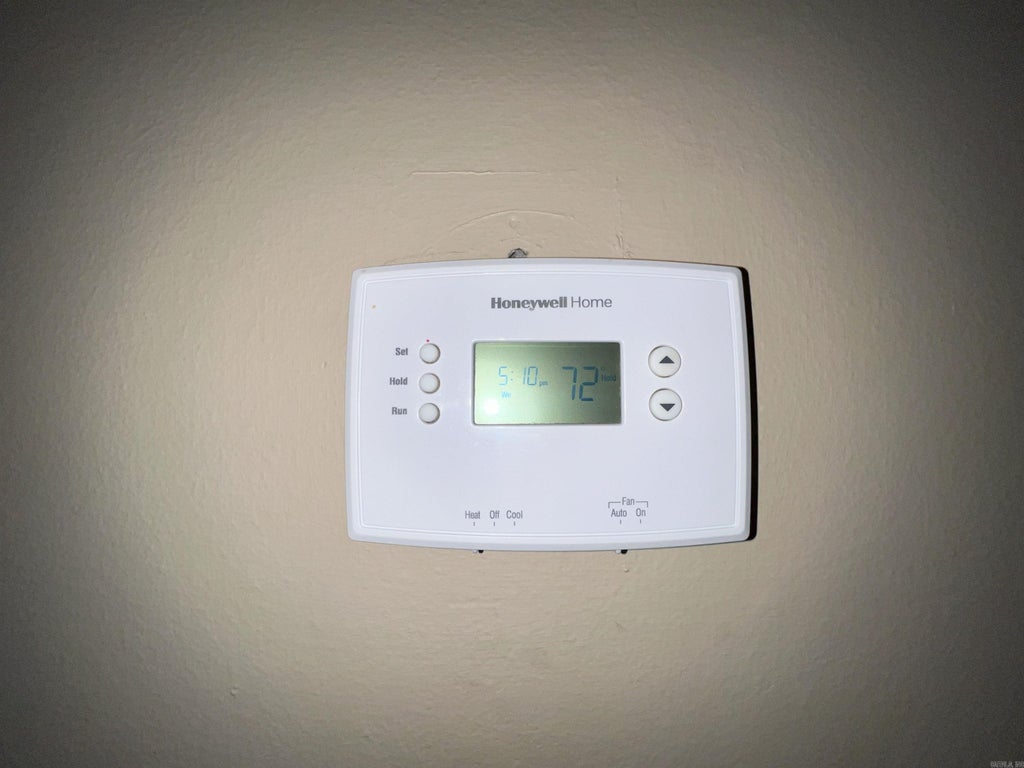
Is your Honeywell thermostat showing a blinking snowflake icon and you’re not sure what it means? That little symbol could be trying to tell you something important about your cooling system.
If your thermostat is blinking the snowflake, it might mean your air conditioner isn’t working as it should, or there could be a simple setting issue that’s easy to fix. Don’t worry—you’re in the right place. You’ll learn exactly why the snowflake icon blinks, what it signals about your system, and the quick steps you can take to get your thermostat—and your home’s comfort—back on track.
Keep reading to save time, avoid costly repairs, and enjoy a cool home again.
Snowflake Symbol Meaning
The snowflake symbol on a Honeywell thermostat is a key indicator related to cooling functions. It helps users know when the thermostat is in cooling mode or managing temperature to keep your home comfortable.
Understanding this symbol can assist in troubleshooting and ensuring your air conditioning system works properly. The blinking snowflake often signals specific actions or status updates of your cooling system.
Cooling Mode Indicator
The snowflake icon shows that the thermostat is set to cool your space. It appears when the air conditioner is active or ready to start cooling. This symbol lets you confirm the thermostat’s current mode quickly.
When the snowflake is steady, your cooling system runs normally. It means the thermostat is sending a signal to the air conditioner to lower the temperature.
Why It Blinks
A blinking snowflake means the system is waiting or protecting itself. It often happens during a delay to prevent damage to the compressor. This pause is normal and usually lasts a few minutes.
Blinking can also indicate a problem like low refrigerant or a sensor issue. Check your thermostat settings and system if blinking lasts too long. Resetting the thermostat sometimes clears minor glitches causing the blink.
Common Causes Of Blinking Snowflake
The blinking snowflake icon on a Honeywell thermostat signals a cooling-related alert. Understanding the common causes helps fix the issue quickly. The blinking often means the system is trying to cool but something is off.
Here are the typical reasons why the snowflake blinks and what they mean for your thermostat’s performance.
Low Battery Power
Low battery power can cause the snowflake to blink. The thermostat may not get enough energy to run the cooling system properly. Weak batteries affect the display and system commands. Replacing the batteries often stops the blinking and restores normal function.
System Malfunctions
System malfunctions trigger the blinking snowflake as a warning. Problems like compressor failure or refrigerant leaks can cause this. The thermostat tries to start cooling but detects an error. Checking the HVAC system or calling a technician may be necessary.
Incorrect Settings
Incorrect thermostat settings cause the snowflake to blink. For example, setting the system to cool mode when outside temperatures are low can confuse it. Also, wrong temperature thresholds or fan settings may trigger the icon. Adjusting the settings to match current needs fixes the problem.
Quick Fixes To Try
Seeing a blinking snowflake on your Honeywell thermostat can be confusing. This symbol usually means the cooling system is active or there might be a minor issue. Before calling a technician, try these quick fixes. They often solve the problem fast and save you time and money.
Replace Thermostat Batteries
Low battery power can cause the snowflake to blink. Open the thermostat’s battery compartment. Remove old batteries and insert fresh ones. Use high-quality alkaline batteries for best results. After replacing, check if the blinking stops. If it continues, try the next fix.
Check Cooling System
Make sure your cooling system is running properly. Check the outdoor condenser unit for debris or dirt. Clear any leaves or grass blocking airflow. Verify the circuit breaker for the air conditioner is on. Listen for unusual noises when the unit starts. A clean and clear system helps your thermostat work well.
Adjust Thermostat Settings
Incorrect settings can cause the blinking snowflake. Set the thermostat mode to “Cool” and adjust the temperature below room temperature. Avoid setting it too low to prevent system strain. Wait a few minutes to see if the snowflake stops blinking. Resetting the settings often fixes minor glitches.

Resetting Your Thermostat
Resetting your Honeywell thermostat can solve many common issues, including the blinking snowflake icon. This icon often signals a problem with the cooling system or settings. Resetting helps clear errors and restores the thermostat’s normal function. Different models have various reset methods. Choose the one that fits your device to fix the blinking snowflake quickly.
Soft Reset Methods
Soft reset is the easiest way to restart your thermostat. For many models, press and hold the Menu and Up Arrow buttons together. Hold them until the screen goes blank and then restarts. Some models use Fan and Up Arrow buttons instead. This method clears minor glitches without affecting your settings.
Touchscreen thermostats may need a menu reset. Tap the Menu icon, then find Advanced Setup or Installer Options. Select Reset or Factory Reset to refresh the system. Confirm the choice to reboot the thermostat. Soft resets fix small bugs and restore normal operation quickly.
Factory Reset Steps
Factory reset clears all settings and returns the thermostat to its original state. Use this only if soft reset does not fix the blinking snowflake. On touchscreen models, access the Menu, then go to Advanced Setup or Installer Options. Choose Factory Reset and confirm your decision.
For non-touchscreen thermostats, press and hold Menu and Up Arrow or Fan and Up Arrow until the screen flashes. This signals the factory reset process. After the reset, you must re-enter all temperature settings and schedules. Factory reset solves deeper software issues.
Power Cycle Via Breaker
Power cycling the thermostat through the breaker is a simple hardware reset. Turn off the breaker that controls your HVAC system. Leave it off for about 30 seconds. Turn the breaker back on to restore power.
This method resets the thermostat and HVAC unit together. It can fix communication errors causing the blinking snowflake. Power cycling is safe and often clears temporary faults. Try this if button resets do not work.
After Reset Actions
After resetting your Honeywell thermostat, certain steps restore full control and comfort. Resetting clears all settings and connections. This means you must set up your device again for optimal use. Follow these key actions to ensure smooth operation and regain your preferred settings quickly.
Reconnect Wi-fi
Resetting disconnects your thermostat from Wi-Fi. Reconnect it to your home network to enable remote control. Access the settings menu and select Wi-Fi setup. Choose your network and enter the password carefully. Confirm the connection to avoid interruptions in service.
Reconfigure Temperature Schedule
The reset clears all programmed schedules. Set your preferred temperature times to save energy and stay comfortable. Use the thermostat touchscreen or app to create a new schedule. Adjust heating and cooling times based on your daily routine. This keeps your home comfortable and efficient.
Pair With Smart Home Devices
Reset removes all smart home integrations. Re-pair your Honeywell thermostat with devices like Amazon Alexa or Google Home. Open the respective smart home app and follow pairing instructions. This restores voice control and automation features. Ensure your thermostat works seamlessly with other smart devices.
When To Call A Professional
Knowing when to call a professional for your Honeywell thermostat blinking snowflake issue can save time and avoid damage. Some problems are simple to fix yourself. Others need expert help to ensure safety and proper repair. Below are key signs that you should contact a technician.
Persistent Blinking Issues
If the snowflake icon keeps blinking despite resets, call a professional. This may indicate deeper system faults. A technician can diagnose hidden problems quickly. Avoid guessing or forcing fixes, which may worsen the issue.
System Not Cooling Properly
When your system runs but does not cool the home effectively, expert help is needed. The blinking snowflake can signal refrigerant or compressor issues. Professionals have tools to check and repair these complex parts safely.
Complex Wiring Problems
Wiring errors cause many thermostat malfunctions, including blinking symbols. If you notice loose wires or suspect electrical faults, contact a technician. They understand Honeywell wiring and prevent risks of shocks or fire. Leave wiring repairs to trained experts.

Frequently Asked Questions
What Does A Flashing Snowflake Mean On A Honeywell Thermostat?
A flashing snowflake on a Honeywell thermostat indicates the system is in cooling mode. It may also signal a problem with the cooling system or low refrigerant. Check the air conditioner or heat pump for issues to ensure proper cooling function.
Is There A Reset Button On My Honeywell Thermostat?
Honeywell thermostats do not have a single reset button. Reset by holding specific buttons or using the menu’s reset option. Common methods include pressing Menu + Up Arrow or Fan + Up Arrow together or selecting Factory Reset in Advanced Setup.
Reconfiguration is required after reset.
How To Tell If A Honeywell Thermostat Needs New Batteries?
Check for a low battery icon or dim display on your Honeywell thermostat. It may also blink or lose settings. Replace batteries promptly to ensure proper function.
Does The Snowflake Mean Ac Or Heat?
The snowflake symbol on a thermostat indicates the air conditioning (AC) mode. It means cooling is active, not heating.
What Does The Blinking Snowflake Mean On Honeywell Thermostat?
The blinking snowflake shows the cooling mode is on but not running. It may mean the system is waiting to cool or has a fault. Check your settings or system status to confirm.
Conclusion
The blinking snowflake on your Honeywell thermostat signals cooling mode issues. Check if the system is set correctly or if maintenance is needed. Resetting the thermostat often resolves minor glitches quickly. Keep your filters clean to maintain proper airflow. Regular checks help avoid unexpected cooling problems.
Understanding this simple icon can save time and hassle. Stay comfortable by addressing the blinking snowflake promptly. Your thermostat will then work efficiently all year long.