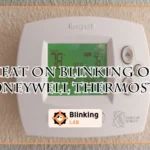
Is your Honeywell thermostat’s “Heat On” light blinking, but the heat isn’t kicking in? That flashing signal can be confusing and frustrating, especially when you want your home warm and cozy.
You might wonder what it means and how to fix it quickly without calling a technician right away. Understanding why your thermostat blinks “Heat On” can save you time, money, and discomfort. You’ll discover simple steps to troubleshoot the issue, from checking batteries and settings to inspecting wiring and furnace components.
Keep reading to learn exactly what your Honeywell thermostat is trying to tell you—and how to get your heating system back on track today.

Heat On Blinking Meaning
The blinking “Heat On” indicator on your Honeywell thermostat signals an important message. It tells you that the system has detected something unusual. Understanding this blinking light helps you know what action to take next. It could mean low battery, connection issues, system errors, or safety warnings. Each cause has a different solution. This guide explains the common reasons behind the blinking “Heat On” light.
Low Battery Alert
One common cause of the blinking light is a low battery. Honeywell thermostats often use batteries to keep running. When the power drops, the thermostat blinks to warn you. Replacing the batteries usually stops the blinking. Use fresh alkaline batteries for best results. This alert helps avoid sudden shutdowns during cold days.
Connection Problems
The blinking light can mean connection issues between the thermostat and your heating system. Loose or damaged wires often cause this. The thermostat might not communicate well with the furnace. Check wiring connections behind the thermostat. Tighten any loose wires carefully. If unsure, contact a professional to avoid damage.
System Malfunctions
A blinking “Heat On” can also signal a system malfunction. The furnace or heat pump might have a fault. The thermostat blinks to alert you about the problem. This warning helps protect your heating system from damage. If the blinking continues after basic checks, call a technician. They can diagnose and fix deeper system issues.
Built-in Safety Warnings
Some Honeywell thermostats use blinking lights as safety warnings. The system monitors itself for overheating or other risks. When it senses danger, the light blinks to alert you. This feature prevents damage and keeps your home safe. Never ignore these signals. Follow the safety instructions in your thermostat manual.
Basic Troubleshooting Steps
When your Honeywell thermostat’s heat indicator blinks, start with basic troubleshooting steps. These easy checks often fix common issues quickly. Follow each step carefully to find the problem and restore warmth in your home.
Replace Batteries
Low or dead batteries cause the heat light to blink. Open the thermostat’s battery compartment. Replace old batteries with fresh alkaline ones. This simple step restores power and can stop blinking.
Check Thermostat Settings
Verify the thermostat is set to “Heat” mode. Make sure the set temperature is higher than the current room temperature. Incorrect settings prevent the furnace from turning on.
Reset Furnace Breaker
Turn off the furnace breaker in your electrical panel. Wait 30 seconds, then switch it back on. This reset can clear minor electrical faults causing the blinking heat light.
Ensure Furnace Door Is Closed
Check that the furnace door is fully closed. A loose or open door triggers safety switches that stop the furnace from running. Secure the door firmly to allow normal operation.
Allow System Delay
Heating systems include a delay to protect equipment. After making changes, wait several minutes. The thermostat may blink during this delay as it prepares to start the furnace.
Clean Thermostat Vents
Dust and dirt in thermostat vents block airflow. Gently clean the vents with a soft brush or cloth. Clear vents help the thermostat sense room temperature correctly and work properly.
Intermediate Fixes
Intermediate fixes can help resolve the “Heat On” blinking issue on your Honeywell thermostat. These steps require some basic tools and a bit of care. They focus on wiring, furnace signals, and airflow, which are common causes of the problem. Follow these simple actions to restore normal heating function.
Inspect Thermostat Wiring
Turn off power to your HVAC system before checking wires. Remove the thermostat cover and look for loose or disconnected wires. Pay close attention to R, W, and C wires as they control power and heat signals. Tighten any loose connections. Replace damaged wires to prevent errors. Secure wiring can stop the blinking heat light.
Check Furnace Error Codes
Open your furnace panel to find the status light or display. Count the number of blinks or note error codes shown. Look up the furnace manual for code meanings. These codes indicate problems like ignition failure or sensor issues. Reset the furnace by turning power off and on after noting codes. This step helps identify and fix furnace problems causing the thermostat to blink.
Replace Air Filters
Dirty air filters reduce airflow and cause heating problems. Locate your HVAC air filter, usually near the furnace or return vent. Remove the old filter and check for dust or blockage. Replace with a new, clean filter of the same size. Clean filters improve airflow and system efficiency. This simple step often stops the thermostat heat light from blinking.
When Heat On Blinks But No Heat
When the “Heat On” indicator blinks on your Honeywell thermostat but no heat comes out, it can be confusing and frustrating. This blinking usually signals the thermostat is trying to call for heat. Yet, the heating system does not respond as expected. Understanding why this happens helps you find the right fix.
Several issues can cause the thermostat to blink “Heat On” without producing heat. These range from simple wiring problems to more complex system faults. Checking each possible cause step-by-step can save time and prevent bigger damage.
Thermostat Calls For Heat Without Response
The thermostat sends a signal to the heater to start warming. When no heat follows, the problem may lie in the connection. Loose or damaged wires can stop the signal from reaching the furnace. The thermostat settings might also be incorrect or the device may need a reset. Double-check the wiring and settings first to rule out easy fixes.
Breaker Trips Or Gas Smell
A tripped breaker can cut power to your heating system. This stops the furnace from turning on even though the thermostat calls for heat. Check your circuit breaker panel for any tripped switches. Also, a gas smell near the furnace is a serious warning. It may indicate a gas leak. Shut off the gas supply immediately and call a professional to inspect the system.
Heat Pump System Issues
Heat pumps operate differently than traditional furnaces. When the “Heat On” light blinks but no warmth comes, the heat pump may have a fault. Common issues include frozen coils, low refrigerant, or compressor failure. These problems prevent the heat pump from producing heat properly. A qualified technician should diagnose and repair heat pump malfunctions to ensure safe operation.
Heat Pump Specific Checks
Heat pump systems have unique components that need special attention. These systems use a changeover valve to switch between heating and cooling modes. Problems in this valve can cause the Honeywell thermostat to blink the heat icon. Understanding these specific checks helps pinpoint the issue faster.
Performing heat pump specific checks ensures the system runs smoothly. This saves time and avoids unnecessary repairs. The focus here is on verifying the changeover valve and knowing when to seek expert help.
Verify Changeover Valve Settings
The changeover valve controls whether the heat pump heats or cools your home. Incorrect settings can cause the heat indicator to blink. Check the valve position to make sure it matches the current mode on your thermostat. If the valve is stuck or damaged, the system may not switch properly.
Look for any visible signs of wear or leaks around the valve. Listen for unusual sounds during mode changes. These clues hint that the valve might need adjustment or replacement. Sometimes, resetting the thermostat can realign the valve settings as well.
Seek Professional Help For Complex Issues
Heat pump systems have delicate parts that require expert knowledge. Complex problems like wiring faults or internal valve damage need a trained technician. Attempting repairs without skills may cause more harm than good.
Calling a professional ensures a safe and accurate diagnosis. They have the tools to test electrical components and fix hidden faults. A technician can also check if your thermostat needs an update or replacement. Early professional help prevents costly breakdowns later.
Preventive Maintenance Tips
Preventive maintenance helps keep your Honeywell thermostat working well. It stops problems like the heat blinking error. Simple checks and care save time and money. Follow these easy tips to avoid issues and keep your home warm.
Regular Battery Replacement
Check your thermostat batteries every few months. Replace old batteries with fresh ones. Weak batteries cause the heat light to blink. Use good quality alkaline batteries for best results. This keeps your thermostat powered and responsive.
Routine Vent Cleaning
Clean vents and air filters regularly. Dust and dirt block airflow and cause system problems. Blocked vents can make your thermostat show errors. Use a vacuum or brush to remove dust. Clean vents help your heating system run smoothly.
Periodic Wiring Inspection
Inspect thermostat wiring at least once a year. Loose or damaged wires cause blinking heat signals. Turn off power before checking wires for safety. Tighten loose wires or call a professional if unsure. Proper wiring keeps your thermostat connected and stable.
When To Contact A Professional
Knowing when to call a professional for your Honeywell thermostat is crucial. Some issues need expert attention to avoid damage or safety risks. Acting too late can cause costly repairs or system failure. Watch for specific signs that signal a problem beyond basic troubleshooting.
Persistent Blinking Heat On Light
If the heat on light keeps blinking nonstop, it may mean a serious issue. This blinking often indicates a fault in the heating system. Simple resets or battery changes won’t fix it. A professional can run detailed diagnostics and fix hidden problems.
Repeated Breaker Trips
Frequent breaker trips linked to your thermostat or furnace suggest electrical trouble. This can be dangerous and cause system damage. A trained technician will inspect wiring and circuit components. They ensure your system runs safely and reliably.
Unusual Smells Or Sounds
Strange odors or noises from your heating system need immediate attention. Burning smells or buzzing sounds are warning signs of electrical or mechanical faults. Ignoring them risks fire or equipment failure. Professionals have tools to pinpoint and solve these issues quickly.
Heat Pump Diagnostics
Heat pumps require specialized knowledge for troubleshooting. If your thermostat blinks heat on but the heat pump fails to operate properly, call an expert. They understand heat pump controls and can check refrigerant levels and sensors. Proper diagnostics protect your investment and comfort.

Frequently Asked Questions
Why Is My Thermostat Blinking Heat On But No Heat?
A blinking “Heat On” means the thermostat signals heat, but the furnace isn’t responding. Check batteries, wiring, settings, and power supply. Clean vents and reset if needed. Persistent issues may require a professional to inspect furnace or HVAC system problems.
Why Is The Heat Icon Blinking On My Thermostat?
The heat icon blinks on your thermostat due to low batteries, connection issues, or system warnings. Check power, settings, and wiring. Replace batteries if needed. A blinking heat icon may signal a safety alert or HVAC problem requiring professional help.
Why Is My Honeywell Thermostat Not Putting The Heating On?
Your Honeywell thermostat may not heat due to dead batteries, incorrect settings, or a tripped furnace breaker. Check wiring and clean vents. Reset the thermostat if needed. Persistent issues or error codes require professional HVAC service.
What Does It Mean When My Honeywell Thermostat Says Heat On?
“Heat On” on your Honeywell thermostat means it is actively calling for heat. The furnace should be running to warm your space. If it blinks or heat doesn’t start, check batteries, settings, power, or wiring. Persistent issues may require professional service.
Why Is The Heat Icon Blinking On My Honeywell Thermostat?
A blinking heat icon usually means the thermostat is calling for heat but the furnace hasn’t started. It can indicate a delay, wiring issue, or low battery. Check the furnace and thermostat settings first.
Conclusion
A blinking “Heat On” light on your Honeywell thermostat signals a need for attention. Check batteries and thermostat settings first. Ensure the furnace breaker is on and the door is closed. Clean vents to keep sensors clear. Secure wiring connections if needed.
Sometimes, a simple reset fixes the issue. Persistent blinking may mean a deeper problem. In that case, contacting a professional is best. Stay calm and follow these steps to keep your home warm and comfortable.