If you’ve noticed your Harman pellet stove’s status light blinking 5 times, you’re probably wondering what it means and how to fix it fast. This blinking pattern is not random—it’s your stove’s way of signaling a specific problem, usually related to ignition or the flame sensor.
Ignoring it could leave you in the cold or cause more serious issues down the line. But don’t worry, you don’t need to be a technician to understand what’s going on or to get your stove back to working smoothly.
You’ll discover the common causes behind those five blinks, simple troubleshooting steps you can take right now, and tips to keep your stove running safely and efficiently. Keep reading—your warmth and peace of mind depend on it.
Causes Of 5 Blinks
The Harman pellet stove’s status light blinking five times signals a specific issue. Understanding the causes helps fix the problem quickly. Several components can trigger this warning. Each must be checked carefully for safe and efficient stove operation.
Igniter Issues
The igniter heats up pellets to start the fire. A faulty igniter may not glow properly. Dirt or ash buildup can block heat transfer. Loose wiring or a broken igniter also causes failure. Check the igniter for cracks or discoloration. Replace if it does not heat up during startup.
Flame Sensor Problems
The flame sensor detects if the fire is burning. A dirty or damaged sensor might not see the flame. Ash, soot, or dust can cover the sensor surface. This leads to false flame loss signals. Cleaning the sensor gently can restore function. Replace the sensor if cleaning does not help.
Pellet Feed Blockages
Pellets move from the hopper to the burn pot via an auger. Blockages stop this flow and cause blinking. Pellets can form a bridge or get stuck in the hopper. The auger motor may also fail or jam. Clear any clogs and check the auger for smooth operation. Ensure pellets are dry and not broken.
Exhaust Sensing Probe Malfunction
The exhaust sensing probe monitors stove gases for safe venting. Dust or ash buildup on the probe leads to wrong readings. A faulty probe cannot sense exhaust properly. Clean the probe carefully to remove debris. Replace the probe if it stays unresponsive after cleaning.
Door And Gasket Seals
Doors and gaskets keep the stove airtight. Loose or damaged seals cause air leaks. This disrupts combustion and triggers errors. Inspect door latches and gasket condition regularly. Tighten or replace seals to restore proper stove function. A well-sealed stove burns cleaner and safer.
Initial Checks
When the Harman pellet stove status light blinks five times, start with initial checks. These basic steps help identify common issues fast. They ensure your stove runs safely and efficiently. Follow these checks before moving to complex troubleshooting.
Verify Pellet Supply
Check the hopper for enough pellets. A low pellet supply stops the stove from feeding fuel. Make sure the pellets are dry and not stuck together. Wet pellets can block the feed system. Fill the hopper if pellets are running low.
Inspect Hopper For Pellet Bridges
Look inside the hopper for a pellet bridge. Pellets can clump and form a bridge. This blocks pellets from reaching the auger. Gently break up any bridge with a stick or tool. Keep the hopper clean and free of clogs.
Check Door And Ash Pan Seals
Examine the door and ash pan seals closely. Damaged or loose seals cause air leaks. Air leaks affect stove performance and safety. Replace or tighten seals if you find gaps or cracks. Proper sealing keeps the stove running well.
Cleaning Procedures
Cleaning your Harman pellet stove is key to fixing the status light blinking five times. Dirt and ash buildup can stop the stove from working well. Regular cleaning helps keep parts working and avoids errors. Focus on key areas that affect stove performance. Follow these simple steps for best results.
Burn Pot And Igniter Area
Start by removing ash and clinkers from the burn pot. Use a brush or scraper for thorough cleaning. Clear the air channel under the burn pot. This area holds the igniter and must stay clean for proper heat. Dirt can stop the igniter from glowing. Check the igniter for damage and replace if needed.
Exhaust Vent And Esp Probe
Check the exhaust vent for blockages. Ash or soot can build up and restrict airflow. Clean the vent with a vacuum or brush to clear it out. Inspect the Exhaust Sensing Probe (ESP) carefully. A dirty ESP may fail to detect fire. Wipe it gently with a soft cloth to remove dust and residue.
Oxygen Holes And Flame Guide
Oxygen holes help feed air to the fire. These holes can get clogged with ash. Clear them with a small brush or pipe cleaner. The flame guide directs the fire inside the stove. Clean off any soot or buildup on the guide. Keeping these parts clean improves stove efficiency and reduces blinking errors.
Igniter Testing And Replacement
The igniter plays a key role in starting your Harman pellet stove. Testing the igniter helps find problems when the status light blinks five times. This section covers how to check the igniter glow, measure its resistance, and replace it if needed. Follow these steps carefully to keep your stove working well.
Check Igniter Glow
Turn on the stove and watch the igniter closely. It should glow bright red within 30 seconds. If the igniter does not glow or stays dim, it may be faulty. Make sure the stove is cool before touching the igniter. A weak glow means the igniter needs further testing or replacement.
Measure Igniter Resistance
Use a multimeter to measure the igniter’s resistance. Set the meter to the ohms setting. Disconnect the igniter wires and place meter probes on the igniter terminals. A good igniter usually shows resistance between 10 and 40 ohms. A reading much higher or lower signals a bad igniter. No reading means the igniter is broken.
Replace Faulty Igniter
Turn off and unplug the stove before replacing the igniter. Remove screws or clips holding the igniter in place. Carefully disconnect the wires from the old igniter. Install the new igniter by connecting wires and securing it firmly. Test the stove again to confirm the new igniter works properly. Proper replacement restores reliable stove startup.
Resetting The Stove
Resetting your Harman pellet stove can clear minor errors and restore normal function. This process is simple and often solves the issue behind the status light blinking five times. Follow the steps carefully to avoid further problems. Two common reset methods work well for most models.
Power Cycle Method
First, turn off the stove using the main power switch. Wait for about 30 seconds to allow the internal systems to shut down completely. Then, turn the stove back on and set it to your preferred mode. This power cycle can reset the electronics and stop the blinking light. It is a quick way to refresh the stove’s operation without complex steps.
Easytouch Control Reset
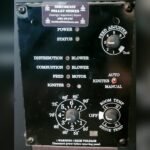
Locate the EasyTouch control panel on your Harman stove. Press the reset button marked with a checkmark symbol. Hold the button for a few seconds until the stove confirms the reset. This method resets the control system directly and clears error codes. It is especially useful if the power cycle does not fix the blinking status light.
Preventive Maintenance Tips
Preventive maintenance keeps your Harman pellet stove running smoothly. It helps avoid common issues like the status light blinking 5 times. Regular care improves efficiency and safety. Simple steps can extend your stove’s life and reduce costly repairs.
Regular Cleaning Schedule
Clean the burn pot and igniter area often. Remove all ash and clinkers to keep air flowing. Check the air channel under the burn pot for blockages. Clean the exhaust sensing probe to ensure it detects fire correctly. Empty the fines box cleanout area regularly to prevent buildup. A clean stove runs better and reduces error signals.
Proper Pellet Storage
Store pellets in a dry place away from moisture. Wet pellets can cause feeding problems and blockages. Keep the pellet hopper full, but do not overfill. Avoid pellet bridging, where pellets lock together inside the hopper. Proper storage ensures smooth pellet feeding and steady heat output.
Seal Inspection And Replacement
Check door seals and ash pan gaskets often. Worn or damaged seals let air leak into the stove. Air leaks can cause poor combustion and error codes. Replace seals that look cracked or loose. Tight seals help maintain stove pressure and improve performance.
When To Call A Technician
The Harman pellet stove’s status light blinking five times signals a specific issue. Sometimes, simple steps fix the problem. Other times, the stove needs expert help. Knowing when to call a technician saves time and prevents damage.
Some problems require special tools or knowledge. A technician has the right skills to diagnose and repair safely. Avoid guessing or forcing parts. Here are key situations that need professional service.
Persistent Ignition Failures
Ignition failure means the stove cannot start the fire. If the stove keeps blinking five times and won’t ignite, it shows a persistent issue. This problem may involve the igniter or the control board. A technician can test and replace parts safely. Continuing to try without fixing the cause wastes pellets and energy.
Sensor Replacements
Sensors monitor the stove’s temperature and airflow. A faulty sensor can cause the status light to blink five times. Cleaning may help but often sensors wear out. A technician can identify which sensor fails and install the correct replacement. Proper sensor function is vital for safe stove operation.
Complex Mechanical Issues
Mechanical parts like the auger or feed system can break or jam. If cleaning and simple fixes do not stop the blinking, a deeper mechanical problem exists. These parts need expert inspection and repair. A technician can fix or replace broken components. This prevents further damage and keeps the stove working well.
Frequently Asked Questions
Why Is The Status Light Flashing 5 Times On My Harman Pellet Stove?
The Harman pellet stove flashing 5 times signals an ignition or flame sensor problem. Check the igniter, clean the burn pot, and inspect the Exhaust Sensing Probe (ESP) for dirt or damage. Ensure pellets feed properly and doors seal tightly to resolve this issue.
What Is The Error Code 5 On A Pellet Stove?
Error code 5 on a pellet stove indicates an ignition or flame sensor failure. Check the igniter, clean the burn pot, and inspect the Exhaust Sensing Probe (ESP). Ensure pellets feed properly and doors seal tightly to resolve the issue.
How To Reset A Harman Pellet Stove?
To reset a Harman pellet stove, turn it OFF, wait a few seconds, then turn it ON again. Press the reset button on the EasyTouch control panel if available. Ensure the stove is clean and pellets feed properly before restarting.
Why Is The Status Flashing On My Pellet Stove?
A flashing status on your pellet stove signals a pellet feed issue, igniter problem, sensor fault, or hopper blockage. Clean the burn pot, check pellet supply, inspect igniter and sensors, and ensure doors seal tightly to fix it.
What Does 5 Blinks On Harman Pellet Stove Mean?
Five blinks usually signal a problem with the pressure switch or airflow. It means the stove is not sensing proper combustion conditions. Check the vent and pressure switch for blockages or faults.
Conclusion
The Harman pellet stove blinking five times signals a specific error. Check the pellet feed, hopper, and igniter first. Clean ash, vents, and sensors to avoid blockages. Ensure doors and gaskets close tightly for proper operation. Reset the stove by turning it off, then back on.
Regular maintenance keeps your stove running smoothly. Stay attentive to status lights for safe, efficient heating. Simple checks often fix the blinking light issue quickly.