Is the Flow Sense light blinking on your LG dryer and leaving you wondering what it means? You’re not alone.
This warning is your dryer’s way of telling you there’s a problem with airflow that needs your attention. Ignoring it could lead to longer drying times, higher energy bills, or even damage to your appliance. But don’t worry—understanding why this happens and how to fix it is easier than you think.
You’ll discover simple, step-by-step solutions to get your dryer running smoothly again. Keep reading to save time, avoid costly repairs, and keep your laundry routine stress-free.
Flow Sense Light Meaning
The Flow Sense light on your LG dryer signals the condition of airflow inside the machine. It helps you know if lint or debris blocks the vent system. This alert aims to keep your dryer running safely and efficiently.
Ignoring this light can lead to longer drying times and higher energy use. Understanding what the Flow Sense light means helps you take quick action to fix the issue.
Why It Blinks
The Flow Sense light blinks when the dryer detects poor airflow. Lint buildup in the vent or lint filter usually causes this. It can also blink if the vent hose is crushed or blocked. This blinking warns you about a possible safety risk.
Regular cleaning of the lint filter and vent keeps the airflow smooth. The dryer uses sensors to check air movement. When sensors find trouble, the Flow Sense light alerts you by blinking.
Impact On Dryer Performance
A blinking Flow Sense light means the dryer is working harder. Blocked airflow causes longer drying cycles and uneven drying results. Clothes may feel damp even after the cycle ends.
Restricted airflow raises the dryer’s temperature. This can cause parts to wear out faster or damage the machine. Keeping vents clean helps your dryer last longer and saves energy.
Basic Cleaning Steps
The Flow Sense blinking on your LG dryer often means the sensors detect poor airflow. Basic cleaning helps fix this issue fast. Regular maintenance keeps the dryer working well. It also stops the Flow Sense light from blinking.
Cleaning is simple and only takes a few minutes. Focus on key parts that affect airflow and moisture detection. These steps improve drying efficiency and prevent errors.
Lint Filter Maintenance
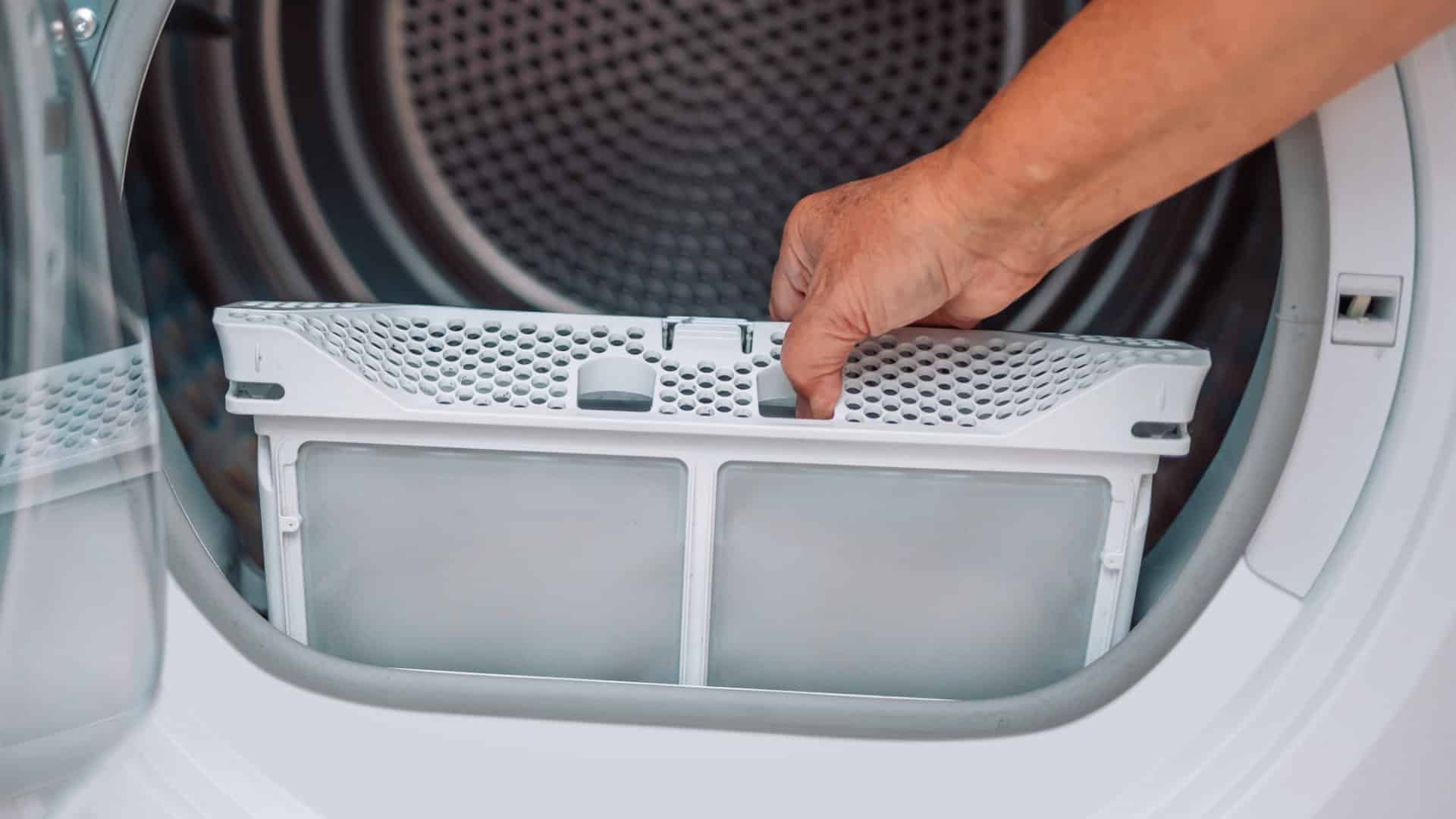
Start with the lint filter. Remove it from the dryer after every use. Clear off all lint by hand or with a soft brush. Do not use water unless the manual says so. Replace the filter firmly in its place. A clean lint filter allows air to pass freely. This reduces the chance of the Flow Sense blinking.
Moisture Sensor Care
Locate the moisture sensors inside the drum. They look like two thin metal bars. Wipe them gently with a soft cloth and mild soap. Avoid harsh cleaners or scrubbing hard. Dry the sensors well before running the dryer again. Clean sensors read moisture correctly. This helps the dryer stop at the right time and avoids false Flow Sense alerts.
Exhaust Vent Inspection
Checking the exhaust vent is essential when the Flow Sense light blinks on an LG dryer. A blocked or dirty vent limits airflow. This causes the dryer to overheat and triggers the warning. Proper inspection helps keep the dryer safe and efficient. It also prevents longer drying times and potential damage.
Disconnecting And Cleaning Vent Hose
Unplug the dryer before starting the vent hose check. Gently pull the dryer away from the wall. Locate the vent hose connected to the back. Unscrew or detach the hose carefully. Look inside for lint buildup or debris. Use a vacuum or brush to clean the hose thoroughly. Make sure air can flow freely through the vent. Reattach the hose firmly to avoid leaks.
Checking External Vent Blockages
Go outside to find the dryer vent outlet. Inspect the vent cover for lint or dirt. Remove any visible blockages by hand or with a brush. Check that the vent flap opens easily when air blows. Clear away leaves, nests, or other objects blocking airflow. Proper airflow outside prevents back pressure inside the dryer. A clean vent outlet helps the dryer work correctly and avoid errors.
Advanced Troubleshooting
Advanced troubleshooting helps resolve persistent Flow Sense blinking on LG dryers. Basic cleaning may not fix airflow or sensor issues. This section guides you through detailed checks and tests to pinpoint problems. Follow these steps carefully to improve dryer performance and stop the blinking alert.
Inspecting The Blower Wheel
The blower wheel moves air through the dryer. Lint buildup or damage here reduces airflow. Unplug the dryer before starting. Remove the lint filter assembly to access the blower wheel. Check for lint, debris, or broken blades. Clean the wheel gently with a brush or cloth. Replace the blower wheel if damaged. Proper airflow helps stop the Flow Sense warning.
Running Diagnostic Tests
LG dryers have built-in diagnostic modes for error detection. Consult your user manual to find the button combination. Usually, pressing and holding two specific buttons activates the test. The dryer runs a short cycle checking sensors and airflow. Observe any error codes or blinking lights during the test. These codes help identify faulty parts. Running diagnostics confirms if cleaning or repairs are needed.
Resetting Your Dryer
Resetting your LG dryer can clear the Flow Sense blinking issue quickly. This step helps the dryer refresh its system after you clean or fix any vent or sensor problems. Resetting often solves minor errors and improves dryer performance.
There are simple ways to reset your dryer. Use the power reset method or try the button combination reset. Both methods are safe and easy to do at home.
Power Reset Method
Unplug the dryer from the power outlet. Wait for about one minute to let the system fully shut down. Plug the dryer back in. This restart can clear error codes and reset the flow sensor. After plugging it back, run a short drying cycle to check if the blinking stops.
Button Combination Reset
On some LG models, press and hold the Time Dry and Signal buttons at the same time. Keep holding for about five seconds. The dryer will reset and clear the Flow Sense error. This method works well if the power reset does not fix the issue. Try running a test cycle after to confirm the reset worked.

When To Call A Professional
The Flow Sense indicator on an LG dryer warns about airflow problems. Sometimes, simple cleaning solves the issue. Other times, the problem needs expert help. Knowing when to call a professional saves time and prevents damage. Here are signs that you should contact a technician.
Persistent Flow Sense Errors
If the Flow Sense light keeps blinking after cleaning, call a professional. Persistent errors may mean internal parts need inspection. A technician can test the blower wheel and sensors properly. Avoid using the dryer to prevent further damage or fire risk.
Vent Pipe Length And Blockage Issues
Long or twisted vent pipes cause airflow problems. Blockages deep inside the vent may be hard to reach. Professionals have tools to clean and check vent pipes thoroughly. They ensure the vent meets safety and length standards. This keeps your dryer working well and safe.
Safety Tips
Dealing with a Flow Sense blinking error on your LG dryer needs caution. The error often means poor airflow or a clogged vent. These issues can cause the dryer to overheat or even start a fire. Follow safety guidelines to protect your home and family.
Never ignore the blinking Flow Sense light. Acting quickly helps avoid damage to the dryer and reduces fire risk. Proper care and handling improve dryer performance and safety.
Using Dryer With Flow Sense Error
Do not run the dryer if the Flow Sense light blinks. This warning shows airflow problems. Operating the dryer can cause overheating. Turn off and unplug the machine first.
Check and clean the lint filter. Clear the vent hose and exhaust duct to remove blockages. Inspect moisture sensors and blower wheel for lint buildup. These steps often fix the error safely.
After cleaning, reset the dryer by unplugging it for a few minutes. Then plug it back in and try a short drying cycle. If the light still blinks, stop using the dryer and call a technician.
Preventing Future Issues
Clean the lint filter after every load. This simple habit keeps air flowing well. Regularly inspect and clean the vent hose and exhaust pipe. Remove any lint or debris that blocks airflow.
Check moisture sensors and blower wheel every few months. Wipe sensors with a soft cloth and mild detergent. Keep the dryer area clear of dust and lint buildup.
Use the dryer in a well-ventilated space. Avoid overloading the machine to help proper airflow. Routine maintenance prevents errors and keeps your dryer safe and efficient.

Frequently Asked Questions
Why Is The Flow Sense Light Blinking On My Lg Dryer?
The blinking Flow Sense light on your LG dryer signals restricted airflow. Clean the lint filter, exhaust vent, and moisture sensors to fix it. Check for blockages in the vent hose and external vent. Regular maintenance prevents this error and ensures efficient drying performance.
How Do I Reset My Lg Dryer Flow Sense?
Unplug your LG dryer for safety. Clean the lint filter and moisture sensors inside the drum. Clear lint from the exhaust vent and blower wheel. Press and hold the Time Dry and Signal buttons together for several seconds to reset the Flow Sense.
Run a short cycle to check.
Is It Safe To Use My Lg Dryer With A Flow Sense Error?
Using your LG dryer with a Flow Sense error is unsafe. The error indicates poor airflow, risking overheating or fire. Clean the lint filter and vent immediately. Stop using the dryer until you fix the issue to ensure safety and proper operation.
How Do I Turn Off The Flow Sense On My Lg Dryer?
To turn off Flow Sense on your LG dryer, clean the lint filter, moisture sensors, and exhaust vent thoroughly. Then, reset by unplugging the dryer for one minute and plugging it back in. Hold the Time Dry and Signal buttons together for several seconds to clear the error.
What Does Flow Sense Blinking Mean On Lg Dryer?
Flow Sense blinking shows your dryer has a venting or airflow problem. It warns of lint buildup or blockages inside the vent system. This can reduce drying efficiency and increase energy use.
Conclusion
The Flow Sense blinking on your LG dryer signals airflow issues. Regularly clean the lint filter and moisture sensors. Clear the exhaust vent to keep air moving freely. Check the blower wheel for any lint buildup. Try resetting the dryer by unplugging it for safety.
Running the built-in diagnostic test can help identify problems. Keeping these steps in mind helps maintain your dryer’s performance. Don’t ignore the blinking light; it protects your appliance and home. Simple care prevents bigger repair costs and extends dryer life.