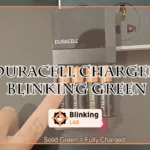
Is your Duracell charger blinking green and you’re not sure what it means? You’re not alone.
That blinking light can be confusing and might leave you wondering if your battery is charging properly or if something’s wrong. Understanding what that green blink signals can save you time and frustration. You’ll discover the common reasons behind the blinking green light on your Duracell charger and simple steps you can take to fix it.
Keep reading—you’ll get your charger working smoothly again in no time.

Duracell Charger Light Codes
Duracell chargers use light codes to show the battery status during charging. Understanding these codes helps you know if the battery is charging correctly or if there is an issue. The lights can blink or stay steady in different colors, each meaning something specific. This guide explains the common Duracell charger light codes and what to do about them.
Green Light Flashing Patterns
A blinking green light usually means the battery is charging. The speed of the blinking can show the charging stage. Slow blinking often means the battery is near full. Fast blinking might signal a problem, like poor battery contact or temperature issues.
Some Duracell chargers flash green continuously while charging. This is normal and shows the charger is working. If the green light flashes with another color, it could warn about battery temperature. Let the battery cool or warm to room temperature before charging again.
Other Indicator Lights
Duracell chargers also use red and amber lights. A solid red light often means the battery needs charging. If red flashes, it might indicate a fault or defective battery. Amber lights can show the battery is in a recovery or conditioning mode.
Some chargers combine colors to give more details. For example, flashing red and green together can mean a temperature problem. Always check the charger manual for exact meanings. Proper connection and battery health affect the light signals too.
Common Causes Of Blinking Green
The blinking green light on a Duracell charger often causes confusion. It can signal different states depending on the situation. Understanding the common causes helps you know what to expect and how to respond. Below are key reasons why the Duracell charger might blink green.
Normal Charging Process
The blinking green light usually means the charger is working properly. It shows the battery is charging but not yet full. Some models use this light to indicate the battery is nearly ready. The blinking stops when charging completes and the light turns solid green.
Temperature Issues
A blinking green light can warn about temperature problems. The battery or charger may be too hot or too cold. Charging pauses until the temperature returns to a safe range. Keep batteries at room temperature for best results.
Connection Problems
Loose or poor connections cause the green light to blink. The charger may not detect the battery correctly. Check if the battery fits well and the charger plugs are secure. Cleaning contacts can also help maintain a strong connection.
Battery Faults
Sometimes blinking green signals a battery fault. The battery might be damaged or worn out. Faulty batteries may fail to charge properly or hold a charge. Testing or replacing the battery can resolve this issue.
Troubleshooting Steps
Troubleshooting a Duracell charger blinking green light involves simple checks. These steps help identify common issues and fix them quickly. Follow each step carefully to restore proper charging function.
Check Charger Manual
Start by reading the charger manual. Different models use blinking green lights for various reasons. The manual explains what the blinking means for your specific charger. This helps avoid confusion and guides the next steps.
Inspect Connections
Look closely at the charger and battery connections. Loose or dirty contacts can cause blinking green lights. Make sure the charger is firmly plugged into the power outlet. Also, ensure the battery sits properly in the charger slots. Clean any dirt or debris from the contacts gently.
Allow Battery To Cool
Sometimes, the battery gets too hot during charging. A blinking green light may signal this issue. Remove the battery and let it cool down to room temperature. Avoid charging in very hot or cold places. After cooling, try charging again.
Reset The Charger
Unplug the charger from the power source. Wait about 30 seconds to 1 minute. Plug it back in and place the battery in the charger. This reset can clear minor errors and stop the blinking green light. Repeat if needed.
Test Battery Health
If the blinking green light continues, test the battery’s health. Use a battery tester or multimeter to check voltage and capacity. Weak or damaged batteries may not charge correctly. Replace the battery if testing shows it is faulty.
Resetting Lithium-ion Batteries
Resetting lithium-ion batteries can fix common charging problems like the Duracell charger blinking green. This blinking often shows the battery needs a reset to start charging properly. Resetting helps the battery management system recognize the battery’s true charge level. It also improves battery performance and safety. Follow simple steps to reset your lithium-ion battery safely and effectively.
Waking The Battery Management System
The battery management system (BMS) controls charging and protects the battery. Sometimes, the BMS goes into sleep mode and stops charging. To wake it, unplug the charger and remove the battery if possible. Wait a few minutes. Then, reconnect the battery and plug in the charger. This reset helps the BMS detect the battery and start charging again.
Using Compatible Chargers
Always use chargers made for your lithium-ion battery. Incompatible chargers can confuse the BMS and cause blinking lights. A charger with the right voltage and current supports proper battery reset. It also prevents damage and extends battery life. Check your battery and charger labels for matching specifications before charging.
Avoiding Dangerous Methods
Do not try to reset your battery by heating or freezing it. These methods can damage the battery and cause safety risks. Avoid puncturing or short-circuiting the battery to reset it. These actions can lead to fire or explosion. Use only safe and recommended reset procedures to protect yourself and your device.
When To Replace Batteries
Knowing when to replace your batteries is key to keeping devices running smoothly. Batteries lose power over time and show signs before they fail completely. Recognizing these signs helps avoid sudden interruptions.
Testing batteries regularly can save money and time. It ensures you replace only the batteries that no longer hold a charge. Understanding the right moment to replace batteries improves device performance.
Signs Of Battery Failure
One common sign is the Duracell charger blinking green continuously. This often means the battery cannot hold a full charge. Other signs include shorter usage time and devices shutting off unexpectedly.
Swelling or leaking batteries also indicate failure. If batteries feel hot or emit a strange smell, stop using them immediately. These symptoms show the battery needs replacing for safety reasons.
Battery Testing Methods
Use a multimeter to check battery voltage. Healthy batteries show voltage close to their rated value. Lower voltage signals the battery is weak or dead.
Try a battery tester device designed for rechargeable batteries. These testers give quick results and show if the battery can hold a charge. Another simple method is to use the battery in a device and observe performance.
Always test batteries before charging again. This prevents wasting time on batteries that cannot be revived.
Tips For Battery Maintenance
Maintaining your Duracell batteries properly extends their life and keeps them performing well. Good battery care reduces charging issues like the blinking green light on your charger. Follow these simple tips to keep your batteries healthy and reliable.
Proper Charging Habits
Always use the charger designed for your Duracell batteries. Avoid overcharging by removing batteries once fully charged. Charge batteries only when they need it, not too often. Insert batteries correctly, matching the positive and negative ends. Keep the charger clean and dry to ensure good connections.
Storage Recommendations
Store batteries in a cool, dry place away from metal objects. Avoid keeping batteries in devices that are not used for long periods. Remove batteries from devices if you will not use them for months. Use a battery case or original packaging to prevent damage. Check batteries regularly and replace any that show leaks or corrosion.
Temperature Considerations
Charge and store batteries at room temperature for best results. Avoid charging batteries in extreme heat or cold, as it can damage them. If batteries are too hot or cold, let them reach room temperature before charging. Keep batteries away from direct sunlight and heaters. Proper temperature helps prevent blinking green light errors on your charger.

Frequently Asked Questions
Why Is The Light On My Battery Charger Blinking Green?
A blinking green light on your battery charger usually means it is actively charging or the battery is nearly full. Check connections and temperature. If blinking persists, the battery may be faulty or need cooling. Refer to your charger manual for exact light code meanings.
How Do I Reset My Lithium-ion Battery?
To reset a lithium-ion battery, recharge it fully with a compatible charger. Use a donor battery briefly if needed. Avoid physical tampering. Some devices have a reset button; press it if available. Always follow the manufacturer’s instructions for safe handling.
What Are The Signs Of A Bad Battery Charger?
Signs of a bad battery charger include blinking or flashing lights, failure to charge, overheating, unusual noises, and loose connections. It may also cause batteries to drain quickly or not reach full charge. Check connections and test with another battery to confirm the issue.
How Long Does It Take For Duracell Rechargeable Batteries To Recharge?
Duracell rechargeable batteries typically recharge in 4 to 5 hours using the recommended charger. Charging time may vary by battery capacity and charger model. Always follow the charger’s instructions for optimal results and battery longevity.
What Does A Blinking Green Light On Duracell Charger Mean?
A blinking green light usually shows the battery is charging actively. It may also mean the battery is almost full and nearing completion.
Conclusion
A blinking green light on your Duracell charger usually means it is charging. Sometimes, it signals the battery is almost full or needs to cool down. Check all connections to ensure they are tight and secure. If the light keeps blinking, try restarting the charger or testing the battery.
Refer to the manual for your specific model’s signals. Keeping these steps in mind helps maintain your battery’s health and charging efficiency. Stay patient, and your charger will work properly again soon.