Is your Duracell battery charger blinking red and leaving you wondering what’s wrong? You’re not alone.
That flashing red light isn’t just a random signal—it’s your charger’s way of telling you there’s a problem with the charging process. It can be frustrating when your batteries won’t charge properly, especially when you rely on them daily. But don’t worry—understanding what that blinking red means and how to fix it is easier than you think.
You’ll discover common causes behind the red blinking light and simple steps you can take right now to get your batteries powering up again. Keep reading to save time, avoid unnecessary replacements, and get your devices running smoothly once more.

Duracell Charger Lights
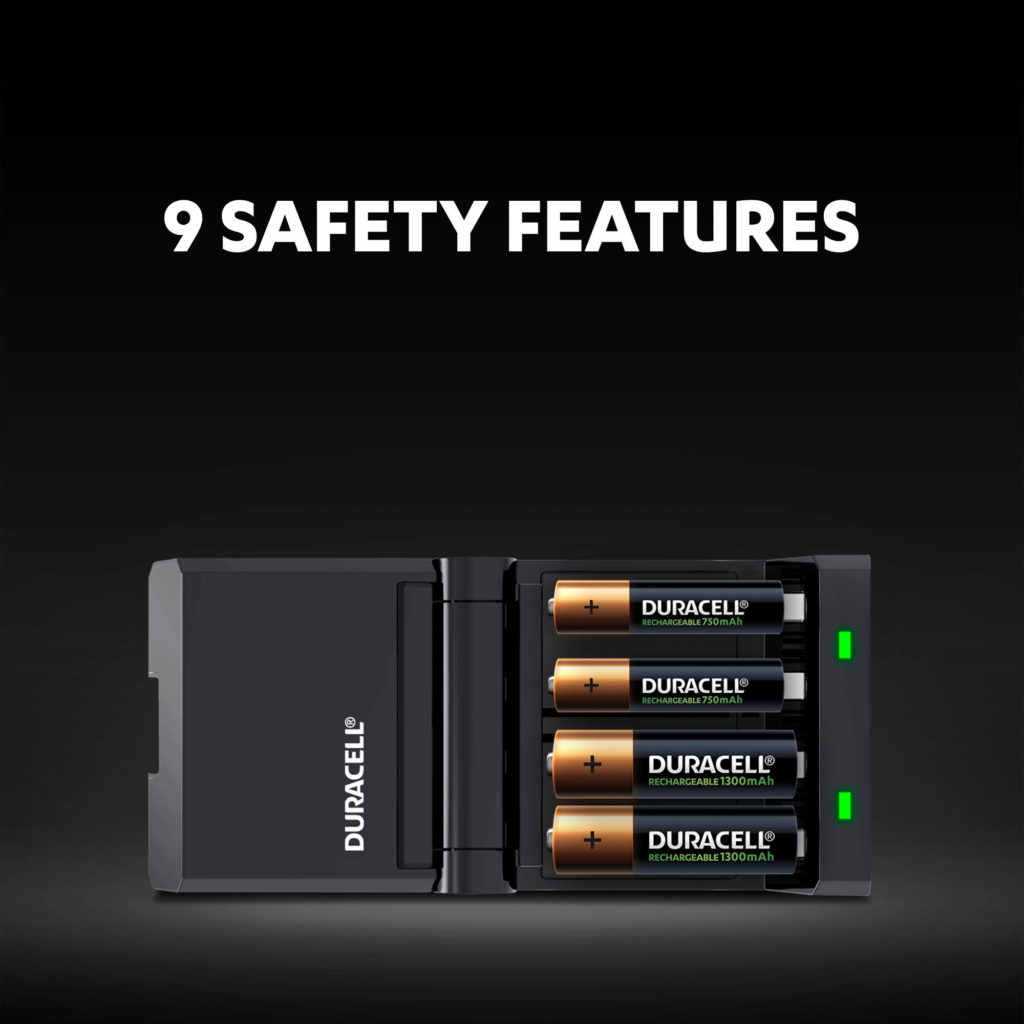
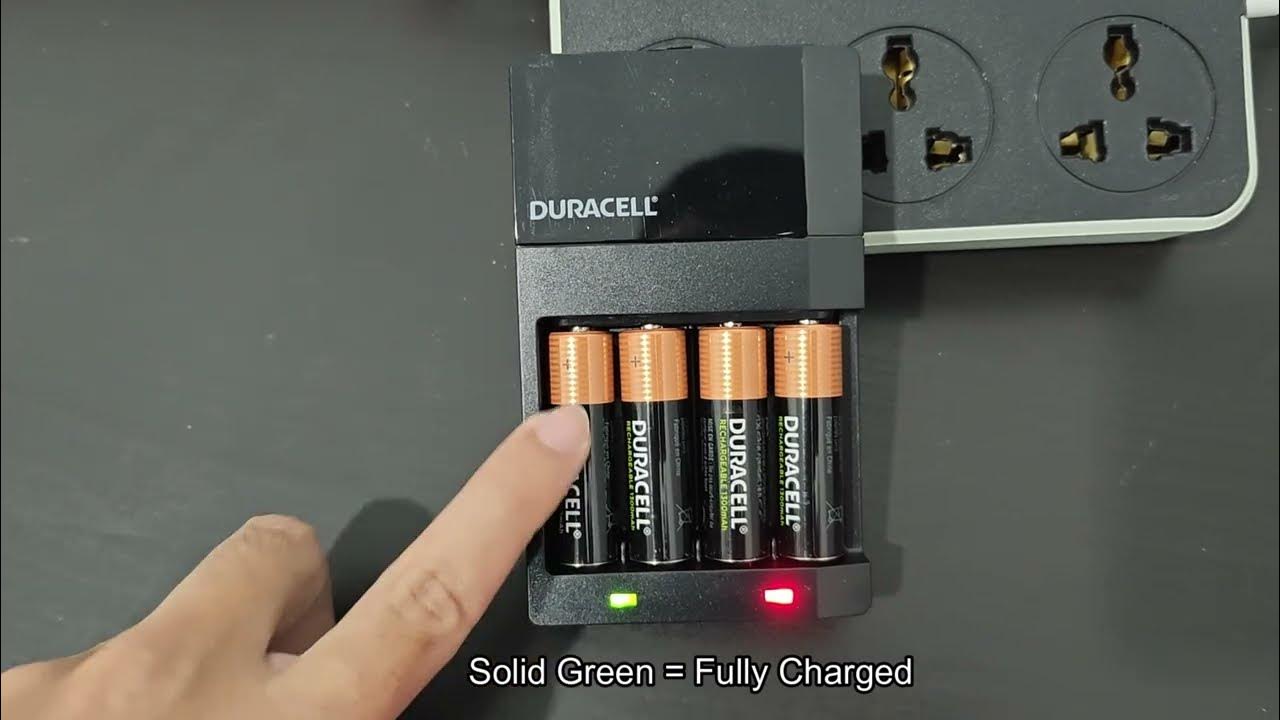
Duracell chargers use simple light signals to show battery status. These lights help you know if batteries are charging, done, or if there is an issue. Understanding these signals can save time and prevent battery damage.
Red Light Signals
A solid red light means the batteries are charging. This light stays on while the charger works to fill the batteries with power. It shows that the charger and batteries are connected properly and the process is ongoing.
Green Light Meaning
A green light means the batteries are fully charged. This signal tells you it is safe to remove the batteries from the charger. Keeping batteries in the charger after reaching green can reduce battery life, so unplug soon after.
Flashing Red Causes
A flashing red light signals a problem with charging. It can mean wrong battery type, poor connection, or battery damage. Check if batteries fit the charger and are inserted correctly. Dirty contacts or old batteries may also cause this light to flash.
Common Issues Causing Red Blink
The Duracell battery charger blinking red signals an issue stopping proper charging. Understanding common causes helps fix the problem quickly. Several factors can trigger the red blinking light on your charger.
Checking these issues improves charging success and saves time. Here are the most frequent reasons for the red blink alert.
Battery Compatibility
Duracell chargers work only with specific battery types. Using non-rechargeable or incompatible batteries causes the red blink. The charger mainly supports NiMH rechargeable batteries. Alkaline or other types may trigger errors. Always check the battery label before charging.
Corrosion And Dirt
Dirty or corroded contacts can disrupt charging. Dust, grime, or white powder buildup reduces connection quality. This causes the charger to blink red as it cannot detect proper contact. Cleaning the terminals with a soft cloth or alcohol wipe often resolves this issue.
Battery Damage
Damaged batteries affect charging performance. Swollen, cracked, or leaking batteries should never be charged. These physical defects cause safety risks and may prompt the charger’s red blink warning. Replace any damaged batteries before charging again.
Incorrect Battery Placement
Placing batteries incorrectly blocks current flow. The charger checks battery polarity to function. Inserting batteries backwards or loosely causes the red blink. Remove and reinsert batteries ensuring the plus (+) and minus (–) ends align with charger markings.
Quick Fixes For Red Blinking
The Duracell battery charger blinking red signals a charging issue. Quick fixes can help solve this problem fast. Follow these simple steps to get your charger working again. Each step targets common causes of the red blinking light. Try them one by one to find the solution.
Reinsert Batteries Properly
Remove all batteries from the charger. Check the positive (+) and negative (-) ends. Insert each battery in the correct direction. Push the batteries gently but firmly into the slots. Incorrect placement often causes the red blinking light.
Clean Charger Contacts
Dirty or corroded contacts stop the charger from working. Use a soft cloth or cotton swab with a little rubbing alcohol. Clean both the metal contacts inside the charger and on the batteries. Let them dry completely before reinserting the batteries.
Check Battery Pairs
Duracell chargers often require batteries to be charged in pairs. Make sure you insert batteries in matching pairs of the same size and charge level. Mixing old and new batteries or different types can cause the red blinking light.
Replace Faulty Batteries
Batteries that are old, damaged, or leaking will not charge properly. Look for bulges, cracks, or corrosion on battery surfaces. Remove any faulty batteries and replace them with new, rechargeable NiMH batteries. This often fixes the red blinking problem immediately.
Advanced Troubleshooting
The Duracell battery charger blinking red can be frustrating. Advanced troubleshooting helps find the root cause. This section guides you through detailed steps to fix the problem effectively. Each step is simple and clear. Follow carefully to avoid damage to your charger or batteries.
Inspect Charger For Damage
Begin by checking the charger closely. Look for cracks, dents, or broken parts. Examine the charging ports for dirt or corrosion. Clean the metal contacts with a dry cloth if needed. Damaged parts can stop the charger from working properly. If you find damage, consider replacing the charger to avoid risks.
Test With New Batteries
Old or faulty batteries often cause the red blinking light. Use fresh, compatible NiMH rechargeable batteries for testing. Insert the new batteries correctly, matching the positive and negative ends. If the charger stops blinking red, the issue was with the old batteries. Avoid mixing new and old batteries in the charger together.
Reset Charger If Possible
Some Duracell chargers have a reset function. Unplug the charger from the power source first. Remove all batteries and wait for about five minutes. Plug the charger back in without batteries and let it rest for a minute. Insert the batteries again and check the light status. Resetting can clear minor faults and restore normal function.
Preventive Tips
Preventing issues with your Duracell battery charger can save time and frustration. Simple care steps keep your charger working well. Follow these preventive tips to avoid the blinking red light problem.
Use Compatible Batteries
Always use NiMH rechargeable batteries with your Duracell charger. Other types, like alkaline or lithium, can cause errors. Check the battery label before charging. Using the right batteries helps the charger work correctly. It also extends battery life and prevents damage.
Regular Contact Cleaning
Clean the charger and battery contacts regularly. Dirt, dust, or corrosion can block the connection. Use a dry cloth or a cotton swab with a little rubbing alcohol. Avoid moisture inside the charger. Clean contacts ensure smooth charging and stop error signals like blinking red lights.
Store Batteries Correctly
Keep batteries in a cool, dry place when not in use. Avoid storing them in extreme heat or cold. Remove batteries from devices if you won’t use them for a long time. Proper storage prevents leaks and corrosion. It also helps maintain battery performance and charger reliability.
When To Replace Charger
A blinking red light on your Duracell battery charger means a problem exists. Sometimes, simple fixes restore charging function. Other times, the charger itself has failed. Knowing when to replace the charger saves time and avoids battery damage.
Watch for clear signs that the charger no longer works. Safety risks increase with a faulty charger. Replace it promptly to protect your devices and yourself.
Signs Of Charger Failure
The charger keeps blinking red even after cleaning contacts. Batteries do not charge or heat up unusually. You see cracks, corrosion, or damage on the charger body. The charger stops powering on or shows inconsistent lights. These signs point to a failing charger that needs replacement.
Safety Considerations
A damaged charger risks electric shock or fire. Avoid using chargers with exposed wires or broken parts. Do not ignore overheating or strange smells. Always unplug the charger if you notice these issues. Use only chargers approved for your battery type. Replace the charger to keep charging safe and reliable.
Frequently Asked Questions
Why Is My Duracell Battery Charger Blinking Red?
A blinking red light on your Duracell charger means a charging error. Check battery type, polarity, and clean contacts. Replace damaged batteries.
Why Is My Rechargeable Battery Charger Blinking Red?
A blinking red light on your rechargeable battery charger signals a charging problem. Check battery type, polarity, and clean contacts. Replace damaged or incompatible batteries.
What Does It Mean When A Duracell Charger Flashes Green?
A flashing green light on a Duracell charger means the batteries are fully charged and ready for use.
How Long Do Duracell Batteries Take To Charge?
Duracell rechargeable batteries typically take about 3 to 5 hours to fully charge using their Hi-Speed chargers. Charging time varies by battery capacity and charger model. Always ensure correct battery placement and use compatible NiMH batteries for optimal charging performance.
Why Is My Duracell Battery Charger Blinking Red?
A blinking red light means the charger detects a problem. It could be due to wrong battery type, poor contact, or damaged batteries. Check batteries and charger contacts for issues.
Conclusion
A blinking red light on your Duracell charger signals a charging problem. Check that batteries are NiMH type and properly placed. Clean the contacts to remove dirt or corrosion. Replace old or damaged batteries to avoid issues. Some chargers need batteries inserted in pairs.
If the red light stays blinking, the charger may be faulty. Regular care helps your charger work well and last longer. Keep these tips in mind to solve common blinking red light problems easily.