Is your DirecTV Gemini remote blinking blue and leaving you confused? You’re not alone.
This blinking light can be frustrating, especially when you just want to enjoy your favorite shows. But don’t worry—understanding why your remote is blinking blue is easier than you think. You’ll discover what the blinking means and simple steps to fix it fast.
Keep reading to get your remote back to working smoothly and enjoy hassle-free TV time again.
Why The Gemini Remote Blinks Blue
The blinking blue light on the DirecTV Gemini remote often causes confusion. This light signals specific issues or actions. Understanding why it blinks helps solve problems faster.
Power And Connection Signals
The blue blinking can mean the remote is trying to connect. It sends a signal to the receiver to pair or sync. This happens after changing batteries or resetting the remote.
If the remote is too far from the receiver, the blue light may blink. It shows a weak connection. Moving closer can stop the blinking.
Battery And Hardware Issues
Low battery power often causes the blue light to blink. The remote tries to alert you to replace the batteries soon. Using fresh batteries usually fixes this issue.
Hardware problems inside the remote can also trigger the blinking light. Faulty buttons or circuit issues may cause the remote to act up. If changing batteries does not help, a repair might be needed.
Simple Troubleshooting Steps
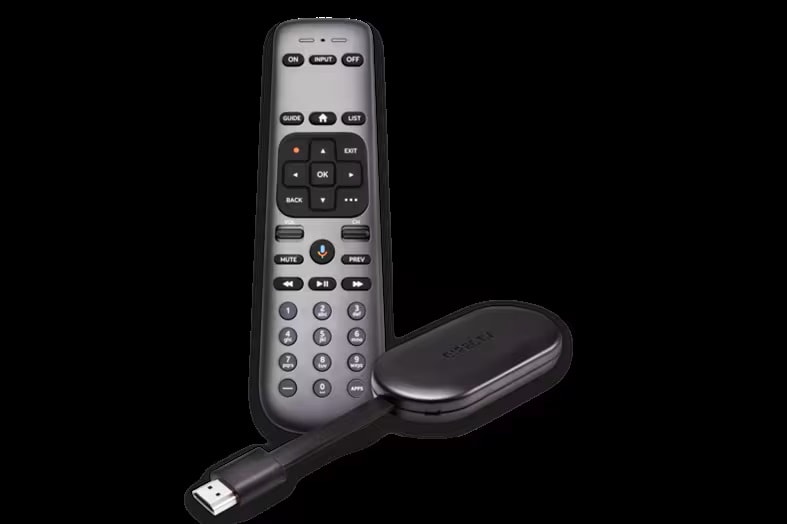
The blinking blue light on your DirecTV Gemini remote can be a sign of connection or power issues. Simple troubleshooting steps can fix most problems quickly. Follow these easy actions to get your remote working again.
Check And Replace Batteries
Start by opening the battery compartment on the back of the remote. Remove the old batteries. Check if they are weak or dead. Replace them with new, fresh batteries. Make sure to insert them with the correct polarity. Test the remote after changing the batteries.
Reset The Remote
Resetting can clear small glitches. Press and hold the “Mute” and “Select” buttons at the same time. Hold them for about 5 seconds. The remote’s light will blink twice. Release the buttons. This resets the remote and may stop the blue blinking.
Re-pair With The Receiver
The remote might lose connection with the receiver. Press and hold the “Mute” and “Select” buttons together. Keep holding until the light blinks twice. Then press “9,” “8,” and “1” in order. Wait for the light to blink twice again. The remote is now paired and should work well.
Advanced Fixes For Persistent Blinking
The blinking blue light on your DirecTV Gemini remote can be tough to fix. Basic steps might not work for some issues. Advanced fixes help solve persistent blinking problems. These methods go beyond simple resets and battery checks. They target deeper causes that affect remote performance.
Try these advanced fixes to bring your remote back to normal. Follow each step carefully to avoid damage. These tips help keep your remote working well for a long time.
Update Firmware
Firmware updates fix bugs and improve device functions. Your remote may blink blue if the firmware is outdated. Connect the remote to your DirecTV receiver using the proper cable. Use the receiver’s menu to check for updates. Install any available updates to refresh the remote’s software. This process can stop the blinking and restore full control.
Inspect For Physical Damage
Physical damage can cause the blue light to blink constantly. Check the remote for cracks, broken buttons, or loose parts. Look inside the battery compartment for corrosion or dirt. Clean any debris carefully with a soft cloth. If buttons stick or do not press well, they may need repair or replacement. Fixing physical damage often stops blinking and improves remote response.
Preventing Future Remote Issues
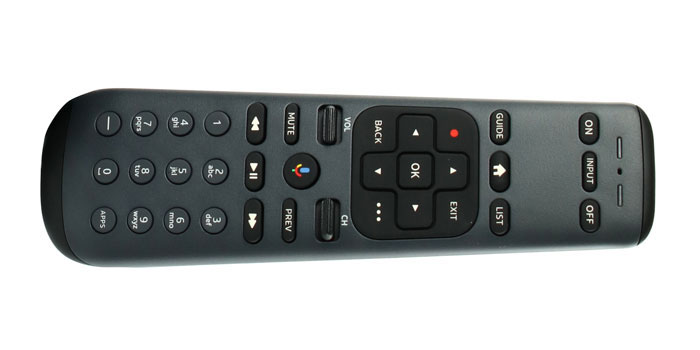
Preventing future issues with your DirecTV Gemini remote helps save time and frustration. Simple habits keep the remote working well. Avoid common problems before they start. Small efforts extend the life of your device.
Proper Remote Care
Keep your remote clean and dry. Wipe it with a soft, dry cloth often. Avoid using water or harsh chemicals. Never drop the remote on hard surfaces. Keep it away from heat and direct sunlight. Store the remote in a safe place when not in use. Remove batteries if you do not plan to use it for a long time.
Regular Maintenance Tips
Check the batteries regularly and replace them as needed. Use fresh, good-quality batteries for better performance. Press buttons gently to avoid damage. Test the remote after cleaning or battery change. Keep the remote away from strong electronic signals. These steps help prevent blinking blue light and other errors.
Frequently Asked Questions
What Does The Blinking Blue Light On Genie Remote Mean?
The blinking blue light shows the remote is trying to connect to the Genie box. It means the remote is searching or pairing.
How To Fix Directv Remote Blinking Blue Light?
Try replacing the batteries first. Then, reset the remote by holding the mute and select buttons together.
Why Won’t My Directv Remote Stop Blinking Blue?
This happens if the remote cannot find the Genie box. Check if the box is on and nearby.
Can A Weak Battery Cause Blinking Blue Light?
Yes, weak batteries often cause the blue light to blink. Replace them with fresh batteries to fix this.
How To Pair Directv Remote After Blinking Blue Light?
Press and hold the mute and select buttons until the light blinks twice. Then enter the 4-digit code shown on screen.
Conclusion
The blinking blue light on your DirecTV Gemini remote can be fixed with simple steps. Check the batteries first. Try resetting the remote by removing batteries and pressing buttons. Make sure the remote is paired correctly with your receiver. These easy fixes often solve the blinking issue quickly.
Keep your remote clean and avoid blocking signals. If problems continue, contacting support may help. Small actions can restore your remote’s normal function fast. No need to stress over a blinking blue light anymore.