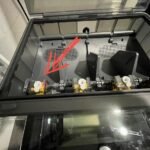
Is your AMS blinking red and you’re not sure why? That flashing red light is your AMS’s way of telling you something’s wrong with your filament or feeding system.
Ignoring it won’t make the problem go away—in fact, it could stop your print mid-way or damage your printer. But don’t worry, you’re in the right place. This guide will help you quickly understand what that red blinking means, what common issues cause it, and how you can fix it step-by-step.
Keep reading to get your AMS back to smooth printing without frustration.

Ams Red Light Signals
Filament problems often trigger the AMS blinking red alert. These issues stop printing and need quick fixes. Understanding filament troubles helps in solving them fast. Common filament problems include broken filament, stuck filament, and feed failures. Each problem affects the printer differently and requires specific steps to fix.
Broken Filament Detection
The AMS detects broken filament by sensing no filament movement. A red flashing light signals broken filament inside the PTFE tube or hub. Remove the spool and disconnect tubes to check for filament pieces. Clear any broken fragments carefully to avoid damage. After cleaning, reload filament and test the feed again.
Removing Stuck Filament
Stuck filament blocks the feeder and causes the AMS to blink red. Disconnect the filament tube from the hub to access the stuck filament. Gently pull the filament out; do not force it to prevent damage. Use pliers if the filament is hard to remove. After removal, check the tube for leftover debris and clean it.
Filament Feed Failures
Feed failures happen when the feeder and hub disagree on filament presence. This causes a double-flashing red light on the AMS. Inspect the feeder for jams or dirt blocking the filament path. Clear any debris and ensure the filament moves smoothly. Restart the printer and reload filament to fix the feed failure.

Frequently Asked Questions
What Does Ams Blinking Red Light Mean?
A red blinking light on AMS shows a problem with filament feeding or sensor error. It often means filament is stuck or broken inside the system.
How To Fix Ams Blinking Red Error Light?
Try unloading filament, checking for broken pieces, and clearing jams in the tubes or feeder. Restart the machine after cleaning.
Why Does Ams Double Flash Red Light Appear?
Double flashing red indicates a feed or unload failure between the feeder and the hub. This means the system detects mismatched filament presence.
Can Firmware Cause Ams Red Blinking Light?
Yes, some firmware bugs cause AMS lights to flash red falsely. Updating to the latest firmware often solves this issue.
When Should I Contact Bambu Lab Support For Ams Red Light?
Contact support if cleaning and basic fixes fail or if the red light stays on with no clear error. They can guide deeper troubleshooting.
Conclusion
A red blinking AMS light signals a filament or feeding problem. Check for broken filament inside the tube or spool. Remove any debris from the feeders and hub to avoid errors. Restarting the device often helps reset the system. Keep your firmware updated to prevent known bugs.
Contact Bambu Lab support if the issue continues. Simple steps can restore your printer’s function quickly. Understanding these signals saves time and frustration. Stay calm and troubleshoot carefully for best results.