
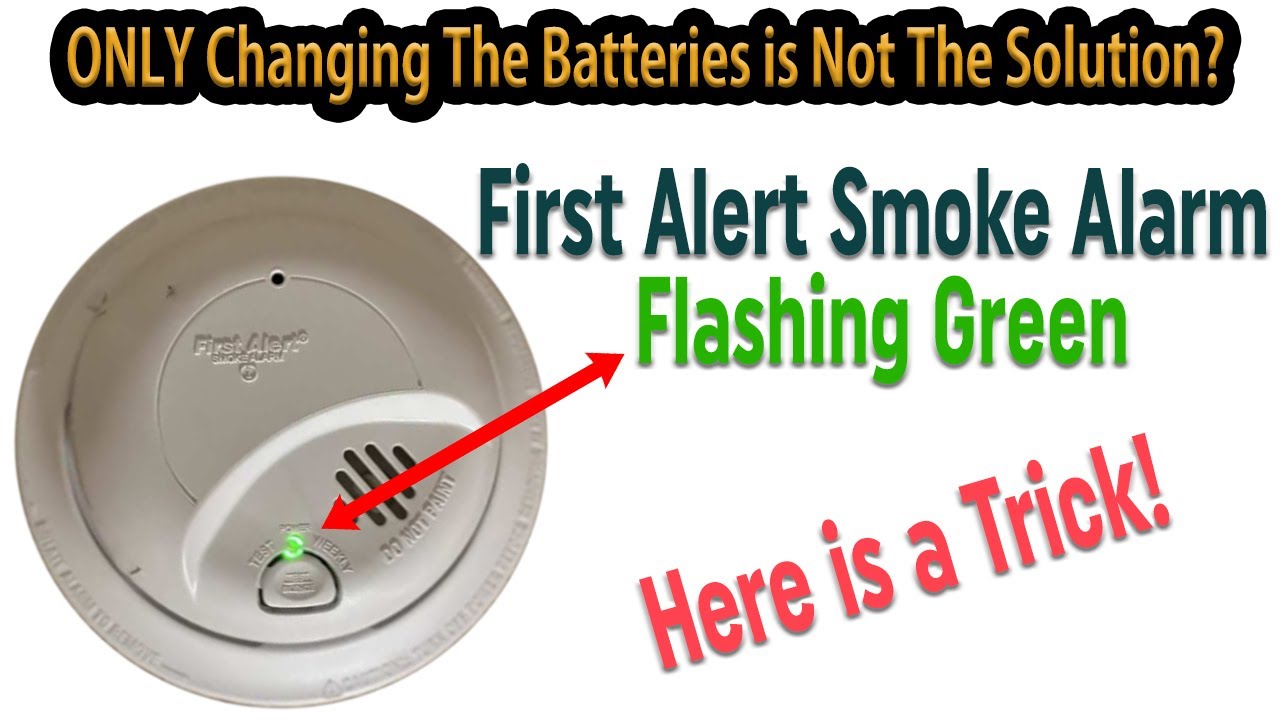
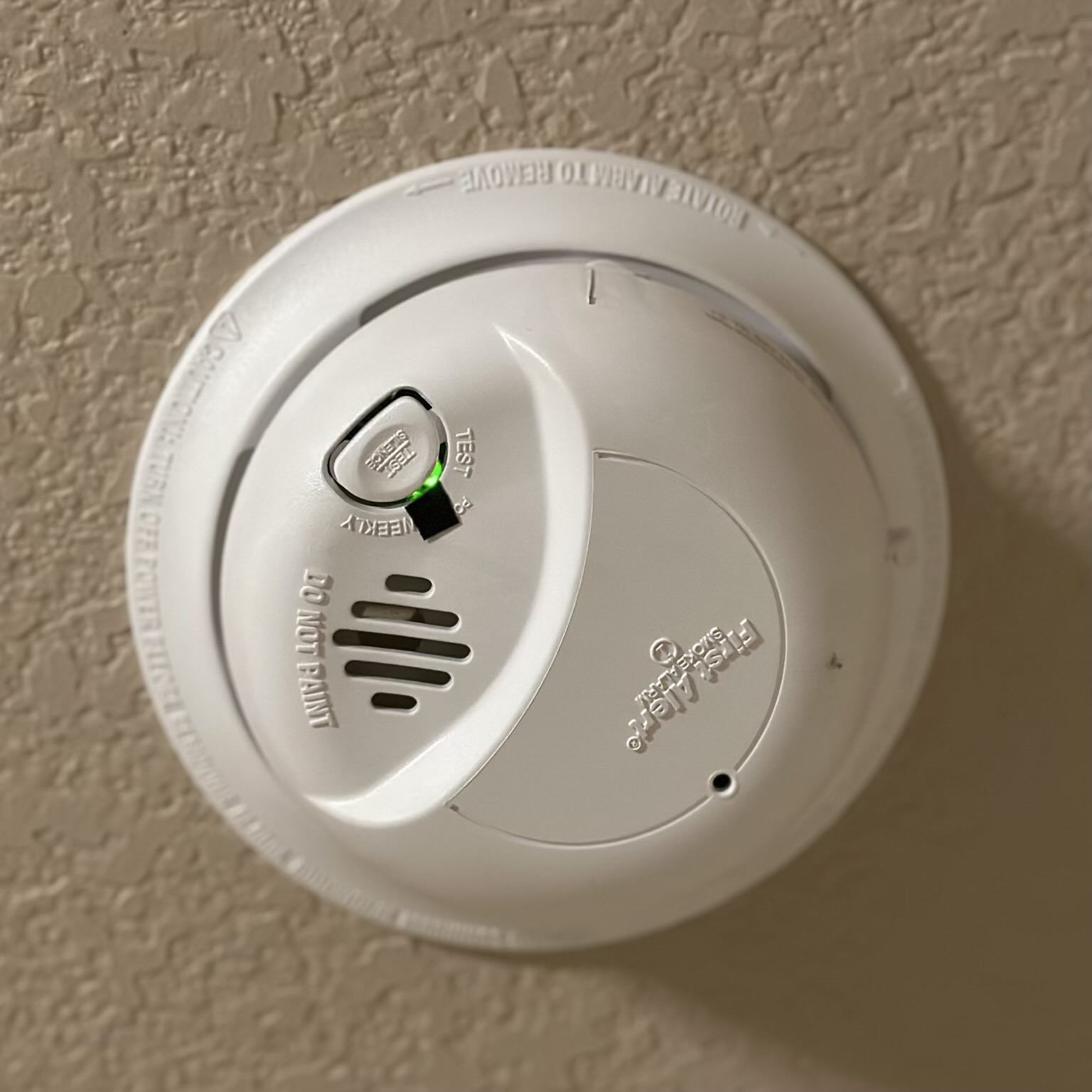
Have you noticed a green light blinking on your smoke detector and wondered what it means? It can be confusing and even a little worrying when your safety device starts flashing unexpectedly.
But don’t panic—this blinking green light usually tells you something important about your smoke detector’s status. Understanding why it’s blinking can help you keep your home safe and ensure your alarm is working properly. You’ll learn what a blinking green light means, the common reasons behind it, and simple steps you can take to fix or reset your smoke detector quickly.
Keep reading to take control of your home safety with confidence.
Green Light Signals
The green light on a smoke detector gives important information about its status. It shows if the device is working correctly or if it needs attention. Understanding these signals helps keep your home safe.
Smoke detectors use green lights to communicate different messages. Each pattern means something specific about the power, memory, or communication of the device.
Normal Power Indicator
A steady or slow blinking green light means the smoke detector has power. It shows the unit is connected to electricity, either from batteries or a hardwired source. This signal confirms the device is ready to detect smoke.
Memory Mode Alert
A blinking green light can also mean the detector is in memory mode. This happens after it detects smoke or an alarm event. The light blinks to remind you which unit was triggered last, even if the air is clear now.
Communication With Main Panel
In wired or interconnected systems, the green light blinks to show communication with the main control panel. Each blink acts as a check-in signal. Multiple blinks mean the detector is sending more detailed status information.
Common Causes Of Blinking Green
The green light blinking on a smoke detector can catch your attention quickly. It usually signals the device’s current status or alerts you about a specific condition. Understanding the common causes behind this blinking helps maintain safety and ensures your device works correctly. This section explains the main reasons for a blinking green light on smoke detectors.
Battery Status
A blinking green light often relates to the battery condition. Many smoke detectors use a backup battery along with hardwired power. When the battery runs low or needs replacement, the green light may blink. This blinking acts as a reminder to change the battery soon. Keeping fresh batteries ensures the detector stays active during power outages.
Sensor Conditions
The smoke detector sensors monitor the air for smoke or carbon monoxide. Dust, dirt, or insects can affect these sensors and cause the green light to blink. This blinking signals the need for cleaning or maintenance. Regularly cleaning the detector helps sensors work properly and prevents false alarms or errors.
Power Supply Issues
The green blinking light can also indicate power supply problems. A loose wire or interrupted electrical connection may cause this issue. Hardwired detectors depend on steady electricity. Any fluctuation or disconnection can trigger the blinking green light. Checking the power connections or resetting the device often resolves these problems quickly.
Distinguishing Light Colors
Smoke detectors use different colored lights to show their status. These lights help you understand if the device is working well or if there is a problem. Knowing what each color means can keep your home safe and avoid confusion. The main colors you will see are green, red, and amber. Each color has a specific message for you.
Green Light Meaning
A green light on a smoke detector usually means it is working properly. It shows the device has power and is ready to detect smoke or fire. Sometimes the green light blinks slowly. This blinking means the detector is communicating with other devices or checking itself. A steady green light means normal operation. Do not worry if the green light blinks occasionally. It is a sign that the smoke detector is active and monitoring your home.
Red Light Warning
A red light on a smoke detector signals danger. This light flashes fast or stays on during an alarm. It means the detector has found smoke, fire, or carbon monoxide. When the red light blinks with a loud beep, act quickly. Check your home for fire or smoke. If it is a false alarm, press the reset button to stop the sound. Never ignore a red light warning on your smoke detector.
Amber Light Alerts
An amber light means the smoke detector needs attention but not an emergency. It may blink to show low battery power or a sensor problem. Sometimes, it signals the device is near the end of its life and should be replaced soon. When you see an amber light, check the battery first. Change it if needed. If the light stays on, read the user manual for more help or contact customer support.
Battery Replacement Tips
Replacing the battery in your smoke detector is crucial for its proper function. A blinking green light often signals it is time to check the power source. Proper battery care keeps your home safe and your detector working well. Follow these simple tips to handle battery replacement confidently.
When To Replace Batteries
Replace batteries at least once a year. If the green light blinks rapidly, it may signal low power. Also, change batteries if the alarm beeps or chirps. Do not wait until the alarm fails. Regular replacement ensures the smoke detector stays active.
Choosing The Right Batteries
Use batteries recommended by the smoke detector maker. Most alarms need 9-volt or AA batteries. Avoid cheap or old batteries to prevent failure. Use fresh, high-quality alkaline or lithium batteries. Proper batteries improve lifespan and alarm reliability.
Testing After Replacement
Test the smoke detector after installing new batteries. Press the test button until you hear the alarm sound. This confirms the unit works correctly. Test monthly to maintain safety. Replace batteries immediately if the alarm fails.
Cleaning And Maintenance
Keeping your smoke detector clean and well-maintained is essential for its proper function. Dirt and dust can block sensors, causing false alerts or missed alarms. Regular upkeep ensures the green light blinking remains a sign of normal operation. It also extends the detector’s life and reliability.
Dust Removal Methods
Dust buildup can affect sensor accuracy and cause blinking lights. Use a vacuum cleaner with a soft brush attachment to gently remove dust from the detector’s surface. Avoid using water or cleaning sprays, which can damage the device. Compressed air cans work well to blow out dust from small openings.
Sensor Care
The sensor inside your smoke detector needs special attention. Clean it carefully with a dry cloth or a soft brush. Do not touch the sensor with your fingers. Oils or moisture from skin can harm the sensor’s function. Replace the detector if the sensor looks damaged or dirty beyond cleaning.
Regular Inspection Schedule
Check your smoke detector every month to ensure it works correctly. Test the alarm sound and observe the green light blinking pattern. Replace batteries at least once a year or when the low battery signal appears. Clean the device every six months to keep dust and debris away. Follow the manufacturer’s instructions for detailed maintenance steps.
Power Supply Checks
Checking the power supply is crucial when you see a green light blinking on your smoke detector. This light often signals that the device has power but needs confirmation that the power source is stable. Power issues can cause false alarms or prevent the detector from working correctly. Testing the main power and backup battery ensures your smoke detector stays reliable and safe.
Start with the main power supply to confirm your smoke detector receives consistent electricity. This helps avoid interruptions that might trigger the blinking green light.
Hardwired Connection
Most smoke detectors connect directly to your home’s electrical system. Check the hardwired connection by looking at the wiring inside the detector’s mounting bracket. Loose or damaged wires can cause blinking lights. Make sure the wires are secure and not corroded. Turn off the power at the breaker before inspecting. Tighten any loose connections and replace damaged wires. After fixing, restore power and watch the light for changes.
Breaker Panel Inspection
The breaker panel controls electricity flow to your smoke detector. Sometimes, a tripped breaker can cause power loss, triggering the green light to blink. Locate the breaker panel and find the breaker linked to your smoke detector. If it is off or tripped, switch it off and on again. This reset can restore power and stop the blinking. If the breaker trips repeatedly, contact an electrician to check your electrical system.
Backup Battery Status
Smoke detectors usually have a backup battery to keep working during power outages. A weak or dead backup battery can cause the green light to blink. Remove the detector from its base and open the battery compartment. Replace the old battery with a fresh one, following the manufacturer’s instructions. Use the correct battery type for your model. After installing the new battery, test the alarm to ensure it works properly. This small step can prevent power issues and keep your home safe.
Resetting The Smoke Detector
Resetting the smoke detector can stop the green light from blinking and restore normal function. This process clears any temporary errors or alerts the unit may have. A reset is simple and often solves minor issues without needing replacement parts. It helps ensure your smoke detector remains reliable and ready to protect your home.
Locate the reset button on your smoke detector. Press and hold it for about 15 seconds. The green light should stop blinking and stay solid. This action clears the detector’s memory and resets its sensors. Release the button once the light changes. Test the alarm by pressing the test button to confirm it works.
Power Cycling
Turn off the power to the smoke detector at the circuit breaker. Wait for 30 seconds to 1 minute. Restore the power to the unit. The green light will blink during startup and then become steady. Power cycling clears minor electrical glitches inside the device. It is a quick and easy way to reset the detector.
Factory Reset Procedures
Check your smoke detector’s manual for factory reset steps. Usually, it involves pressing and holding the reset button longer, around 20 seconds. Some models may require removing the battery before resetting. This method returns the detector to its original settings. Use factory reset only if other resets fail. It removes all saved data and clears errors fully.
When To Replace The Detector
Knowing when to replace your smoke detector is vital for home safety. Smoke detectors wear out over time. Replacing them at the right moment ensures reliable protection. Ignoring signs of aging or damage can put your family at risk.
End-of-life Indicators
Most smoke detectors have a lifespan of 8 to 10 years. After this, sensors may fail silently. Some models show end-of-life signals like a blinking green light or chirping sound. Check your detector’s manual for specific signs. Replace it immediately if you notice these indicators.
Frequent False Alarms
False alarms can signal a failing detector. Dust buildup or sensor wear causes these false alerts. Frequent alarms waste your time and reduce trust in the device. If cleaning does not help, it’s time to replace the detector. A new unit ensures accurate detection and peace of mind.
Physical Damage Signs
Physical damage affects detector performance. Cracks, dents, or water damage can harm sensors and electronics. Exposed wiring or loose parts also create hazards. Replace any smoke detector that shows visible damage. Do not wait for it to fail completely.
Safety Precautions
Safety precautions are key when dealing with a smoke detector’s blinking green light. This signal means the device is working, but it also calls for careful handling. Following the right steps helps keep your home safe.
Simple actions can prevent accidents and false alarms. Proper care of batteries, correct installation, and knowing how to avoid false signals are important. These measures ensure your smoke detector works as it should.
Handling Batteries Safely
Always use the correct battery type for your smoke detector. Remove old batteries carefully to avoid damage. Dispose of used batteries at designated recycling points. Never mix old and new batteries in the device. Store spare batteries in a cool, dry place away from children. Check battery contacts for corrosion and clean gently if needed. Replace batteries at least once a year or as the device signals low power.
Avoiding False Alarms
Keep the smoke detector away from kitchens and bathrooms where steam and cooking smoke are common. Clean the detector regularly to remove dust and insects. Use a soft brush or vacuum cleaner on the device’s vents. Avoid spraying cleaning chemicals directly on the detector. Test the alarm monthly to ensure it works correctly. If the green light blinks more than usual, check the manual for specific meanings. False alarms can cause panic and reduce trust in the device.
Proper Installation Tips
Install smoke detectors on every level of your home, especially near sleeping areas. Mount them on ceilings or high on walls, as smoke rises. Avoid placing detectors near windows, doors, or air vents where airflow can delay smoke detection. Follow the manufacturer’s instructions carefully during installation. Use screws or mounting brackets provided for secure placement. Test the device after installation to confirm it is operational. Regularly check that detectors are firmly attached and not obstructed.
Frequently Asked Questions
Why Is My Kidde Smoke Alarm Blinking Green?
A blinking green light on your Kidde smoke alarm shows normal power status or that it was the last unit triggered.
Why Is The Green Light Flashing On My Smoke Detector Reddit?
A flashing green light on your smoke detector means it’s communicating with the main panel or showing normal power status. Multiple blinks indicate extra information, like sensor dirt. Only worry if the light turns red, signaling an alarm or issue.
Is A Green Light Good On A Smoke Detector?
A green light on a smoke detector means it is powered and working correctly. A steady or blinking green light shows normal operation. Only a red or amber light signals alerts or issues.
Does A Blinking Smoke Alarm Need New Batteries?
A blinking smoke alarm often signals low batteries. Replace batteries promptly and test the alarm to ensure proper function.
What Does A Blinking Green Light On Smoke Detector Mean?
A blinking green light usually shows the alarm has power and is working. It can also mean the detector recently sensed smoke but is now clear. This is a normal signal for many smoke alarms.
Conclusion
A blinking green light on your smoke detector usually shows normal operation. It means the device is powered and ready to protect your home. Sometimes, it signals the unit remembers a past alarm or needs a simple reset. Keep the detector clean and check batteries regularly to avoid false alerts.
Always test your smoke alarm to ensure it works correctly. Staying aware helps keep your family safe and your home secure.









