
Is your Crock Pot’s power light blinking and leaving you puzzled? You’re not alone.
When that little light starts flashing, it’s more than just a minor annoyance—it’s a signal that something isn’t quite right. But before you toss your slow cooker aside or rush to buy a new one, take a moment. Understanding why the power light blinks can save you time, money, and a lot of frustration.
You’ll discover the common reasons behind that blinking light and simple steps you can take to fix it yourself. Keep reading—you’re just a few easy fixes away from getting your trusty Crock Pot back to work, making your mealtime stress-free again.
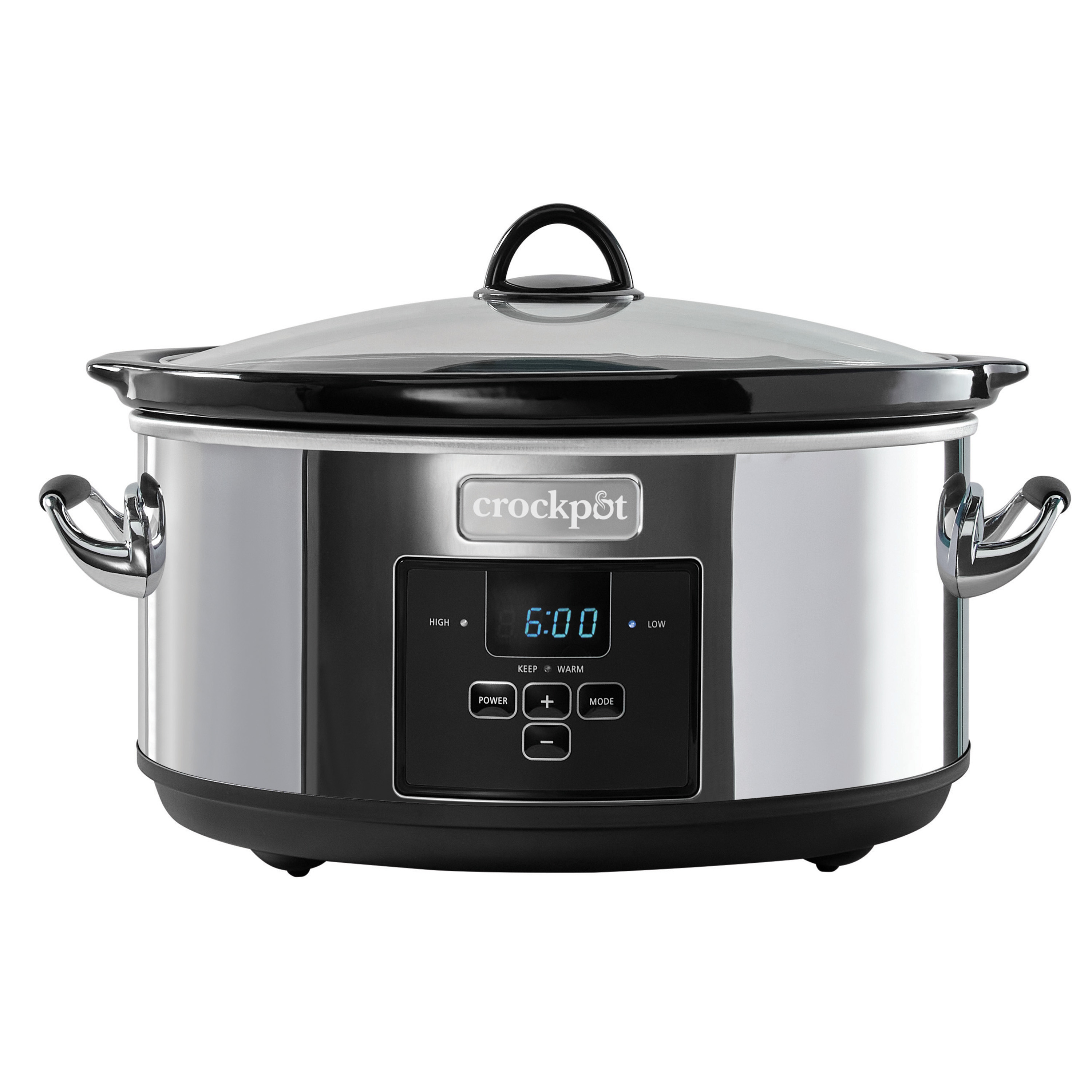
Causes Of Blinking Power Light
The blinking power light on a Crock Pot signals an issue that needs attention. It serves as a warning that something is not working correctly. Understanding the causes helps you identify and solve the problem quickly. Various factors can trigger this blinking light. The most common causes include power supply issues, internal electrical faults, sensor or control board errors, and physical damage. Each cause affects the appliance differently and requires specific checks.
Power Supply Issues
Power supply problems often cause the Crock Pot’s power light to blink. This may happen due to loose plugs or faulty outlets. A sudden power surge or voltage drop can also trigger blinking. Check the electrical connection first. Make sure the plug fits tightly into the socket. Try plugging the Crock Pot into a different outlet. Avoid using extension cords as they may cause unstable power. Ensuring a steady power source can stop the blinking light.
Internal Electrical Faults
Internal electrical faults inside the Crock Pot can cause the power light to blink. Worn-out wiring or damaged circuits may lead to this issue. Faulty heating elements can also cause irregular signals. These faults disrupt normal appliance function. They need professional repair or replacement parts. Avoid using the Crock Pot if it shows signs of electrical problems. This prevents further damage or safety risks.
Sensor Or Control Board Errors
The Crock Pot uses sensors and a control board to manage cooking. Errors in these components cause the power light to blink. Sensors may fail to read temperature or lid position correctly. The control board may experience glitches or software faults. Resetting the Crock Pot sometimes fixes these errors. Unplug the appliance for a few minutes, then plug it back in. Persistent blinking after reset indicates a need for technical service.
Physical Damage Indicators
Physical damage can also cause the blinking power light. Check the Crock Pot for cracks in the ceramic pot or housing. Inspect the power cord for frays, cuts, or exposed wires. Damage to these parts creates safety hazards and operational problems. Look for burn marks or melted plastic near the plug. Any visible damage means the Crock Pot should not be used. Replace or repair damaged parts before using it again.
Basic Troubleshooting Steps
When your Crock Pot power light starts blinking, simple fixes can often solve the problem. Basic troubleshooting helps identify common issues without extra tools. Follow these easy steps to check your slow cooker and get it working again quickly.
Check The Power Source
Make sure the outlet has power. Plug in another device to confirm the socket works. Avoid using power strips or extension cords during this test. A stable power source ensures the Crock Pot receives enough electricity to operate.
Inspect The Power Cord And Plug
Look closely for any damage on the cord or plug. Frayed wires or bent prongs can cause power interruptions. Replace the cord if you notice cracks or wear. Damaged cords create safety risks and can make the power light blink.
Resetting The Crock Pot
Unplug the slow cooker for at least 5 minutes. This allows internal components to reset. After waiting, plug it back in and turn it on. Resetting can fix minor electronic glitches causing the blinking light.
Test With Different Outlets
Try plugging the Crock Pot into another outlet in your home. This helps rule out outlet-specific problems. Choose a different room or floor if possible. Testing multiple outlets narrows down the cause of the blinking power light.
Advanced Fixes
Advanced fixes for a Crock Pot power light blinking involve more detailed checks. These steps help identify deeper problems beyond simple resets. They often require careful testing and inspection. Follow these methods to diagnose and fix your slow cooker safely and effectively.
Performing A Temperature Test
Fill the Crock Pot with water up to two-thirds full. Turn it on low and cover the lid. Let it heat for about eight hours. Use a food thermometer to check the water temperature. The ideal temperature is between 190°F and 210°F. If the temperature is too low or does not rise, the heating element may be faulty.
Inspecting Internal Components
Unplug the Crock Pot before opening the base. Check the heating element for visible damage or burn marks. Examine the wiring for loose connections or frayed areas. Look for any signs of moisture inside the unit. Moisture can cause electrical shorts, leading to blinking lights. Handle components carefully to avoid injury or damage.
When To Replace The Ceramic Liner
Look for cracks or chips on the ceramic liner. Even small cracks can cause uneven heating or electrical hazards. A cracked liner may cause the power light to blink. Replace the ceramic pot if you find any damage. Using a damaged liner can affect cooking safety and appliance performance.
Dealing With Circuit Breaker Trips
If the Crock Pot trips your home’s circuit breaker, unplug it immediately. Check the electrical cord for damage or exposed wires. Avoid using extension cords or overloaded outlets. Test the slow cooker on a different circuit if possible. Frequent breaker trips often indicate an internal electrical fault needing professional repair or replacement.
Maintenance Tips
Proper maintenance helps keep your Crock Pot working well and stops the power light from blinking. Small habits protect the appliance and extend its life. Follow these simple tips to care for your slow cooker daily and after use.
Regular Cleaning Procedures
Clean the Crock Pot after each use. Remove the stoneware insert and wash it with warm, soapy water. Avoid using harsh scrubbers that can scratch the surface. Wipe the heating base with a damp cloth only. Never immerse the base in water. Dry all parts completely before reassembling. This prevents moisture from causing electrical issues.
Avoiding Overloads And Spills
Do not fill the Crock Pot above the maximum line. Overloading causes spills that can trigger blinking lights. Use lids that fit properly to avoid steam leaks. Clean any spills on the heating base immediately. Spills can damage electrical parts and cause safety risks. Keep the inside clean and dry to ensure smooth operation.
Storing Crock Pot Safely
Store the Crock Pot in a cool, dry place. Avoid areas with high humidity or direct sunlight. Make sure the appliance is completely cool before storing. Wrap the cord loosely to prevent damage. Keep the stoneware and lid together to avoid losing parts. Proper storage stops dust buildup and mechanical wear.
Monitoring For Warning Signs
Watch for signs like odd noises, burning smells, or cracks in the stoneware. These indicate problems that need attention. If the power light blinks often, unplug and inspect the appliance. Check the power cord for frays or damage. Early detection of issues prevents bigger damage and keeps your slow cooker safe to use.
When To Seek Professional Help
Knowing when to seek professional help for your Crock Pot’s power light blinking saves time and prevents hazards. Some issues need expert attention to keep your appliance safe and functional. Acting quickly avoids bigger problems and ensures your slow cooker works well.
Persistent Blinking Issues
If the power light keeps blinking after resets, it signals an internal problem. Simple fixes like unplugging may not work. Continuous blinking can mean a faulty circuit or control board. A professional can diagnose and repair the exact cause safely.
Electrical Smells Or Sounds
Burning smells or strange noises from your Crock Pot need immediate attention. These signs show electrical faults or overheating. Unplug the cooker right away to prevent fire risks. Contact a technician to inspect wires and components for safety.
Repeated Power Failures
Frequent power losses during cooking indicate electrical or hardware issues. This problem can cause uneven cooking or damage. Avoid using the slow cooker until a professional checks the power system. Repairs may include fixing wiring or replacing parts.
Warranty And Repair Options
Check your Crock Pot’s warranty before attempting repairs. Many models have coverage for defects and malfunctions. Authorized service centers provide trusted repairs and maintain warranty protection. Use official repair services to avoid voiding your warranty.
Preventive Measures
Taking preventive steps helps avoid issues with your Crock Pot power light blinking. Simple actions protect your slow cooker from damage. They also ensure safe and steady cooking every time. Follow these tips to keep your appliance working well.
Using Proper Power Outlets
Always plug your Crock Pot into a grounded power outlet. Avoid using loose or damaged sockets. A stable power source prevents electrical problems. It helps maintain steady power flow to the cooker. Check outlets regularly for any signs of wear.
Avoiding Extension Cords
Extension cords can cause power drops and surges. These changes may trigger the power light to blink. Use a direct wall outlet instead. If you must use an extension cord, choose one rated for the Crock Pot’s power needs. Avoid long or thin cords that may overheat.
Routine Performance Checks
Test your slow cooker regularly to catch problems early. Check for cracks in the ceramic pot or frayed cords. Listen for unusual sounds like buzzing or crackling. Use a food thermometer to measure if the temperature stays steady. Catching issues early saves repair costs and keeps cooking safe.
Upgrading To New Models
Older Crock Pots may have outdated safety features. New models often include better power management technology. Consider upgrading if your slow cooker blinks power lights often. A newer model offers improved reliability and safety. It also ensures consistent cooking results every time.

Frequently Asked Questions
Why Is The Power Light Blinking On My Crockpot?
A blinking power light on your crockpot usually signals a power or temperature issue. Check the power source and reset the device. Ensure it’s plugged directly into a wall outlet, not an extension cord. If blinking continues, the crockpot may need repair or replacement.
Most Crock-Pots do not have a dedicated reset button. To reset, unplug it, wait a few minutes, then plug it back in. Some models reset by holding specific buttons together; check your manual for exact instructions.
How To Tell If A Crockpot Is Going Bad?
Check for cracks, frayed cords, burning smells, or unusual sounds. Test temperature accuracy and watch for tripped breakers. These signs indicate a failing crockpot.
Unplug the digital crockpot for 5 minutes to reset it. Then, plug it back in and press any available control button to restart.
Why Is My Crock Pot Power Light Blinking?
A blinking power light usually means a power or connection issue. Check if the cooker is properly plugged in and the outlet works. Sometimes, internal faults can cause blinking too.
Conclusion
A blinking power light on your Crock Pot often signals a simple issue. Check the power connection and reset the unit if needed. Inspect the cord and plug for any damage to stay safe. Clean the control panel gently to remove any dirt or moisture.
If problems continue, contacting customer support is a smart step. Regular care helps your slow cooker last longer and work better. Stay patient and follow these tips to keep cooking smoothly.









